Claude plugins vs skills vs connectors vs Projects: which to use (2026)

Last updated: October 24, 2026
TL;DR
Use a skill to teach Claude how to do a task, a connector to give it access to another app, a Project to hold the files for one body of work, and a plugin to deliver skills and connectors to other people in one install. That settles Claude plugins vs skills: the skill is the process, and the plugin is the box you ship it in.
- 📝 Skills are written processes, such as your proposal format or brand voice. Claude loads one only when a task calls for it, in chat, Cowork and Claude Code.
- 📦 Plugins bundle skills, connectors, slash commands, sub-agents and hooks. Build one when a setup has to reach a second person or a second repository.
- 📁 Projects hold standing context: price sheets, SOPs, a client's history. They load for every chat inside the Project and nowhere else.
- 🔌 Connectors are MCP servers with the hosting and sign-in done for you. MCP is the protocol. A connector is one app's connection, ready to switch on.
- 🛠️ On Team, each one has its own control: org skills and the Policy tab, a private plugin marketplace with four install levels, connector enablement with per-tool permissions, and Project sharing.
Claude plugins vs skills vs connectors vs Projects: the decision table
Skills, plugins, connectors and Projects do four different jobs: how, delivery, access and context. Pick by the problem you have. If Claude does a task wrong, write a skill. If it can't see the data, add a connector. If every chat needs the same files, make a Project. If a setup needs to reach other people, package it.
| Skill | Plugin | Connector | Project | |
|---|---|---|---|---|
| What it is | A written process Claude follows | A package that installs several add-ons at once | A link to another app, built on MCP | A workspace for one body of work |
| What it contains | A folder with a SKILL.md file, plus optional scripts and resources | Skills, connectors, slash commands, sub-agents and hooks | The tools and data of one service, such as Gmail or GitHub | Project knowledge (files), instructions, chats and artifacts |
| When it loads | Short description always, full instructions when a task matches | Whatever its parts do | When Claude calls one of its tools | In every chat inside the Project |
| Chat | Yes | Skills, slash commands and connectors; hooks and sub-agents grayed out | Yes, on web, desktop and mobile | Yes |
| Cowork | Yes | Yes, every part | Yes | Yes |
| Claude Code | Yes, synced from your Claude account | Yes, synced from your Claude account | Yes, when signed in with a Claude subscription | CLAUDE.md files do this job |
| Use it when | You paste the same instructions a third time | A setup has to reach more than one person | Claude needs data or actions from another app | Several chats need the same files |
| Who adds it on Team | Any member, unless User-created skills is off | Any member can upload one; Owners run the private marketplace | An Owner enables it; each member signs in | Any member, shared with the org or by invite |
The table draws on Anthropic's articles on skills, plugins, connectors and Projects, and the Claude Code features overview. The "third time" trigger is Anthropic's own: write a skill when "you paste the same playbook or multi-step procedure into chat for the third time."
Chat and Cowork are merging. Anthropic's unified experience article (September 16, 2026) folds them into one conversation, starting with Pro and Max, and gives no date for Team. Skills, connectors, plugins and Projects carry over, so the table holds either way.
The owner controls in the last row assume the Claude Team plan.
Skills: how Claude should do a task
A skill is a folder of instructions, scripts and resources that Claude loads when a task needs it, so the task comes out the same way every time. Claude keeps only each skill's short description in view and pulls in the full instructions when your request matches. That keeps the context window from filling up, even with many skills installed.
Anthropic's skills article names four kinds: its own (document creation for Excel, Word, PowerPoint and PDF), custom skills you write, organization-provisioned skills an Owner pushes to every member, and partner skills from Notion, Figma and Atlassian built for their connectors. Skills work on every plan, Free included, and need code execution switched on. In Claude Code, you can also call one by name, like /deploy, and skills sync from your Claude account from version 2.1.273, per Anthropic's guide to using skills.
One limit to know before you write a rule into a skill. Claude reads a skill and decides how to apply it, so the outcome can vary. Anthropic's Claude Code docs put it bluntly: an instruction like "never edit .env" in a skill "is a request, not a guarantee." If something must happen every time, it belongs in a hook, which runs without Claude deciding.
Plugins vs skills: when to package
A plugin is a delivery format for skills and the add-ons they depend on. It bundles skills with connectors, slash commands, sub-agents and hooks, so one install sets up a whole role. Write the skill first. Package it as a plugin when it has to reach a second person, or a second repository in Claude Code.
Anthropic's Claude Code docs call plugins "the packaging layer." The differences that matter in practice:
| Skill | Plugin | |
|---|---|---|
| Plans | Free, Pro, Max, Team, Enterprise | Paid plans only |
| Contains | One process | Any mix of skills, connectors, commands, sub-agents and hooks |
| Install | Toggle or upload a ZIP with a SKILL.md | One click from a marketplace, or upload a plugin file |
| Naming in Claude Code | /review | Namespaced, like /my-plugin:review, so plugins don't collide |
| Hooks and sub-agents | Not applicable | Run in Cowork and Claude Code; grayed out in chat |
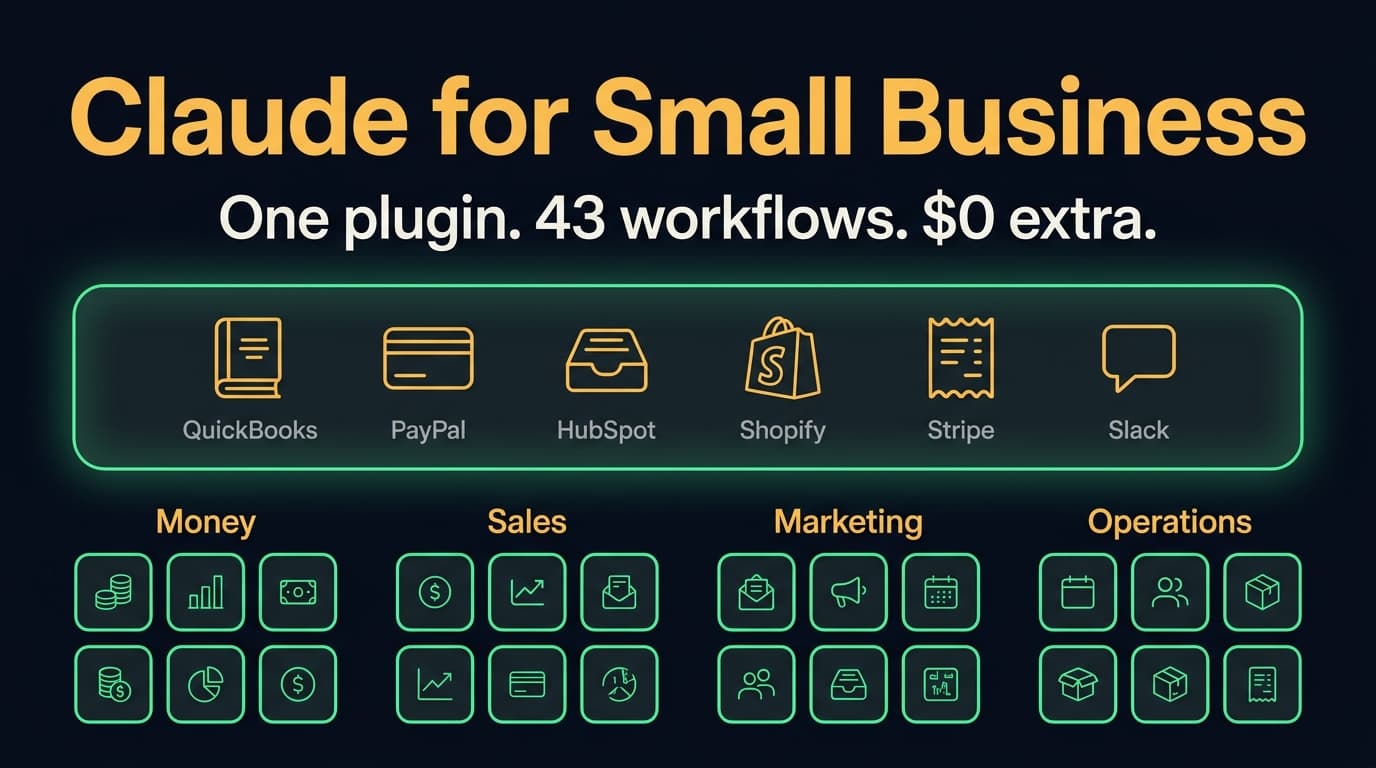
Plugins come from marketplaces. Anthropic runs Knowledge Work (added for everyone by default), Financial Services, Legal and Life Sciences. Partners such as Salesforce publish their own, and members can add GitHub repos or public GitLab and Bitbucket repos by URL, per the plugins guide. Claude for Small Business is a plugin too. Its directory page lists 43 ready-to-run workflows across finance, operations, sales, marketing, HR and support.
Skills vs Projects: process vs context
A Project tells Claude what to know, and a skill tells it how to work. Anthropic's skills article draws the line itself: Projects provide static background knowledge that's always loaded in that Project's chats, while skills are procedures that load only when needed and work across Claude, inside Projects or out.
So the test is scope. Anything about one client, product or process goes in a Project: the contract, the price sheet, last quarter's notes. Anything about how you do a kind of work across clients goes in a skill: your proposal structure, your support reply style, your month-end checklist. The two combine. A proposal skill used inside a client's Project writes in your format with that client's facts.
On Team, a Project is either public, so everyone in the organization can view and use it, or private to the people you invite with Can view or Can edit, per Anthropic's Projects article. Sharing with a group is Enterprise-only and in beta.
In Claude Code, the same job is done by CLAUDE.md files in the repository: standing context loaded every session, with skills on top for workflows. We documented that setup in compound engineering for Claude Code.
Connectors vs MCP: product vs protocol
MCP is the open protocol Claude uses to talk to other software. A connector is a ready-made MCP connection to one app, with the server and the sign-in handled for you. Every directory connector is an MCP server someone else runs. A custom connector is any remote MCP server you add by URL.
| Directory connector | Custom connector | Local MCP server | |
|---|---|---|---|
| Who runs the server | The app's vendor | Whoever hosts it, reachable from the public internet | Your own computer |
| How you add it | Switch it on from the directory | Paste the server URL | A config file in Claude Desktop, or claude mcp add in Claude Code |
| Where it works | Chat, Cowork, desktop, mobile, Claude Code | Claude, Claude Desktop, Cowork, mobile | Claude Desktop and Claude Code |
| Who adds it on Team | An Owner enables it | Owners and Primary Owners | Each person, on their own machine |
Three details from Anthropic's connectors article, custom connectors guide and Claude Code MCP docs decide most connector questions:
- 🔑 Claude inherits each person's permissions. It can't reach anything in Gmail or GitHub that the signed-in member couldn't. The exception is a custom connector built on a shared credential, such as one API key, which gives everyone that key's access.
- 🌐 Custom connectors connect from Anthropic's cloud, not from your laptop, so the server must be reachable over the internet. Anthropic hasn't verified them, so connect only to servers you trust.
- 💻 Claude Code picks up your claude.ai connectors when you sign in with a Claude subscription. Signed in with an API key, it doesn't.
Connectors and skills work together. Anthropic's docs describe the pattern as "MCP provides the connection; a skill teaches Claude how to use it well," such as a database connector plus a skill that documents your schema.
How a Team owner provisions each one org-wide
Each add-on has its own control on Team. Skills and plugins share one admin page, Organization settings, then Plugins & skills, with Inventory, Marketplaces, Requests and Policy tabs. Connectors have their own page. Projects are governed by each Project's share settings, plus org-wide switches for public Projects and sharing.
For the order to do this in during your first week, see the setup list in our Claude Team plan guide. Below is what each control does.
Skills and the Policy tab
The Policy tab has switches for Cloud code execution and file creation, Skills, User-created skills and Skill sharing, plus a Publishing setting. Skills need the first two on. On our own Team console, all four switches were on and Publishing was set to Open.
- 🏢 Org skills appear in every member's skills list with a team indicator. Members can switch them off.
- 📣 Publishing. Any member can click "Publish to org" and propose Available to install, Installed by default or Required. With review on, an Owner or reviewer approves it and can change the level, and every update goes back through review.
- 🔒 User-created skills. Turn it off and the org runs on approved skills only. It also stops members uploading plugin files, per Anthropic's plugin management article.
- 👥 Sharing with specific colleagues gives them view-only access, and they get your updates automatically.
Plugins and the private marketplace
A private marketplace is how you ship your own plugins to everyone. Owners and Primary Owners set it up, and it needs Cowork and Skills both enabled for the organization:
- Under Plugins & skills, open Marketplaces and add a marketplace.
- Either upload plugin ZIP files (each under 200 MB; a file with an existing plugin's name overwrites it) or sync a private GitHub repository with the Claude GitHub App installed. A GitLab sync is in beta.
- With GitHub sync, merge a pull request that bumps a plugin's version and the marketplace updates itself.
- On the Inventory tab, set each plugin's install level.
| Install level | What members see |
|---|---|
| Required | Installed for everyone, can't be turned off or removed |
| Installed by default | Installed for everyone, members can turn it off |
| Available to install | Listed under Discover for members to add |
| Not available | Hidden |
Required has a side effect. It also installs the plugin in Claude Code for every member signed in with their Claude account, hooks included. Anthropic's advice is to review a plugin's hooks before you make it Required. Setting levels per group is Enterprise-only, and a marketplace holds up to 1,000 plugins.
Check the Inventory tab even if you never build a plugin. Ours listed Anthropic Directory plugins, including Greenhouse, UKG Bryte, Upstash Redis, Setup Audit and Shepherd, as "Everyone · can install," next to a Users (30d) column that shows what's actually in use.
Connectors and per-tool permissions
An Owner enables each connector for the organization, then each member signs in with their own account. Enabling a connector doesn't give anyone access by itself. Owners also set every connector tool, or category of tools, to Always allow, Needs approval or Blocked. That applies org-wide, and members can't override it.
- 🙋 Requests. On Team, members can request connectors you haven't enabled, and requests are on by default. Owners approve or decline them on the Requests tab under Organization settings, then Notifications.
- 🧰 Custom connectors are added by Owners and Primary Owners on Team.
- 🖥️ Desktop extensions have a separate allowlist on the Connectors page. It starts off. Turning it on deletes every installed extension that isn't on your list, per Anthropic's desktop extension article.
- 🧑💻 Claude Code loads the same connectors. Managed settings can switch claude.ai connectors off in Claude Code or deny one by name.
Our console shows "Let members request connectors" on, 25 connectors enabled, with Asana, Box, Canva and Figma marked Interactive, which means they can render live boards and dashboards inside a conversation. The Desktop extension allowlist is off.
Projects
Projects have no install level. Members share them like documents. Make one public Project per process, give Can edit to whoever owns that process and Can view to everyone else. Admins can switch off public Projects and Project sharing for the whole organization.
Frequently asked questions
Are Claude plugins the same as skills?
No. A skill is one written process Claude follows. A plugin is a package that can hold several skills plus connectors, slash commands, sub-agents and hooks, and installs them in one step. Every plugin skill is still a skill. Plugins need a paid plan; skills work on Free too.
Does Claude automatically use skills and plugins?
Yes, for skills. Claude reads each enabled skill's short description and loads the full instructions when your request matches. Installed plugins work the same way, through the skills and connectors inside them. In Claude Code you can also call a skill directly with a slash command.
What is the point of Claude plugins?
Distribution. A plugin turns a working setup, such as a role's skills and the connectors they depend on, into one install. On Team, an Owner can put plugins in a private marketplace and make them Required, so every member gets the same setup.
Can I use Claude skills in projects?
Yes. Skills work across Claude, inside Projects and outside them. Use the Project for the files and instructions of one client or process, and the skill for how you do a kind of work, such as writing a proposal in your format.
Are connectors and MCP the same?
Not quite. MCP is the open protocol. A connector is a ready-made MCP connection to one app, with the server and sign-in handled for you. Every connector in Claude's directory is an MCP server, and a custom connector is any remote MCP server you add by URL.
Can Claude connect to any MCP server?
Any remote MCP server reachable from the internet, added as a custom connector. On Team, Owners and Primary Owners add them. Local MCP servers on your own computer work in Claude Desktop and Claude Code. Anthropic doesn't verify custom connectors, so use only servers you trust.
What is the difference between Claude connectors and Claude skills?
A connector gives Claude access to another app's data and actions. A skill gives Claude know-how, such as the steps and format for a task. They're often used together: the connector reaches your CRM, and the skill says how your team writes a follow-up.
Can a Team owner force a plugin on every member?
Yes. Set the plugin to Required on the Inventory tab. It installs for everyone, can't be turned off, and also installs in Claude Code for members signed in with their Claude account, so review its hooks first. Targeting specific groups is Enterprise-only.
Get Claude Team set up properly
We set up Claude Team for small businesses: the seat plan, the security settings, shared Projects and skills written from your actual processes, and the first scheduled routines. If you'd rather have it done once and done right, see how our Claude Team setup works or book a 30-minute call.
Stop guessing. Score your first workflow.
Score one workflow in about five minutes. Nine questions, a grade, and the specific gap holding it back - no call required.
Related Posts

Claude SSO and admin settings: how to set up a Claude Team org (2026)
How to set up Claude SSO on a Team plan: domain verification, Require SSO and the lockout traps, roles and JIT provisioning, every organization settings page and its Team default, and what needs Enterprise (SCIM, audit logs).

Claude Team vs Enterprise: who actually needs Enterprise (2026)
Claude Team vs Enterprise for a 2 to 150 person business: what the 20-seat minimum and usage billing cost, the compliance and identity features only Enterprise has, and a decision table for who actually needs it.
Claude for Small Business (2026): 43 workflows, the real cost, and when to skip it
Claude for Small Business is a free Anthropic plugin with 43 ready-to-run workflows for cash, payroll, bills, taxes, leads, marketing and hiring. What's in it, which Claude plan it needs, where it runs, how it compares to ChatGPT Business, and when to skip it.