Claude for Small Business (2026): all 15 workflows, the real cost, and when to skip it
Last updated: August 14, 2026
TL;DR
Anthropic shipped Claude for Small Business on May 13, 2026, and it is not a new subscription tier. It's a one-click plugin you toggle on inside Claude Cowork, the desktop app, using the Pro, Max, or Team plan you already pay for.
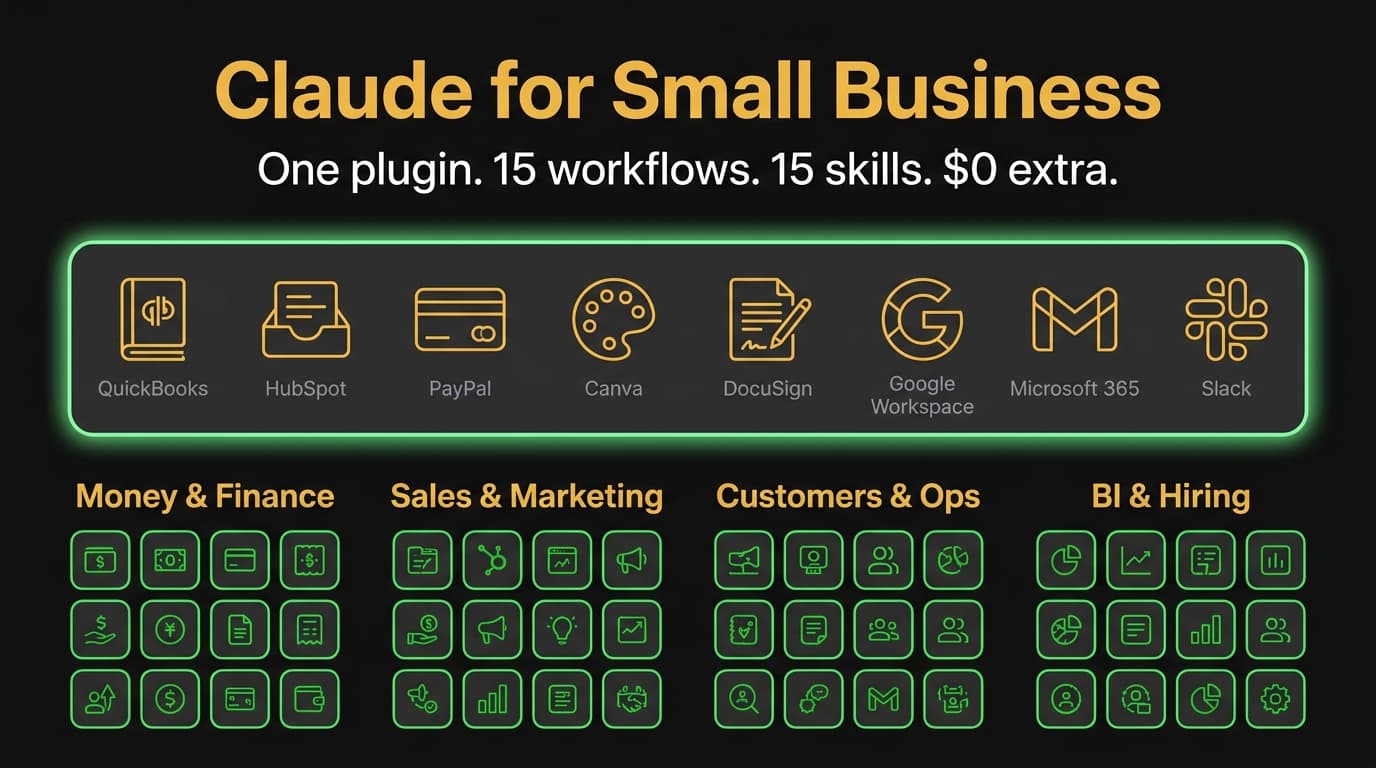
Anthropic describes it as 15 ready-to-run agentic workflows and 15 skills, covering finance, operations, sales, marketing, HR, and customer service, with connectors to QuickBooks, PayPal, HubSpot, Canva, DocuSign, Google Workspace, Microsoft 365, and Slack.
The plugin itself adds nothing to your bill. Your existing Claude subscription is what pays for the model usage underneath. So if you're already on a paid plan, installing it costs you a five-minute setup and nothing else – which is the single most important fact about it, and the one most of the launch-week coverage buried.
If you're still choosing between platforms, the decision against ChatGPT Team comes down to three things: native integrations, built-in approval steps, and whether you want a curated toolkit on day one or a blank canvas you shape yourself. There's also a free AI Fluency course from Anthropic and PayPal that's worth running your team through before you turn any of this loose on your books.
What Claude for Small Business actually is (a plugin, not a plan)
The most common confusion in the first week after launch: people think Claude for Small Business is a new subscription plan, parallel to Pro and Team. It isn't.
Claude for Small Business is a plugin that installs into Claude Cowork – Anthropic's desktop application that hosts Claude alongside connected business tools. The plugin bundles a curated set of skills and integration connectors aimed at the work small businesses actually do day-to-day: closing the month, chasing invoices, planning a campaign, prepping for hires, watching the cash position.
What you need to use it:
- Claude desktop app (Mac or Windows)
- An active Pro, Max, or Team subscription
- Claude Cowork enabled in your account
- The plugin installed via the Cowork "Customize" sidebar
The plugin itself adds no additional cost. Your existing Claude subscription is what's paying for the underlying model usage. The plugin is the curated skill bundle on top.
What's in it: 15 workflows and 15 skills
Anthropic counts the bundle two ways, and the distinction is worth understanding before you decide what to run first:
- 15 ready-to-run agentic workflows – multi-step jobs that carry a whole task end to end, like closing the month or chasing an overdue invoice
- 15 skills – smaller repeatable units built from the tasks owners named as their biggest time sinks. Workflows draw on them, and you can also invoke one directly
In practice you don't pick between the two. You run a workflow, it calls the skills it needs, and you approve the output. The split matters mostly when something goes wrong and you need to know which layer to fix.
Grouped by the part of the business they serve, here's the ground they cover:
Money and Finance
- Cash forecasting and runway projection
- Monthly close and reconciliation
- Invoice tracking and collection
- Margin analysis on products or services
- Quarterly tax prep checklist
Sales and Marketing
- Lead scoring against your CRM data
- Content strategy for product or service launches
- Campaign planning across owned and paid channels
- Customer segmentation
- Asset creation handoffs to Canva
Customers and Operations
- Customer complaint triage and response drafting
- Feedback analysis across reviews, surveys, and support tickets
- CRM cleanup (duplicate detection, missing fields, stale leads)
- Contract review against your standard terms
Business Intelligence and Hiring
- Weekly business brief (cash, pipeline, calendar, customer signals)
- Quarterly business reviews
- Job posting creation from a brief description
- Candidate screening against role requirements
Each skill has a defined output and a human approval step. Nothing sends an email, pays an invoice, or modifies a record without you confirming. That approval gate is the design choice that makes the plugin viable for small businesses without a dedicated AI safety reviewer on payroll.
How Claude for Small Business compares to ChatGPT Team
If you're shopping platforms rather than installing a plugin, here's the honest comparison against ChatGPT Team.
| Claude for Small Business (plugin on Pro/Max/Team) | ChatGPT Team | |
|---|---|---|
| Subscription required | Pro ($20/mo), Max ($100/mo), or Team ($25/user/mo) | Team ($25/user/mo billed annually) |
| Where it runs | Claude Cowork desktop app | ChatGPT web + mobile + desktop |
| Pre-built workflow skills | 15 workflows + 15 skills, SMB-tuned | None – you build prompts and GPTs yourself |
| Native integrations | QuickBooks, HubSpot, PayPal, Canva, DocuSign, Google Workspace, Microsoft 365, Slack | Limited native; mostly via custom GPTs and the Connectors beta |
| Approval workflow | Built-in for every skill | Not built-in – you design it via prompting |
| Custom GPTs / Projects | Custom skills can be added on top of the plugin | Custom GPTs are the primary customization path |
| Data training policy | No training on business data | No training on business data |
| Model behind it | Claude Opus or Sonnet (model picker available) | GPT-4o, GPT-4.1, o3 (model picker) |
| Best for | SMBs who want a curated toolkit on day one | SMBs who want to build their own AI workflows from scratch |
The plugin's biggest advantage is the curation. You don't have to figure out what an AI workflow for "monthly close" looks like – Anthropic shipped one, tuned to small business shape, with the right integrations wired in. ChatGPT Team is the more flexible canvas, but you pay for that flexibility in setup time.
The plugin's biggest limit is the lock-in to Claude Cowork. If your team works in a browser instead of a desktop app, or runs on Linux, the plugin isn't reachable. ChatGPT Team is platform-agnostic.
When the plugin is the right pick
The plugin fits when most of these are true:
- You're already on a Claude paid plan (Pro, Max, or Team) and want more from it
- Your business runs on Mac or Windows (the desktop app is required)
- You use at least 3 of the supported integrations (QuickBooks, HubSpot, PayPal, Canva, DocuSign, Google Workspace, Microsoft 365, Slack)
- You don't want to spend a week tuning prompts and building custom workflows
- You're OK with the work happening in a desktop app rather than a browser tab
It does NOT fit when:
- You're on the free Claude tier and not ready to upgrade
- Your team is on Linux or Chromebook only
- Your tool stack is dominated by tools the plugin doesn't connect to (Salesforce, NetSuite, Xero, Stripe)
- You've already invested in custom GPTs in ChatGPT and don't want to migrate
- You need browser-based access for shared workflows
A decision tree
A simple branch flow for choosing where to land:
Are you already on Claude Pro, Max, or Team?
├── Yes → Are you on Mac or Windows desktop?
│   ├── Yes → Do you use 3+ of the plugin's integrations?
│   │   ├── Yes → Install the plugin (free with your existing plan)
│   │   └── No → Use Claude as-is; revisit when integration support widens
│   └── No → Use Claude in browser; the plugin needs the desktop app
└── No → Are you choosing between platforms?
    ├── Want a curated SMB toolkit on day one → Claude Pro + install the plugin ($20/mo + plugin free)
    ├── Want to build your own workflows from scratch → ChatGPT Team ($25/user/mo)
    └── Not sure → Start with the free AI Fluency course (link below) and decide after Module 4
The decision tree's biggest insight: if you're already a Claude subscriber, installing the plugin is risk-free. You're not committing to a new platform. You're adding a curated skill bundle to a subscription you're already paying for. The only "cost" is a 5-minute install and the time to walk through your first skill.
Installation in 3 steps
From the official tutorial:
- Open Claude Cowork on your Mac or Windows desktop. Click "Customize" in the left sidebar.
- Under Plugins, click the "+" icon. Find "Small Business" in the available plugins list.
- Click "Install." The plugin downloads, registers the workflows and skills, and surfaces them in your Cowork command palette. Total time: under 2 minutes.
After installation, the next step is connecting your business tools. Each integration (QuickBooks, HubSpot, etc.) requires you to authenticate the connection. The plugin won't pull data from a tool until you've explicitly connected it.
The free AI Fluency course (worth running your team through first)
Before you turn the plugin loose on your CRM, run yourself and your team through Anthropic's AI Fluency for Small Businesses course. It's free, no time limit, and built in collaboration with PayPal, Prospect Butcher, and MAKS Enterprises.
The course teaches the 4D Framework – Delegation, Description, Discernment, and Diligence – which is the structured way to decide what to hand to AI, how to describe the task, how to evaluate the output, and how to keep a human in the loop. The framework matters more than the specific tool. If your team applies the 4Ds, they'll use Claude for Small Business well. If they don't, no plugin saves them.
The course covers AI fundamentals, the description-discernment loop, the delegation-diligence loop, transparent AI use, and human-in-the-loop patterns. Six lessons. Free to register.
What this doesn't replace
The plugin handles 15 structured workflows well. It does not replace:
- Your bookkeeper – the plugin can reconcile and forecast, but year-end filings and judgment calls still need a human accountant. If invoicing is your actual bottleneck, automating invoice processing is a narrower and usually cheaper fix
- Your CRM admin – cleanup is automated, but the strategic CRM model (pipeline stages, scoring, custom fields) is still a human-design problem
- Your customer success team – complaint triage and feedback analysis are augments, not replacements
- Your front desk – nothing in the bundle answers a phone. That's a different category of tool, and we covered it in AI receptionists for small business
- A custom build – if you have a specific workflow the shipped set doesn't cover, you'll still need either a custom skill on top of the plugin or a different solution entirely
The plugin's job is to compress the 80% of small business work that's structured into a faster pipeline. The remaining 20% is where humans still earn their keep.
If you're weighing this plugin against the wider market, the same decision plays out one level up. We broke down AI agents for small business separately: the three categories that cover almost every use case, what the tools actually cost, and the four situations where an agent will cost you more than it saves.
What's next
If you install the plugin and want a structured path to make it useful in week one:
- Run yourself through the AI Fluency course (3 to 5 hours, free)
- Connect your 3 most-used tools first (don't try to connect all 7 on day one)
- Pick one skill from each category – Money, Sales, Customers, BI – and run it once with real data
- After 5 successful runs per skill, lower your approval scrutiny (still review, just faster)
- Add custom skills on top once the bundled set are habit
For SMBs deciding between Claude for Small Business and ChatGPT Team, the comparison table above is the fastest read. For SMBs choosing between Claude Pro vs Max vs Team, that's a separate decision (covered in Anthropic's pricing page).
Frequently asked questions
Is Claude good for small business?
Yes, for judgment-heavy and writing-heavy work: drafting, summarizing, analysis, and reasoning over your own documents. It is a weaker fit if your bottleneck is high-volume repetitive data entry, where a purpose-built automation usually beats a chat interface. The plugin narrows that gap by wiring Claude into QuickBooks, HubSpot, and PayPal directly.
Which AI is best for small business owners?
There is no single winner. Claude leads on long-document reasoning and writing quality, ChatGPT on breadth of integrations and image generation, and Gemini on native Google Workspace access. Pick by the tools you already run: Claude if you live in QuickBooks and HubSpot, Gemini if you live in Google Workspace.
Is Claude for Small Business free?
The plugin is free. The Claude subscription underneath it is not. You need Pro at $20/month, Max at $100/month, or Team at $25 per user per month. There is no free tier that includes the plugin, and no separate charge for the plugin once you are on a paid plan.
What is Claude for Small Business?
Claude for Small Business is a plugin for Claude Cowork, Anthropic's desktop app. It bundles 15 ready-to-run workflows and 15 skills covering finance, sales, marketing, operations, and hiring, plus native business-tool connectors. It installs in under two minutes. It is not a separate subscription tier: it runs on Pro, Max, or Team at no extra cost.
How much does Claude for Small Business cost?
The plugin itself is free. You pay for the underlying Claude subscription: Pro is $20/month, Max is $100/month, and Team is $25 per user per month. There is no separate 'Small Business' tier or fee for the plugin. Once you're on Pro, Max, or Team, installing the plugin is a one-click upgrade with no additional billing.
Is Claude for Small Business a separate plan or a plugin?
It's a plugin. The plugin installs into Claude Cowork, which is the desktop application that hosts Claude alongside your connected business tools. Plugins extend Cowork with bundled skills and connectors. Claude for Small Business is the SMB-focused plugin Anthropic ships.
What's the difference between Claude for Small Business and ChatGPT Team?
Claude for Small Business is a curated plugin: 15 ready-to-run workflows, 15 skills, and native connectors to QuickBooks, HubSpot, PayPal, Canva, DocuSign, Google Workspace, Microsoft 365, and Slack. ChatGPT Team is a blank canvas you shape with custom GPTs. The plugin trades flexibility for setup time. Both cost about the same per user.
How do I install Claude for Small Business?
Open Claude Cowork on Mac or Windows. Click "Customize" in the left sidebar, then click the "+" icon under Plugins. Find "Small Business" and click Install. The workflows and skills register in your command palette immediately. Afterwards, authenticate each integration separately before the plugin can pull data.
What integrations does Claude for Small Business support?
The plugin ships with native connectors to QuickBooks, HubSpot, PayPal, Canva, DocuSign, Google Workspace (Gmail, Calendar, Drive, Docs, Sheets), Microsoft 365 (Outlook, Calendar, OneDrive, Word, Excel), and Slack. Each integration requires you to authenticate the connection before the plugin can read data from that tool.
What skills come with the Claude for Small Business plugin?
Anthropic ships 15 ready-to-run workflows and 15 skills, grouped into four areas. Money and Finance: cash forecasting, monthly close, invoice tracking, margin analysis, tax prep. Sales and Marketing: lead scoring, content strategy, campaign planning, segmentation. Customers and Operations: complaint triage, feedback analysis, CRM cleanup, contract review. Business Intelligence and Hiring: weekly briefs, job postings, candidate screening.
Do I need to be on a specific Claude plan to use Claude for Small Business?
Yes. The plugin requires an active Pro ($20/month), Max ($100/month), or Team ($25/user/month) subscription. The free Claude tier does not include access to Claude Cowork, which is the host application for the plugin. If you're on the free tier, you'll need to upgrade to Pro at minimum before you can install the plugin.
Does Claude train on my business data?
No. Anthropic's policy on Team and Enterprise plans is no default training on customer data. The plugin maintains that policy. Additionally, every skill in the plugin requires explicit user approval before executing, so the plugin can't take action on your business data without you confirming.
How is Claude for Small Business different from Claude Cowork?
Cowork is the desktop application. The Small Business plugin is one of the plugins you install into it. Think of Cowork as the operating system and the plugin as an app running on top. You can run Cowork without the plugin, but the plugin cannot run without Cowork.
Is there a free trial?
Not for the plugin itself, since the plugin has no separate cost. The relevant trial is for the underlying Claude subscription. Pro and Team plans offer a free trial period when you sign up. Once you're on a paid plan, the plugin is free to install and use. The companion AI Fluency course is also free with no time limit.
What's the AI Fluency course Anthropic launched alongside the plugin?
The AI Fluency for Small Businesses course is a free curriculum Anthropic built in collaboration with PayPal, Prospect Butcher, and MAKS Enterprises. It teaches the 4D Framework: Delegation, Description, Discernment, and Diligence. The course covers AI fundamentals, the description-discernment loop, the delegation-diligence loop, transparent AI use, and human-in-the-loop patterns across 6 lessons. Free to register, no time limit.
Can I add custom skills on top of the plugin?
Yes. The 15 workflows and 15 skills are the bundled starting set. You can build custom skills in Claude Cowork using the same mechanics Anthropic used, and they sit alongside the bundled ones in your command palette. Useful when your business has a workflow the shipped set does not cover.
Can I install Claude for Small Business in Claude Code (the CLI)?
No. The Small Business plugin installs only into Claude Cowork, the desktop app. Claude Code has a separate plugin ecosystem with its own manifest format, install command, and marketplace. The two do not share plugins. Claude Code users still need Cowork on a Pro, Max, or Team plan to access it.
Stop guessing. Score your first workflow.
Score one workflow in about five minutes. Nine questions, a grade, and the specific gap holding it back - no call required.
Related Posts
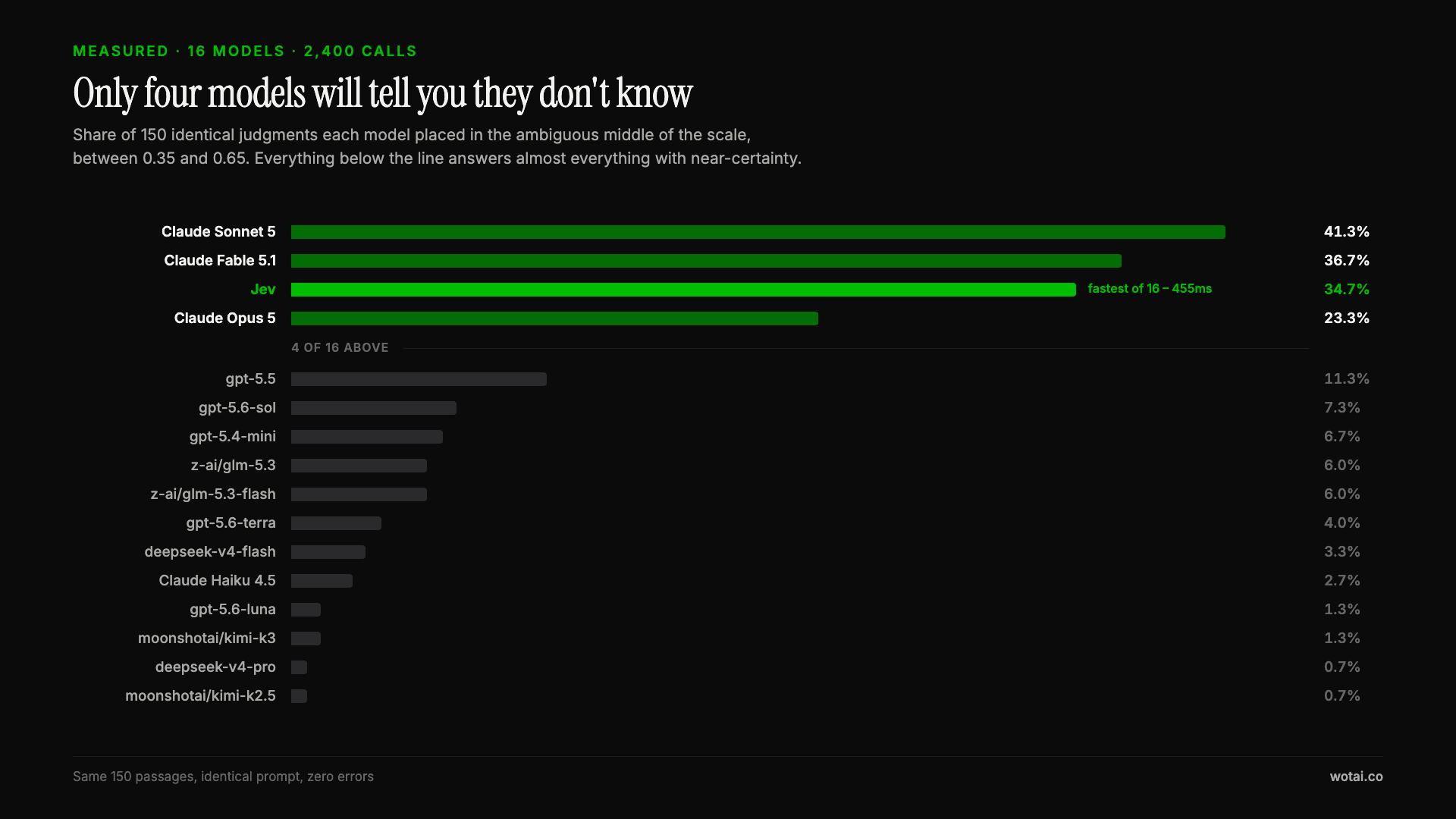
Jev is the only sub-second model that will tell you it doesn't know
Sixteen models on the same 150 passages, plus two more tasks. Only four of the sixteen will say they are unsure, and Jev is the only one of those four that answers in under a second.
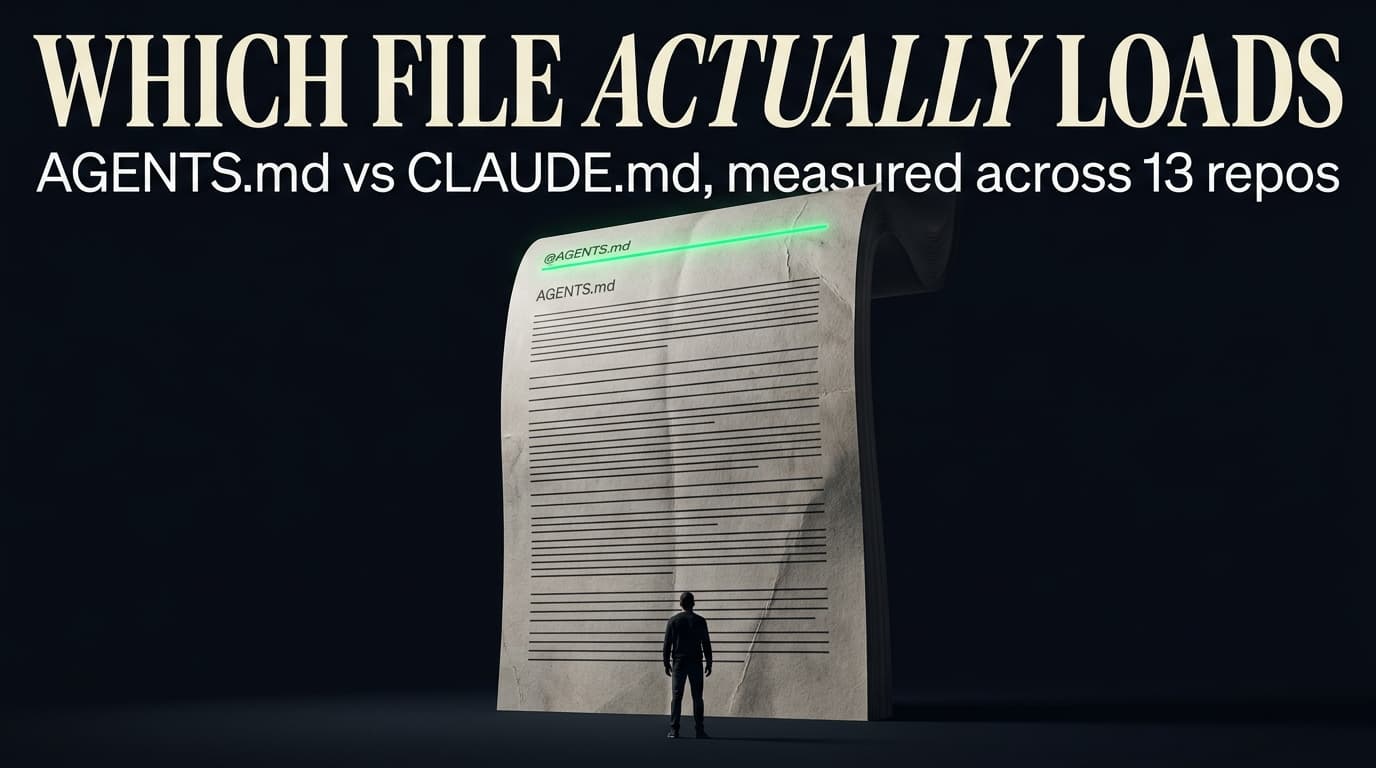
AGENTS.md vs CLAUDE.md: which file your agent actually reads
Both files in one repo, measured: load order, token cost, and which one wins when they disagree. Every guide explains the difference; this one runs the test.
Compound engineering vs Superpowers: what each one installs
Both Claude Code plugins installed and measured: 14 skills against 33, one SessionStart hook against none, and the six skills that collide when you run both.