
Last updated: October 21, 2026
TL;DR
If more than one person in your business uses Claude, get the Claude Team plan. Put everyone on a Standard seat and move only the people who keep hitting their limits to Premium. Then spend the first week setting up shared Projects, skills and connectors, so everyone works from the same setup. Standard costs $20 per person per month on annual billing, and Premium costs $100.
- 💵 Cost. Standard is $20 a seat on annual billing or $25 monthly. Premium is $100 or $125. The plan runs from 2 to 150 seats, so the smallest team pays $40 a month.
- ⚖️ Seats. Usage limits are per person and never pool, so you choose the seat person by person. Most people need Standard. Heavy Claude Code users need Premium.
- 🔒 Fit. Team adds shared Projects, org-wide connectors and skills, SSO, spend caps and no training on your data by default. HIPAA, SCIM and audit logs need Enterprise.
- 🧩 Control. The admin console has a setting for almost everything: each product, connector, plugin and skill can be switched on or off, required for everyone, or put behind approval. Add-ons come from Anthropic's directory, partner and Git marketplaces, or your own private marketplace.
- 🛠️ Setup. The defaults leave memory off and let anyone publish a skill to the whole company. 10 steps in the first week fix that.
What is the Claude Team plan?
The Claude Team plan is a shared Claude subscription for a business, with one bill, an admin console and between 2 and 150 seats. Every seat gets all Claude models, Claude Code, Cowork, Projects and the standard connectors. Owners control who has access, which tools are switched on, and how much extra usage anyone can spend.
The difference from everyone buying their own Pro account is ownership. On Team, the Projects, connectors and skills belong to the organization. When someone leaves, you remove their seat and the work stays. On personal accounts, it walks out with them.
Claude Team plan pricing in October 2026
Team pricing is per seat, per month, with a 20% discount for annual billing. These are the US prices from Claude's pricing page and the Team plan help article, excluding tax.
| Seat | Annual billing | Monthly billing | Usage per session |
|---|---|---|---|
| Standard | $20 per seat | $25 per seat | 1.25x Pro |
| Premium | $100 per seat | $125 per seat | 6.25x Pro |
Here is what that comes to for a few common team shapes, all on annual billing:
| Team | Seats | Monthly cost |
|---|---|---|
| Two co-founders | 2 Standard | $40 |
| Five people, one heavy user | 4 Standard + 1 Premium | $180 |
| 10 people, two developers | 8 Standard + 2 Premium | $360 |
| 20 people, four developers | 16 Standard + 4 Premium | $720 |
Adding a seat mid-cycle is charged right away, prorated. Removing one gives no refund, but you can reassign it to someone else, according to Anthropic's seat management article. So buy for the team you have today and add seats as people need them.
The monthly API credits Anthropic added on October 7 are a different thing, and easy to misread. Team gets $20 per Standard seat and $100 per Premium seat, pooled and capped at $500 a month, per Anthropic's release notes. Anthropic's own example, three Standard seats and two Premium seats, comes to $260. The credits are for building on the Claude API through a linked Console organization. They don't work in the Claude apps or Claude Code, and a Team Owner can claim them only after the plan has been active for seven days.
Owners can also buy usage credits. They are billed at API rates and let a member keep working past their seat's limit. You can cap them for the whole organization and per person, per Anthropic's extra usage article.
Standard vs Premium seats: who needs which
Most people need a Standard seat. Premium is for the one or two people who hit their limits every week, and in practice that is whoever runs Claude Code all day.
The rule that decides this: limits are per member. Anthropic's help article says it plainly, "Limits are per member and cannot be pooled or shared." Chat, Cowork and Claude Code all draw from the same allowance inside a seat, and each seat has its own 5-hour window and weekly cap. A light user's spare capacity does nothing for the heavy user sitting next to them.
That makes the choice per person, not per company:
- Start everyone on Standard.
- Watch who hits the limit in the first two weeks. Usage is under Settings, then Usage.
- Move only those people to Premium, or turn on usage credits with a per-person cap if their heavy weeks are rare.
Standard costs $3 more per person per month than Pro on annual billing ($20 vs $17) and gives 1.25x Pro's usage plus the admin tools. Premium at $100 annual gives 6.25x Pro. Max 5x also costs $100 a month but gives 5x Pro, so a Premium seat gets 25% more usage for the same money, as long as you pay annually.
Claude Team vs Pro vs Max
Team is the right plan as soon as more than one person in the business uses Claude. Pro and Max are individual plans, and nothing in them is shared.
| Pro | Max | Team Standard | Team Premium | |
|---|---|---|---|---|
| Price per person | $17 annual, $20 monthly | From $100, monthly only | $20 annual, $25 monthly | $100 annual, $125 monthly |
| Usage | Baseline | 5x or 20x Pro | 1.25x Pro | 6.25x Pro |
| Claude Code | Yes | Yes | Yes | Yes |
| Shared Projects, connectors, skills | No | No | Yes | Yes |
| Central billing and admin | No | No | Yes | Yes |
| SSO and spend caps | No | No | Yes | Yes |
| Monthly API credits | None | $100 (5x) or $200 (20x) | $20 per seat, pooled | $100 per seat, pooled |
Separate Max accounts still make sense in one case: a single heavy user who needs 20x Pro and works alone. For a team, the arithmetic usually favors Team. Five people on Max 5x cost $500 a month. Four Standard seats and one Premium seat cost $180, and the work lives in one organization.
If you already pay for Pro or Max on your work email, you don't start over. You sign in and go to claude.ai/upgrade. Anthropic cancels the individual subscription with a prorated refund, per its guide to moving a personal account into a team. Two things to know before you click. Moving personal content into an organization is one-way. Skills don't migrate, so export anything you built first.
Claude Team vs Enterprise
Team covers most businesses up to 150 people. Enterprise is for companies that need compliance and identity controls Team doesn't have.
| Team | Enterprise | |
|---|---|---|
| Seats | 2 to 150 | 20 minimum |
| Price | $20 or $100 per seat | $20 per seat plus usage at API rates |
| SSO and domain verification | Yes | Yes |
| SCIM user provisioning | No | Yes |
| Audit logs and Compliance API | No | Yes |
| Custom data retention | No | Yes |
| HIPAA-ready offering | No | Yes |
| Custom roles and group sharing | No | Yes |
Both are on Claude's pricing page. If you handle patient data, Team is not an option. The HIPAA-ready offering is Enterprise-only, per the HIPAA article. For everyone else, the deciding question is whether you need to provision users from an identity provider and keep audit logs. If you don't, Team is enough.
On data, Anthropic's position for both plans is the same: "We don't train on your data by default on our Team and Enterprise Plans," from its Claude for Small Business announcement.
Admin controls: connectors, plugins, skills and who can install what
Team gives owners more control than most small businesses will ever use. The admin console has a page for billing and usage, data and privacy, members, every Claude product, and every kind of add-on, and most settings apply to the whole organization with no way for members to override them.
| Console section | What you control there |
|---|---|
| Billing and Usage | Seats, usage credits, spend caps for the org and per member, and usage analytics |
| Data and privacy | Org-wide data export, whether members can export their own data or rate chats, and whether Projects can be shared or made public |
| Capabilities | Code execution and its network access, memory, web search, and trusted-device rules for remote sessions |
| Members | Who is in the org, invite links, and roles: Primary Owner, Owner, Admin or User. SSO, domain verification and "Require SSO" sit in the identity settings |
| Products | One page each for Claude Code, Claude in Chrome, Claude Tag, Cloud environments, Cowork, Artifacts, Claude Design, Office Agents, Claude Science and Claude Academy. Each can be switched off, and several have their own rules, such as site allow and block lists for Claude in Chrome |
| Git providers | The GitHub or GitLab connection used to sync a private plugin marketplace |
| Plugins & skills | Inventory, marketplaces, requests and the policy for what members can create, share and publish |
| Connectors | Which connectors are enabled, member requests, what each connector may do, and the desktop extension allowlist |
Set up properly, that gives an owner a short list of things that can't happen without their say-so:
- 🔌 Nobody connects Claude to a tool you haven't enabled. Members can only request it.
- 🧩 Nobody installs a plugin you've hidden, or removes one you've made Required.
- ✋ Claude can't use a connector tool you've set to Blocked, in any mode. Tools set to Needs approval ask first when a member works in Cowork's manual mode, but in its automatic modes Claude can go ahead, so put anything that must never run unattended on Blocked.
- 📣 Nobody publishes a skill to the whole company without review, once Publishing is switched to review.
- 🔑 Nobody signs in around your identity provider, once you verify your domain and turn on "Require SSO for Claude."
- 🚫 Anthropic doesn't train on your data by default. Its commercial products, which include Claude for Work, carry SOC 2 Type I and Type II and ISO 27001 certifications, per Anthropic's certifications page.
- 🚪 When someone leaves, you remove their seat, and the Projects, skills and connectors stay with the company.
The add-ons are where most of the decisions are. On Team, you can extend Claude with three kinds, from Anthropic, its partners, public Git marketplaces or your own private marketplace. Owners decide which ones members can see, which are installed for everyone, and what each connector is allowed to do.
| Add-on | What it is | Where it works |
|---|---|---|
| Connector | A link to another tool, such as Google Drive, Gmail, Slack, Microsoft 365, GitHub or Salesforce. Custom connectors reach any remote MCP server | Chat, Cowork, Claude Code, desktop and mobile |
| Skill | A written process Claude follows every time, such as your brand voice or proposal format | Chat, Cowork, Claude Code |
| Plugin | A package of skills, connectors, slash commands, sub-agents and hooks | Chat, Cowork and Claude Code; hooks and sub-agents run only in Cowork and Claude Code |
There is a lot to choose from. The directory under Customize, then Discover, lists connectors, skills and plugins in one place. Anthropic publishes plugin marketplaces for knowledge work (added by default), financial services, legal and life sciences, and Claude for Small Business is one of its plugins. Partners ship their own, such as Salesforce in Claude. Members can also add marketplaces from GitHub, GitLab or Bitbucket, per Anthropic's plugins guide.
That range is why the controls matter. Anthropic's own console warns that "skills might contain executable code" and that members "should be careful when using skills from unknown sources." The controls live in the admin console under Plugins & skills (with Inventory, Marketplaces, Requests and Policy tabs) and Connectors. Here is what an Owner can set, per Anthropic's guides to connectors and organization plugins:
| You want to control | Setting |
|---|---|
| Which connectors exist at all | An Owner enables each one under Organization settings, then Connectors. Members still sign in individually, and can request new ones (requests are on by default on Team) |
| What a connector can do | Each tool, or category of tools, is set to Always allow, Needs approval or Blocked, org-wide. Members can't override it |
| Which plugins members get | Each plugin is Required (installed, can't be removed), Installed by default, Available to install, or Not available (hidden) |
| Your own plugins | A private marketplace, filled by uploading ZIP files or syncing a private GitHub repository |
| Outside marketplaces | An allow list and a block list for Git marketplaces members can add, set in the Claude Code managed settings |
| Desktop extensions | The Desktop extension allowlist, on the Connectors page. Off by default; when on, members can install only the extensions you've added |
| What's actually in use | The Inventory tab lists every skill and plugin the org governs, including ones members made for themselves, with a Users (30d) column |
| Homemade add-ons | On the Policy tab, User-created skills decides whether members can upload or create their own ("Turn off to lock your org to approved skills only"). Skill sharing and Publishing decide whether they can pass them around or publish them to everyone. Publishing starts as Open; switch it to review and submissions land on the Requests tab |
Check the defaults before anything else. On our own Team account, the Anthropic Directory plugins at the top of the Inventory tab, including Greenhouse, UKG Bryte and Upstash Redis, were all set to "Everyone · can install". Connector requests were switched on, and we had 25 connectors enabled, a few of them, such as Asana, Canva and Figma, marked Interactive.
Two limits on Team. You can't target a plugin at one group of people; that is Enterprise-only. And plugin marketplaces only work once Cowork and Skills are both enabled for the organization.
How to set up Claude Team in your first week
A good setup is 10 steps, done in the first week, because the defaults pull in two wrong directions. Memory is off for each member until an owner enables it and they turn it on. Meanwhile, most products are on by default, including Cowork, Claude in Chrome and Claude Design, and in our own Team console every plugin and skill policy starts open: members can create skills, share them, and publish them to the whole company without review. Do these in order:
- Buy Standard seats for everyone, with annual billing if you're sure about the headcount. Upgrade people to Premium later.
- Set up SSO and verify your domain if you have a Google Workspace or Microsoft 365 domain. It needs DNS access and an Owner, per the SSO setup guide.
- Switch on the products you want, and off the ones you don't. The admin console has a page per product: Claude Code, Claude in Chrome, Claude Tag for Slack, Cloud environments, Cowork, Artifacts, Claude Design, Office Agents and more. Memory lives under Capabilities, and members still turn it on for themselves. Skills need Cloud code execution and file creation, which is on by default.
- Connect the tools you already use, once. Google Drive, Gmail, Calendar, Microsoft 365, Slack and GitHub are built in. Each member then authenticates with their own account. Set write actions, such as sending email or editing files, to Needs approval until you trust them, and to Blocked if they must never run unattended.
- Create one shared Project per process or client. Load it with the documents that process runs on: price sheets, SOPs, past proposals. Set it to "Can view" for most people and "Can edit" for whoever owns the process.
- Publish two or three skills to the organization. Your brand voice, your proposal format and your support reply style are good first candidates. A skill is a written process Claude follows every time, which is what makes 10 people get the same output. Once you have several, package them as a plugin in a private marketplace and mark it Required.
- Decide what members can install. Under Plugins & skills, leave Anthropic's knowledge-work plugins Available to install and hide the ones you don't want. On the Policy tab, switch Publishing from Open to review, and turn off User-created skills if you want approved skills only. Allow-list the Git marketplaces you trust, and turn on the Desktop extension allowlist on the Connectors page. Then check the Users (30d) column on the Inventory tab once a month and hide what nobody uses.
- Set spend caps before anyone turns on usage credits: one for the organization and one per person.
- If you have developers, push Claude Code settings from the admin console. Owners can set permissions, hooks and allowed MCP servers for everyone under Organization settings, Claude Code, then Managed settings. Anthropic's managed settings docs note these are client-side controls, not a security boundary.
- Schedule one recurring task in Cowork. A weekly summary of what came in, what went out and what's stuck is the easiest place to start. On Team they run in Anthropic's cloud by default, while "Run Cowork in the cloud" (in beta) is on, so nobody's laptop has to stay open. Tasks that need local files, desktop apps or the built-in browser still need the desktop app open, per the scheduled tasks article.
Step 10 is also where Anthropic's Claude for Small Business plugin comes in. Its directory page now lists 43 ready-to-run workflows for running and growing the business, across finance, operations, sales, marketing, HR and support. Our breakdown of Claude for Small Business covers what each workflow does and when to skip it.
Why seats alone don't make an AI-enabled business
Seats give everyone access to Claude. The process still has to come from you. If nobody writes it down, each person ends up using Claude their own way, and the results never add up to a workflow the business can rely on.
That will keep happening as long as the way you work lives in people's heads. Claude can only follow what is written down. The fix is the same one that works for any team: write the process once, as a skill or a Project, put it where everyone can reach it, and automate it only after people have used it by hand for a few weeks.
The order matters. Shared foundation first: Projects, skills, connectors and settings. Then one scheduled routine, usually the weekly report. Then the repetitive work your team does every day, such as support triage, follow-ups and reconciliation. Our guide to AI agents for small business covers what that third stage looks like and what it costs.
If your team builds software, the same idea applies to Claude Code. A shared setup with written conventions is what keeps five developers' agents from doing five different things. We documented ours in compound engineering for Claude Code.
Frequently asked questions
What is the Claude Team plan?
The Claude Team plan is Anthropic's subscription for groups of 2 to 150 people. It has central billing, an admin console, shared Projects, org-wide connectors and skills, SSO, and Claude Code in every seat. Seats are Standard ($20 a month annual) or Premium ($100 a month annual), and you can mix them.
How much does the Claude Team plan cost?
A Standard seat costs $20 per month billed annually or $25 billed monthly. A Premium seat costs $100 per month annually or $125 monthly. The minimum is two seats, so the smallest Team plan costs $40 a month on annual billing. Prices are US and exclude tax.
Is the Claude Team plan better than Pro?
For a business with more than one Claude user, yes. A Standard seat costs $3 more per month than Pro on annual billing, gives 1.25x Pro's usage, and adds shared Projects, connectors, skills, SSO and admin controls. For one person working alone, Pro or Max is simpler.
Is Claude Team worth it?
Yes, if more than one person in your business uses Claude, because the Projects, skills and connectors then belong to the company instead of to individuals. It is not worth it as a cheaper way to get Max-level usage. Limits are per seat and never pool.
Can I convert Claude Pro to Team?
Yes. Sign in with your work email and go to claude.ai/upgrade. Anthropic cancels your Pro or Max subscription with a prorated refund. Moving personal content into the organization is one-way, and skills don't migrate, so export them first.
Does the Claude Team plan have SSO?
Yes. Team includes SSO and domain verification, set up by an Owner with access to your domain's DNS. SCIM user provisioning, audit logs and custom data retention are Enterprise-only.
Do Claude Team seats share usage limits?
No. Each member has their own 5-hour and weekly limits, and they can't be pooled or shared. If one person keeps hitting the limit, move them to a Premium seat or give them usage credits with a per-person spending cap.
Does Claude Team include Claude Code?
Yes. Every Team seat, Standard and Premium, includes Claude Code. Chat, Cowork and Claude Code share the same usage allowance inside a seat. Owners can push managed Claude Code settings such as permissions and hooks to the whole organization.
What are Claude plugins?
A plugin is a package of skills, connectors, slash commands, sub-agents and hooks that installs in one step. Plugins work on every paid plan. On Team, owners can also run a private marketplace and push plugins to every member, including ones members can't remove.
Can I control which connectors and plugins my team installs?
Yes. On Team, an Owner enables each connector, sets each connector tool to Always allow, Needs approval or Blocked, and marks each plugin as Required, Installed by default, Available or hidden. Owners can also allow-list outside marketplaces and stop members uploading their own.
What is the difference between Claude Team and Enterprise?
Enterprise adds SCIM, audit logs, the Compliance API, custom data retention, IP allowlisting, custom roles and a HIPAA-ready offering. It starts at 20 seats and bills $20 per seat plus usage at API rates. Team covers 2 to 150 seats without those controls.
Does Anthropic train on Claude Team data?
No, not by default. Anthropic says it does not train on your data by default on Team and Enterprise plans.
Get Claude Team set up properly
We set up Claude Team for small businesses: the seat plan, the security settings, shared Projects and skills written from your actual processes, and the first scheduled routines. If you'd rather have it done once and done right, see how our Claude Team setup works or book a 30-minute call.
Stop guessing. Score your first workflow.
Score one workflow in about five minutes. Nine questions, a grade, and the specific gap holding it back - no call required.
Related Posts
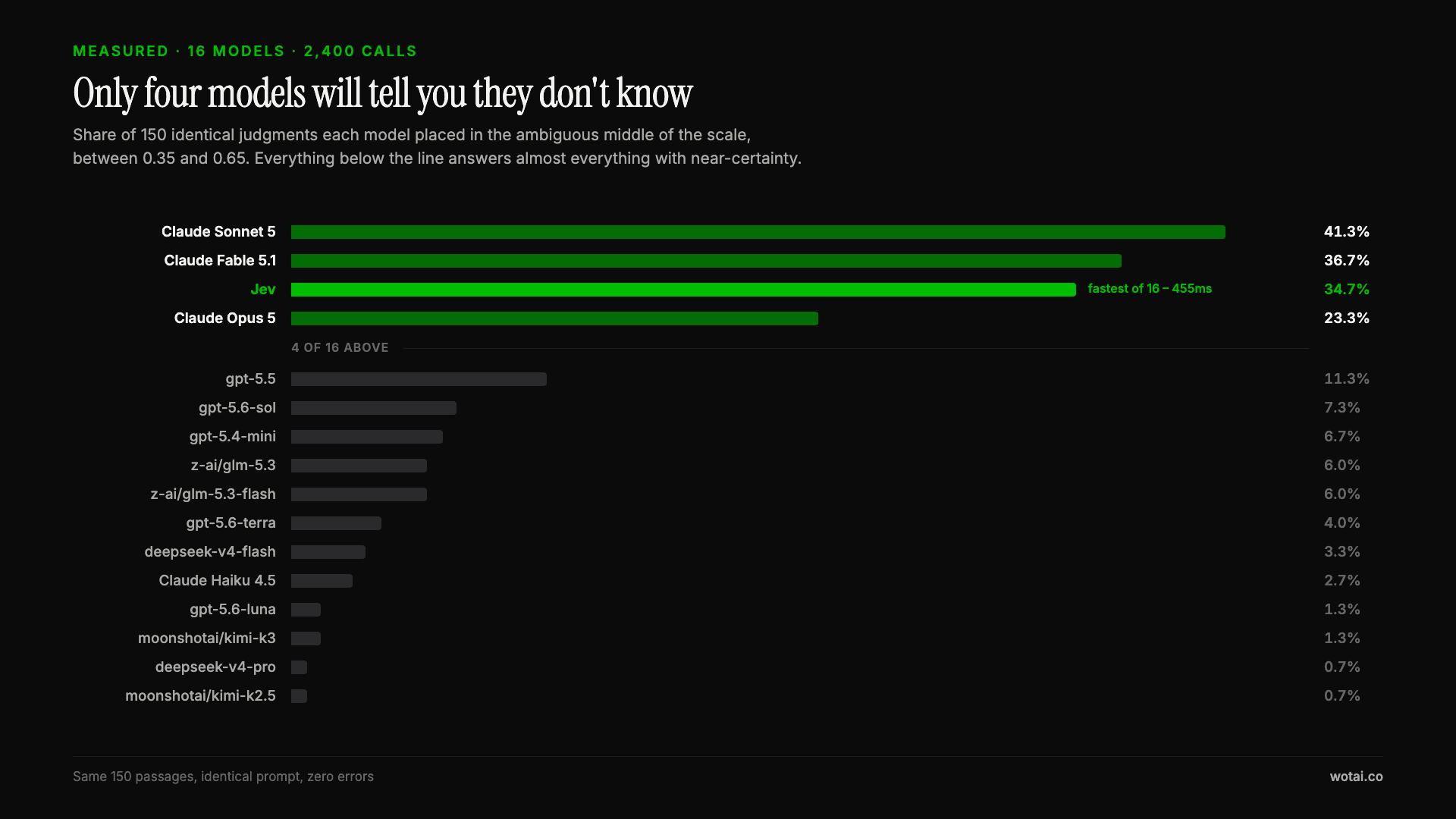
Jev is the only sub-second model that will tell you it doesn't know
Sixteen models on the same 150 passages, plus two more tasks. Only four of the sixteen will say they are unsure, and Jev is the only one of those four that answers in under a second.

AGENTS.md vs CLAUDE.md: which file your agent actually reads
Both files in one repo, measured: load order, token cost, and which one wins when they disagree. Every guide explains the difference; this one runs the test.

Compound engineering vs Superpowers: what each one installs
Both Claude Code plugins installed and measured: 14 skills against 33, one SessionStart hook against none, and the six skills that collide when you run both.