Last updated: August 27, 2026
TL;DR
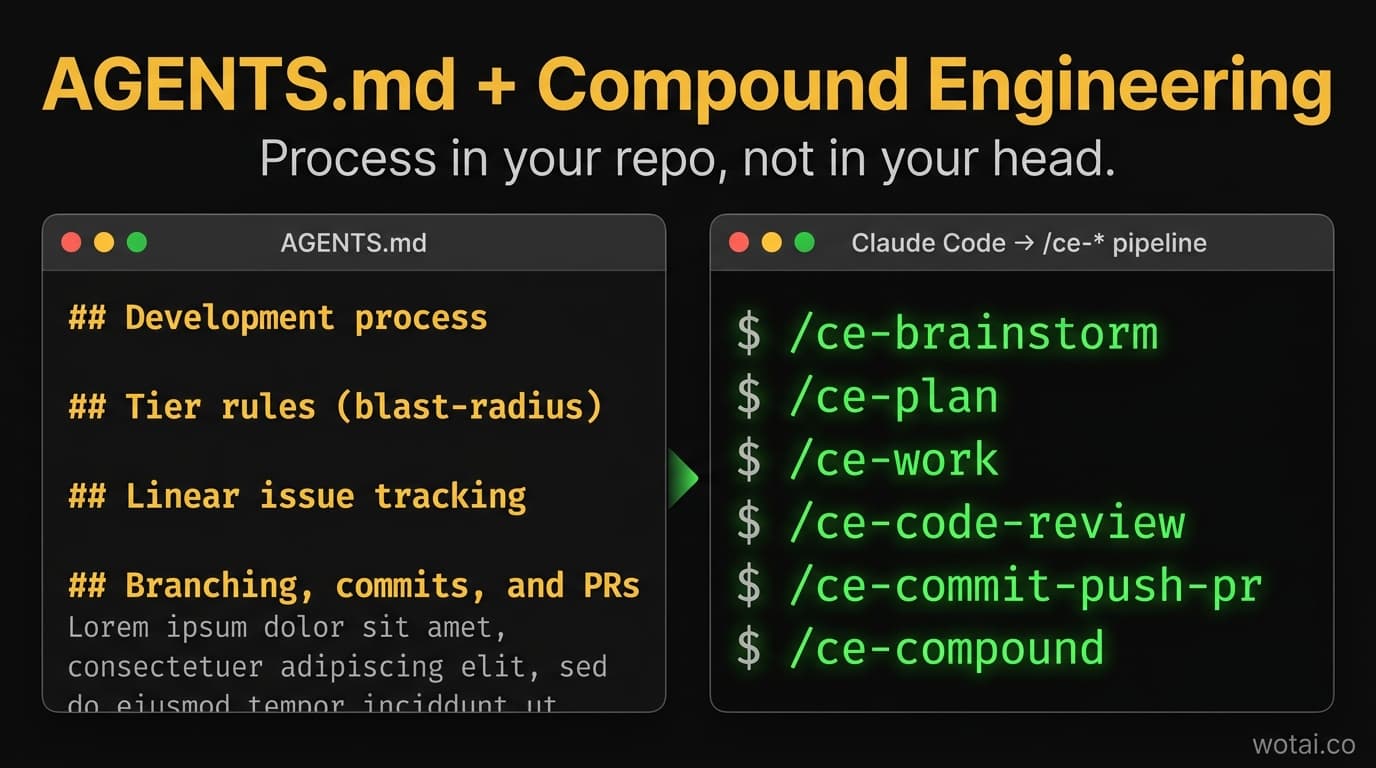
Compound engineering is a development approach where every task leaves the codebase easier to work in than it found it. The Compound Engineering plugin implements it for Claude Code: 33 skills (measured on 3.23.4) that turn the editor into a structured pipeline – brainstorm, plan, work, test, review, document. But the plugin only delivers on its promise ("each unit of work makes the next one easier") if your process is documented somewhere Claude reads first. That somewhere is AGENTS.md – a sibling file to CLAUDE.md that loads before the rest of your context. This post walks through the actual AGENTS.md from a production app I'm building (SoccerSkills.app), the 12-step pipeline it encodes, and why splitting process out of CLAUDE.md made my workflow noticeably tighter inside a week.
The CLAUDE.md problem
Every Claude Code project starts the same way. You create a CLAUDE.md at the repo root. It has code style, dependencies, framework quirks, and – at the bottom, where it gets ignored – a few lines about how you actually want work to flow. Use Linear for issues. Branch naming convention. Where tests live.
Two months later, the file is 800 lines. The dev process is buried under code conventions. New tasks don't pick up the right pipeline because Claude has read 600 lines of "how to format imports" before it gets to "always create a Linear issue first."
That's the problem. Process and codebase context are different jobs. Stuffing them into one file means neither one reads cleanly.
The fix is structural: split them. CLAUDE.md keeps the codebase context. AGENTS.md carries the development process. Claude Code reads AGENTS.md first, so process anchors everything that follows.
What is AGENTS.md
AGENTS.md is a Markdown file at the root of a repository that documents how AI coding agents should work in that codebase. Claude Code reads it before CLAUDE.md. It's the right home for development-process content – issue tracking, branch naming, commit conventions, PR rules, the /ce-* skills you want fired in what order, and tier rules for routine vs standard vs safety-critical changes. Code-formatting rules, framework guardrails, and dependency notes still belong in CLAUDE.md.
The split matters because Claude Code reads context top-to-bottom. Whatever loads first sets the frame for the rest. If your dev process is at the bottom of an 800-line file, it's competing with code style notes for attention. If it's in its own file at position one, it shapes every prompt from the first turn.
What is Compound Engineering
Compound Engineering is an open-source Claude Code plugin from Every Inc. that ships 33 skills (measured on version 3.23.4) structured around a single belief: each unit of engineering work should make the next unit easier. The plugin is MIT licensed, has 123+ releases, and works on Claude Code, Codex, Cursor, Copilot, and Gemini CLI.
The plugin's core philosophy is "80% of engineering is in planning and review, 20% is in execution." The skills enforce that ratio by making planning and review first-class commands instead of optional steps you skip when you're tired.
Install with one command:
/plugin marketplace add EveryInc/compound-engineering-plugin
/plugin install compound-engineering
Once installed, you have a structured toolkit: brainstorm an idea, plan the implementation, do the work, run tests, review the code, draft the PR, and – critically – document what you learned for future sessions to find.
The 7 commands you'll actually use
| Command | What it does | When to fire |
|---|---|---|
/ce-ideate | Generates and evaluates ideas with frame-aware critique | New features, when stuck, exploring directions |
/ce-brainstorm | Interactive Q&A that produces a requirements document | Before any non-trivial work |
/ce-plan | Converts a requirements doc into a detailed task-by-task implementation plan | Standard and safety-critical tier work |
/ce-work | Executes a plan with built-in test discovery, scenario completeness checks, and progress tracking | The main worker – fires after the plan is approved |
/ce-code-review | Multi-agent code review across architecture, correctness, security, and tests | Before every merge to main on safety-critical work |
/ce-commit-push-pr | Drafts the commit, pushes the branch, and opens the PR with a structured body | At the end of a unit of work |
/ce-compound | Documents the learnings from the just-finished task into docs/solutions/ | After non-trivial work, to compound the knowledge |
There are 26 more skills (debug, simplify-code, test-browser, worktree, resolve-pr-feedback, babysit-pr, strategy, product-pulse, handoff, and more). The seven above are the spine of the daily loop. Claude Code now ships its own native /code-review, and the two do not do the same job – Claude Code's /code-review vs /ce-code-review puts them side by side. The plugin ships no standalone agents: what look like agents are per-skill reference personas nested inside the skills themselves, 16 of them under ce-plan alone.
My AGENTS.md, walked through
Here's the actual structure I'm running on SoccerSkills.app, the consumer SaaS I'm building live while managing the Claude Code context window across a real codebase.
The pipeline
The whole development process compiles down to 12 steps:
[Linear: WOT-N created]
  → /ce-brainstorm → /ce-plan
  → /ce-worktree (branch: <type>/WOT-N-<slug>) → manually move to In Progress
  → /ce-work (commits reference WOT-N)
  → /ce-test-browser
  → /ce-code-review
  → /ce-pr-description (PR body includes "Closes WOT-N")
  → /ce-commit-push-pr → manually move to In Review
  → /ce-resolve-pr-feedback
  → [merge PR] → manually move to Done
  → /ce-compound (writes to docs/solutions/)
Not every step fires every time. The tier rules below decide what runs.
Tier rules (blast-radius based)
The biggest practical win from documenting the process: not every change deserves the full pipeline. Some are routine. Some can blow up production. The pipeline has to scale to the risk.
| Tier | Examples | Process |
|---|---|---|
| Routine | UI tweaks, copy edits, lint fixes, dep bumps, scaffolding inside an existing pattern | /ce-work directly with a bare prompt; /ce-code-review optional |
| Standard | New components, new routes fitting existing patterns, non-safety schema additions | /ce-plan → /ce-work → /ce-code-review → /ce-commit-push-pr |
| Safety-critical | Anything in lib/safety/*, lib/youtube/classifier, Drizzle migrations on videos/subscriptions, Stripe webhook, Better Auth session logic | /ce-brainstorm → /ce-plan (every unit gets Execution note: test-first) → /ce-work → /ce-code-review → /ce-commit-push-pr → /ce-compound |
Safety-critical work runs at effort: max (set in CLAUDE.md). /ce-code-review is mandatory before merge for that tier.
The tier list isn't theoretical. It names actual paths in my repo. That specificity is what makes the rules executable instead of advisory – Claude can see whether a file matches the safety-critical pattern and fire the right pipeline automatically.
Linear issue tracking
Every PR maps to at least one Linear issue (WOT-N). For multi-PR work, there's a parent issue and one sub-issue per PR. The parent stays open until all subs close.
Status moves are manual – I don't trust auto-status from GitHub. The pipeline tells Claude when to move issues:
| Trigger | Move WOT-N to |
|---|---|
/ce-worktree creates the branch | In Progress |
| PR opened | In Review |
| PR merged | Done |
| Work blocked on external dep | Blocked (with comment) |
Closes WOT-N in commit/PR bodies is required as an audit reference. It does not auto-close the issue – status moves stay manual.
Branching, commits, and PRs
AGENTS.md encodes the conventions so Claude doesn't have to guess:
- Branch:
<type>/WOT-N-<short-slug>(e.g.,feat/WOT-12-classifier-foundation) - Commits:
<type>(scope): subjectwithRefs WOT-Nbody - PR title:
<type>(WOT-N): <descriptive subject> - PR body: must include
Closes WOT-N, plan reference, test plan, and any out-of-scope callouts
/ce-commit-push-pr follows this convention without any extra prompting. That's the payoff of putting it in AGENTS.md – I prompted Claude once, it codified the rule, and now every commit and PR follows the convention by default.
Why split AGENTS.md from CLAUDE.md
Three reasons.
One: read order matters. Claude Code reads AGENTS.md before CLAUDE.md. Process loaded first means process shapes the rest. If you bury workflow rules in line 600 of CLAUDE.md, they're competing for attention with import-style notes.
Two: scope separation. CLAUDE.md is about the codebase. AGENTS.md is about how you work in any codebase. The two have different change cadences. Codebase context shifts with every refactor. Process changes maybe once a quarter. Mixing them means every code-style update muddies the process file's git history.
Three: composability. AGENTS.md is portable across projects. The tier rules, the Linear conventions, the commit format – those work in every Next.js + Drizzle + Stripe project I build. I can copy AGENTS.md to a new repo, swap the Linear team prefix, and the process is live on day one. CLAUDE.md is project-specific. AGENTS.md is process-specific. Different lifetimes, different files.
The /ce-compound skill: the part most people miss
/ce-compound is the command that makes "compound engineering" actually compound. After any non-trivial fix, decision, or pattern discovery, it writes a structured Markdown file to docs/solutions/ capturing:
- The problem you solved
- The approach that worked
- What you tried that didn't
- Tags and module references for future search
Six months from now, when a new task touches the same area, the relevant docs/solutions/ file shows up in /ce-learnings-researcher's scan. The next session inherits the work from the last one. That's the loop the plugin's name promises – work that compounds instead of decays.
The discipline matters. Skip /ce-compound and the plugin reduces to a glorified todo runner. Run it after every non-trivial change and your docs/solutions/ becomes the institutional memory of the codebase.
5 steps to install and set up
-
Install the plugin.
/plugin marketplace add EveryInc/compound-engineering-plugin /plugin install compound-engineering -
Create
AGENTS.mdat the repo root. Start with the pipeline, tier rules, and your issue-tracker conventions. Use my SoccerSkills.app AGENTS.md as a template if it helps – fork the structure, swap the Linear prefix and tier specifics for your repo. -
Move your existing dev-process content out of
CLAUDE.mdintoAGENTS.md. Keep code style, dependencies, framework guardrails inCLAUDE.md. Move Linear conventions, branch naming, commit format, tier rules, the pipeline itself. -
Add a
docs/solutions/directory for/ce-compoundto write into. Create category subdirectories as you accumulate them (performance-issues/,architecture-patterns/,conventions/). -
Run a Routine-tier change start to finish to verify the pipeline fires correctly. A small UI tweak with a Linear issue, branch, commit, PR, merge. If
/ce-commit-push-prfollows your conventions without prompting, the file is doing its job.
After that, the next non-trivial change is the real test. Run /ce-brainstorm, watch the requirements doc come back. Run /ce-plan, watch the task list materialize. Run /ce-work, then /ce-code-review, then /ce-commit-push-pr. End with /ce-compound. That's the full loop, and once you've done it once, you don't go back.
What this complements vs replaces
Versus the Superpowers plugin (Jesse Vincent's, distributed through Anthropic's official marketplace): Compound Engineering complements rather than replaces. Superpowers ships 14 skills covering brainstorming, planning, test-driven development, systematic debugging, and code review, and a SessionStart hook loads its top-level rule into every session whether you ask for it or not. Compound Engineering has no hooks, goes deeper on the work-execution loop, and is the only one of the two that writes knowledge back to disk between sessions. Six skills overlap outright. You can run both, and most repos should. The full breakdown is in compound engineering vs Superpowers, which measures both installs side by side.
Versus raw CLAUDE.md only: This is the upgrade most people should make. AGENTS.md + Compound Engineering takes the same prompts you were already typing into Claude Code and codifies them once, in a file Claude reads first, so you stop typing them.
Versus a Linear-only workflow with no plugin: If you're already disciplined about Linear issues + branches + PR conventions, you've done the hardest part. The plugin adds the planning, review, and compound-knowledge layers that turn "I follow a process" into "the process runs itself."
What I'd change after a week of using it
Two notes from production use:
One: I removed /ce-worktree from my pipeline. I prefer linear branching to parallel worktrees. The plugin supports both; pick the one that matches how you actually work and document the choice in AGENTS.md.
Two: my AGENTS.md still has a Next.js 16 guardrail block at the top (the framework changed enough that Claude's training data is wrong about routes and APIs). That's a hint that AGENTS.md is the right home for any "read this before you do anything" rule, not just the development process. Framework migration notes, project-specific gotchas, anything that has to anchor every prompt.
The dev process is the lead. Other always-read rules can ride along.
What's next
If you're working on the Claude Code context window in a real codebase, this is the kind of structural change that pays for itself there too. The AGENTS.md pattern is the missing companion to that.
If you're tracking how AI coding tooling decisions like this play out across hundreds of real production systems, the WotAI community on Skool has 700+ builders sharing notes weekly. Free to join.
The video walkthrough of this exact setup is on YouTube: Compound Engineering for Claude Code + AGENTS.md.
FAQ
What is AGENTS.md in Claude Code?
AGENTS.md is a Markdown file at a repository's root that documents how AI coding agents should work in that codebase. Claude Code reads it before CLAUDE.md, so it anchors every prompt. It's the right home for process: issue conventions, branch naming, commit format, tier rules, and which skills fire in what order.
What is the Compound Engineering plugin?
Compound Engineering is an open-source Claude Code plugin from Every Inc. that ships 33 skills structured around a single belief: each unit of engineering work should make the next unit easier. It ships no standalone agents, is MIT licensed, and works on Claude Code, Codex, Cursor, Copilot, and Gemini CLI.
How do I install Compound Engineering in Claude Code?
Run two commands in Claude Code: /plugin marketplace add EveryInc/compound-engineering-plugin to register the marketplace, then /plugin install compound-engineering to install. The plugin is MIT licensed and free. Once installed, the /ce-* commands are available in any Claude Code session.
Why split AGENTS.md from CLAUDE.md?
Read order: Claude reads AGENTS.md first, so process anchors the rest of the context. Scope: CLAUDE.md describes the codebase, AGENTS.md describes how you work, and the two change at different rates. Portability: AGENTS.md carries across repos of the same shape, while CLAUDE.md is project-specific.
What goes in AGENTS.md vs CLAUDE.md?
AGENTS.md holds development process: issue tracking conventions, branch naming, commit format, PR body structure, the pipeline of skills/commands to fire, tier rules for routine/standard/safety-critical changes, and any 'read this before doing anything' guardrails (like a framework version warning). CLAUDE.md holds codebase context: code style, dependencies, framework conventions, file layout, and project-specific rules that don't transfer to other repos.
What does /ce-compound do?
/ce-compound writes the learnings from a just-finished task into docs/solutions/: the problem, the approach that worked, what failed, and tags for future search. When a later task touches the same area, that entry surfaces and the next session inherits the work. It is the mechanism that makes compound engineering compound.
How is Compound Engineering different from the superpowers plugin?
Compound Engineering ships 33 skills, Superpowers 14, and six overlap: brainstorming, planning, execution, debugging, code review, and worktrees. Superpowers adds test-driven development and loads itself via a SessionStart hook. Only Compound Engineering writes knowledge to docs/solutions/ between sessions.
What are tier rules in AGENTS.md?
Tier rules sort changes by blast radius and give each tier a different pipeline depth. Routine changes (copy edits, dep bumps) run /ce-work directly. Standard changes run plan, work, review, then commit. Safety-critical changes (auth, billing, production data) run the full pipeline test-first at maximum effort.
Do I need to use Linear for this to work?
No. The template uses Linear because that is what runs here, but any tracker works. Swap the issue-ID format for Jira's PROJ-123, GitHub's #123, or whatever yours uses. What matters is one issue per unit of work, commits that reference it, and status changes at clear lifecycle points.
How do I write my own AGENTS.md from scratch?
Start with the pipeline: list the steps a unit of work goes through in your repo today. Add tier rules that sort changes by risk, then issue-tracker, branch, commit, and PR conventions. Keep the whole file to one screen-scroll; if it runs longer, split it. Use my SoccerSkills.app AGENTS.md as a starting template.
What's the difference between /ce-work and /ce-plan?
/ce-plan turns a requirements document into a task-by-task implementation plan with file changes, test scenarios, and dependencies. /ce-work executes that plan, with test discovery and progress tracking. Plan first, then work. Skipping the plan on non-trivial work is the most common mistake, since the planning step is where the value sits.
Stop guessing. Score your first workflow.
Score one workflow in about five minutes. Nine questions, a grade, and the specific gap holding it back - no call required.
Related Posts

Claude Cowork vs Claude Code vs chat: which to use for each job
Which Claude surface each teammate should use on a Team plan: chat for thinking, Cowork for finished files and tasks, Claude Code for software. How Cowork runs after the September and October 2026 changes, and what one seat shares across all three.

Claude plugins vs skills vs connectors vs Projects: which to use (2026)
Skills, plugins, connectors and Projects compared in one table: what each is, what it contains, where it runs in chat, Cowork and Claude Code, when to use which, and how a Claude Team owner provisions each one org-wide.

Claude SSO and admin settings: how to set up a Claude Team org (2026)
How to set up Claude SSO on a Team plan: domain verification, Require SSO and the lockout traps, roles and JIT provisioning, every organization settings page and its Team default, and what needs Enterprise (SCIM, audit logs).