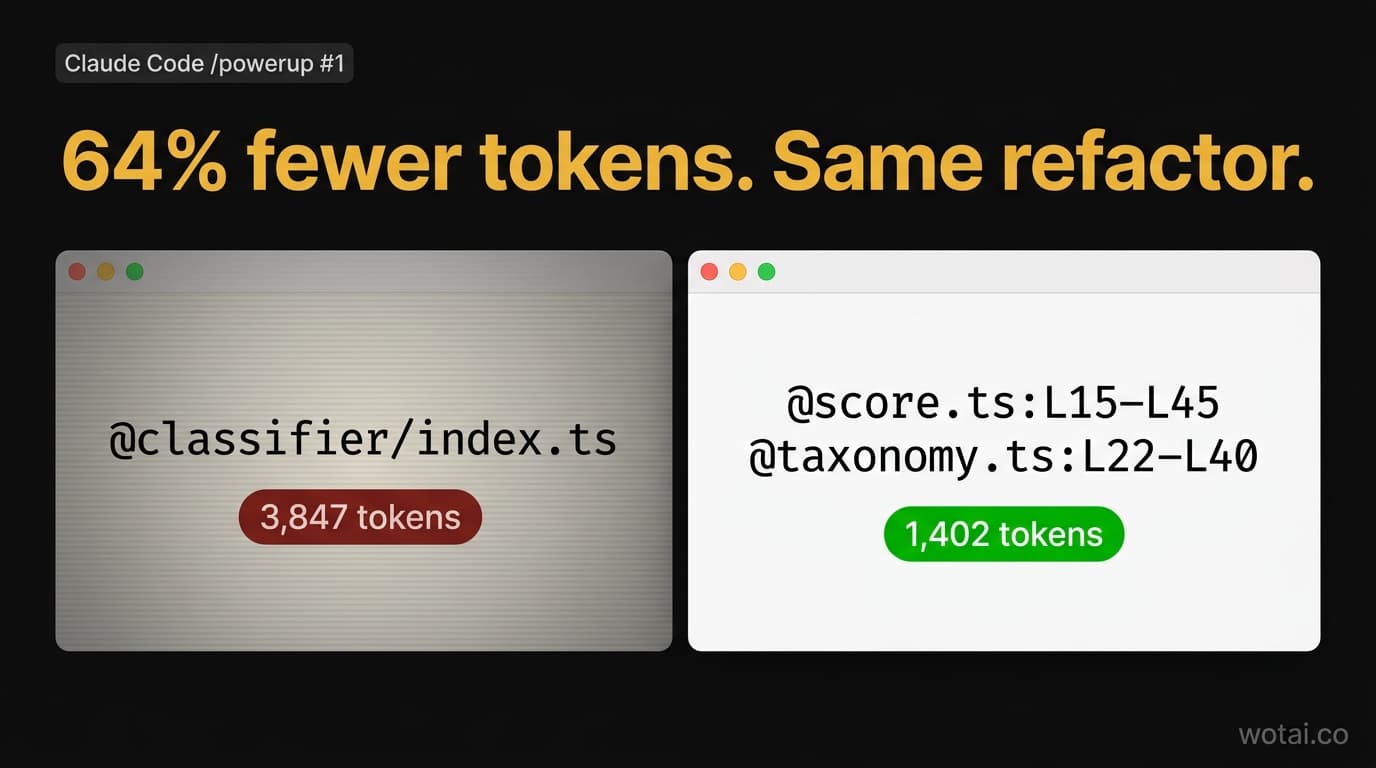
Episode 1 of "Production Claude Code: the /powerup deep dive." The series builds SoccerSkills.app live on camera across 10 episodes, each mapped to a /powerup lesson. This one maps to lesson #1: Talk to your codebase.
Last updated: 2026-04-28
Last week I was three hours into a classifier refactor when Claude Code told me I had 12% context left until auto-compact.
I'd been doing what most people do. Type @, pick a file, watch Claude read the whole thing. Then another file. Then another. Three hours in, I'd loaded a dozen files. Most of what was in context had nothing to do with what I was working on, and the session was about to summarize itself and lose the specifics I actually needed.
I restarted the session and tried something different. Forty minutes later the refactor was done, my context meter was at 31%, and I'd used 64% fewer tokens than the earlier attempt.
The trick is one line of syntax. If you've run /powerup and watched lesson #1 on talking to your codebase, you've already seen it. You just might not be using it.
What is the Claude Code context window?
The Claude Code context window is the pool of tokens Claude can look at in a single turn. It includes your messages, Claude's replies, tool outputs, CLAUDE.md, and any files you reference. On Sonnet 4.6 and Opus 4.7 it's 1,000,000 tokens. That sounds huge. It isn't.
Every token you load gets billed on every turn until the window compacts. Load 100,000 tokens on turn 1, do 20 turns with them in scope, and you've paid for 2,000,000 tokens of input. And when the window hits 80% full, Claude Code auto-compacts, which turns earlier turns into a summary you can't undo.
So the real question isn't "how big is the window." It's "how little can I get away with loading."
The one trick: line ranges with @file:L10-L50
Claude Code supports line-range references. Instead of @src/lib/classifier/index.ts, you can write @src/lib/classifier/index.ts:L10-L50 and Claude reads only lines 10 through 50. Nothing else from that file touches context.
You can reference multiple ranges across multiple files in one prompt:
@src/lib/classifier/score.ts:L15-L45 @src/lib/classifier/taxonomy.ts:L22-L40
refactor score() to use taxonomy.difficulty_weight
That's the whole syntax. It works today, on every version of Claude Code that supports /powerup.
Before and after, from a real refactor
Here's the SoccerSkills.app classifier I was working on last week. It tags YouTube videos against a taxonomy of youth soccer drills (technical, speed, strength, goalkeeper, broken out by age and position).
The refactor goal: change score() to use taxonomy.difficulty_weight instead of a hard-coded 1.0 multiplier.
Three files matter: the classifier orchestration in index.ts, the scoring function in score.ts, and the rule table in taxonomy.ts. Here's what loading them two different ways did to my token count:
| How I loaded it | Tokens added to context |
|---|---|
@src/lib/classifier/index.ts (whole file, 118 lines) | 3,847 |
@src/lib/classifier/index.ts:L10-L50 (just classify()) | 1,106 |
@score.ts:L15-L45 + @taxonomy.ts:L22-L40 (both files, ranges only) | 1,402 |
The third row is the one to sit with. I loaded two files and still used 64% fewer tokens than pulling in one whole file. Claude had everything it needed for the refactor. The stuff it didn't need never got loaded.
That's the whole game.
Why "just load the whole repo" is a trap
The 1M context window got sold as "load everything and let Claude figure it out." In practice that's a mistake for three reasons.
You pay for it every turn. Every token you loaded stays billed until compaction. The first turn looks cheap. By turn ten you're paying for context you haven't looked at in 30 minutes.
Claude does worse with more. Beyond a certain fill level, models underweight information buried in long context. Pruning isn't just a cost move. It's an accuracy move.
You hit auto-compact faster. Once Claude Code compacts, earlier turns become a summary. Exact code you pasted becomes a paraphrase. If you filled the window with whole-file dumps, your compact cliff comes earlier and costs more precision.
A 1M window isn't a target. It's headroom. You want the smallest context that includes what Claude needs for this turn.
Three commands that help
Three short commands are worth making reflexive.
/context shows you how full your window is, broken down by category (files, messages, tool output). Run it after any @file to see what you actually pulled in. When something feels slow, this is the first place to look.
/cost shows accumulated input and output tokens for the session, with dollar estimates. Pair it with /context and you get the full picture. What's loaded, and what it cost to load it.
/compact manually compacts your window before auto-compact fires. You can add a directive: /compact keep the classifier refactor, drop the debugging tangent. Auto-compact is a safety net. Manual compact is a tool.
.claudeignore: the setup most repos skip
Claude Code honors a .claudeignore file at repo root. Same syntax as .gitignore. Anything listed gets excluded from @ autocomplete and file discovery.
Most repos need three blocks:
# Build artifacts
node_modules/
.next/
dist/

# Generated code
drizzle/
*.tsbuildinfo

# Docs that aren't production reference
docs/archive/
The payoff compounds. Faster autocomplete. Cleaner globs. No accidental references to the wrong generated file when two files share a name. If your repo doesn't have one, add it this week.
When to use what
| Situation | What to do |
|---|---|
| Referencing a file you've worked in before | @path:Lstart-Lend, narrow to what changed |
| First look at a file you haven't touched | @path whole-file, then narrow on the next turn |
| Context feels slow | Run /context, find the fat |
| Starting a new sub-task in the same session | /compact with a keep-directive first |
| Session went off on a debugging tangent | /compact drop the tangent, keep the task goal |
| Files bleeding into autocomplete you never want | Add them to .claudeignore |
What you're really buying with context discipline
I've shipped features in two hours that would have taken half a day the old way. Not because Claude got faster. Because I stopped making Claude read 10x more than it needed to.
If you're using @file without line ranges, start there. Pick one file you reference often. Next time you @ it, add :L10-L50. Run /context before and after. The first time you see the delta, you won't go back.
That's /powerup lesson #1, done on a real codebase.
FAQ
How big is the Claude Code context window?
On Sonnet 4.6 and Opus 4.7 it's 1,000,000 tokens. Haiku 4.5 is smaller – check the model card for the current number. On Opus 4.7 the tokenizer fits roughly 555,000 words into that window. On Sonnet 4.6 it fits closer to 750,000. Same token ceiling, different tokenizer.
How do I reference a specific line range?
Use @path:Lstart-Lend. Example: @src/lib/classifier/index.ts:L10-L50. You can include multiple files and multiple ranges in one prompt. This is the single biggest lever you have for controlling context.
What does "context left until auto-compact" mean?
Claude Code shows this hint as you approach the auto-compact threshold (around 80% full). When you hit it, Claude Code automatically summarizes earlier turns to free space. The summary is lossy. Watch the hint and run /compact manually if you want to control what stays and what becomes a summary.
How do I see my context usage?
Run /context. It breaks down window usage by category. Pair it with /cost for the dollar figure on the session so far.
Can I increase the context window?
No. The 1M ceiling is set by the model. What you control is how you use it. Line ranges, .claudeignore, and manual /compact are the three biggest levers.
What's the difference between @file and CLAUDE.md?
CLAUDE.md is permanent context. It loads at session start and stays for the whole session. @file is transient. It loads when you reference it and lives in the window until compaction. Both count against the same budget. Episode 5 of this series goes deep on CLAUDE.md.
What's next in the series
- Ep 2: Steer with modes: plan mode, auto mode,
/less-permission-prompts - Ep 3: Undo anything:
/rewind,/compact, safe-failure patterns - Ep 5: The CLAUDE.md you actually want in a real codebase
- Ep 10: SoccerSkills.app launches on Product Hunt
Want this on your own codebase, not a sample repo? The 5-day workshop runs June 1-12. Early bird is $297 through May 15 ($200 off the $497 regular price).
Stop guessing. Score your first workflow.
Score one workflow in about five minutes. Nine questions, a grade, and the specific gap holding it back - no call required.
Related Posts

Claude Cowork vs Claude Code vs chat: which to use for each job
Which Claude surface each teammate should use on a Team plan: chat for thinking, Cowork for finished files and tasks, Claude Code for software. How Cowork runs after the September and October 2026 changes, and what one seat shares across all three.

Claude plugins vs skills vs connectors vs Projects: which to use (2026)
Skills, plugins, connectors and Projects compared in one table: what each is, what it contains, where it runs in chat, Cowork and Claude Code, when to use which, and how a Claude Team owner provisions each one org-wide.

Claude SSO and admin settings: how to set up a Claude Team org (2026)
How to set up Claude SSO on a Team plan: domain verification, Require SSO and the lockout traps, roles and JIT provisioning, every organization settings page and its Team default, and what needs Enterprise (SCIM, audit logs).