Last updated: October 22, 2026
TL;DR
If your business has fewer than 150 people, buy Claude Team, unless you handle patient data, provision accounts from an identity provider, or have an auditor asking for logs. For a 2 to 150 person company, the Claude Team vs Enterprise decision comes down to whether a requirement like those applies. The rest of what Enterprise adds is control most small businesses never use.
- 💵 Cost. Enterprise starts at 20 seats and charges $20 a seat plus every token at API rates, billed annually. Team includes usage in a flat $20 or $100 seat. For anyone who uses Claude, Enterprise costs more than an annual Team Standard seat.
- 🩺 Compliance. The HIPAA-ready offering, audit logs, the Compliance API and custom data retention are Enterprise-only. If a regulator, a customer contract or an auditor requires one of them, Team is out.
- 🔑 Identity. SCIM, custom roles, IP allowlisting and claiming existing accounts on your domain are Enterprise-only. Team has SSO, domain verification, JIT provisioning and four built-in roles.
- 🧩 Group control. Team's plugin and role settings apply to the whole organization. Enterprise can set plugins, roles and spend limits per group.
- ✅ Decision. Count your triggers. Zero means Team. One means Enterprise, even if you won't fill 20 seats.
Claude Team vs Enterprise pricing and minimum seats
Claude Team charges a flat seat price with usage included, for 2 to 150 seats. Claude Enterprise charges a $20 seat fee with a 20-seat minimum, then bills every token your team uses at API rates, on an annual contract. For a small business, Enterprise means a higher floor and a bill that moves with usage.
For how Team seats work, see our Claude Team plan guide. The figures below come from Claude's pricing page, Anthropic's Enterprise plan article and its Enterprise billing article.
| Team | Enterprise | |
|---|---|---|
| Seats | 2 to 150 | 20 minimum self-serve, 50 through sales |
| Seat fee | Standard $20 annual or $25 monthly; Premium $100 or $125 | $20 per seat, annual only |
| Usage | Included in the seat, with per-person limits | Billed separately at API rates, with no included allowance |
| Spend controls | Optional usage credits with org and per-person caps | Spend limits for the org and each user |
| Payment | Card | Card or ACH self-serve; invoicing through sales |
| Monthly API credits | Up to $500 a month, pooled | None |
The arithmetic is short once you notice that both seat fees are $20. A Team Standard seat at $20 includes usage. An Enterprise seat at $20 includes none. So for any person who uses Claude at all, Enterprise costs more than Standard. Against a Premium seat at $100, Enterprise is cheaper only for someone whose usage costs less than $80 a month at API rates, and the people you put on Premium are the ones who use Claude most.
The floor matters more than the rate for a small company. The smallest self-serve Enterprise plan is 20 seats at $20, which is $4,800 a year in seat fees, billed at the start of the annual cycle. Self-serve usage is bought upfront as credits, and self-serve plans can't remove seats mid-term. A six-person firm that needs Enterprise for one reason pays for 14 empty seats.
Compliance: HIPAA, audit logs, the Compliance API and retention
Four compliance controls exist only on Enterprise: the HIPAA-ready offering, audit logs, the Compliance API and custom data retention. Each one answers a requirement that comes from outside the company, such as a regulator, a customer contract or an auditor. If none of them asks, you don't need these.
| Control | What it does on Enterprise | Who needs it |
|---|---|---|
| HIPAA-ready offering | The Primary Owner accepts a BAA in Organization settings, under Data and privacy | Anyone putting patient health information into Claude |
| Audit logs | An export of the last 180 days of sign-ins, invites, new conversations and file uploads, with IP address and device | Companies whose auditor or customer security review asks who did what |
| Compliance API | Programmatic access to activity events, chat data and file content | Companies that pull records into their own security or archiving tools |
| Custom data retention | An Owner sets how long chats and Projects are kept, from 30 days up | Firms with a written retention policy |
HIPAA is the clearest line. Anthropic's HIPAA article says it directly: "Team plans and individual plans (Free, Pro, and Max) can't enable HIPAA." Enabling it is a one-way decision, and it narrows what you can use. Once the configuration applies to Claude Code and Cowork in local mode, cloud features such as Claude Code cloud sessions and Cowork in the cloud aren't available.
Audit logs are an export an Owner requests. The Compliance API is a feed your own tools read, and only the Primary Owner can turn it on.
Custom retention is narrower than it sounds. Per Anthropic's retention article, it covers chats and Projects but not Claude Design, Claude Tag or Claude Code running in the cloud. Team has no retention setting at all. On model training the plans are the same: no training by default on either.
Identity and access: SCIM, custom roles and IP allowlisting
Team covers identity for a company that adds a few people a year: SSO, domain verification, JIT provisioning and four built-in roles. Enterprise adds SCIM, custom roles, IP allowlisting and the ability to claim existing accounts on your domain. Those matter once IT manages access from an identity provider and people join and leave every month.
| Team | Enterprise | |
|---|---|---|
| SSO and domain verification | Yes | Yes |
| JIT provisioning (account created at first sign-in) | Yes | Yes |
| SCIM (accounts created and removed from your identity provider) | No | Yes |
| Roles | User, Admin, Owner, Primary Owner | The same, plus custom roles assigned to groups |
| Block new personal accounts on your domain | Yes | Yes |
| Claim and migrate existing personal accounts on your domain | No | Yes |
| IP allowlisting | No | Yes |
Start with SCIM. Anthropic's provisioning article says "SCIM is not available for Team plans." With SCIM, removing someone in your identity provider removes them from Claude, and group membership sets their role and seat type. Without it, an Owner removes the seat by hand. If you turn on "Require SSO for Claude," a person you disable in your identity provider can no longer sign in, but their seat stays until someone removes it.
Custom roles decide which features a group can use, such as Cowork, Claude Code, web search and specific connectors. They attach to groups, not individuals. And per the domain article, Team can block new personal accounts on your domain but can't claim the ones people already made with their work email.
IP allowlisting restricts chats, Projects and artifacts to the office and VPN addresses you list. Anthropic support adds your ranges for you, and missing one locks people out.
Group control: plugins, roles and spend limits per group
On Team, plugin and role settings apply to everyone in the organization. Enterprise lets you set them per group: a plugin can be Required for finance and hidden from everyone else, and spend limits can be set per group. A company where everyone uses the same tools doesn't need this.
The plugin rule is in Anthropic's plugin management article: "Group-level plugin access is available on Enterprise plans." On Team, each plugin has one org-wide state: Required, Installed by default, Available to install, or Not available. The practical workaround is to leave a plugin Available, so only the people who need it install it.
Enterprise also has group spend limits. Team caps spend for the whole organization and per person.
A few more Enterprise-only items show up on the pricing page and the Enterprise article: the Analytics API, customer-managed encryption keys, US-only inference, inference hooks and Claude Security. They are built for large IT and security teams, and none of them is on the decision list below.
Who actually needs Claude Enterprise
You need Enterprise if at least one of these is true: you handle patient data, an auditor or customer requires activity logs or chat records, you have a written retention policy, IT provisions accounts through SCIM, Claude must only work from your network, or you have more than 150 people. If none is true, Team covers you.
| If this is true | Buy | Why Team can't do it |
|---|---|---|
| You put patient health information into Claude | Enterprise | Team can't enable HIPAA or sign a BAA |
| An auditor or customer review asks for user activity logs | Enterprise | Audit logs and the Compliance API are Enterprise-only |
| You must delete chats after a set period | Enterprise | Team has no retention setting |
| IT creates and removes accounts from an identity provider | Enterprise | Team has JIT, not SCIM |
| Claude must only work from office or VPN addresses | Enterprise | Team has no IP allowlisting |
| Departments need different tools or spend limits | Enterprise | Team's plugin and role settings are org-wide |
| You have more than 150 people | Enterprise | Team stops at 150 seats |
| None of the above | Team | – |
If you're unsure, start on Team. Moving up later is self-serve and keeps your organization, per Anthropic's Team to Enterprise migration article:
- Go to claude.ai/upgrade, click "Get Enterprise plan," then choose "Upgrade an existing organization" and select your Team organization.
- Add at least 20 seats, then set a per-user spend limit and a starting usage balance.
- Pay by card. Bank transfer is available only after the migration.
- Recheck your settings afterward. Skills, code execution and file creation, Claude Design, Slides, Docs and Claude in Chrome are on by default on Team but off by default on Enterprise.
The migration can't be reversed, and new monthly API credits stop when you move. Step 4 is the one to watch. On WotAI's own Team console, Cloud code execution and file creation, Skills, User-created skills and Skill sharing are all switched on, and Publishing is set to Open. Every skill your team uses depends on those settings.
Plan choice is the smaller part of the work. The shared Projects, skills and connectors matter more, and our guides to Claude for small business and AI agents for small business cover them.
Frequently asked questions
Is Claude Team or Enterprise better?
For a business under 150 people without compliance requirements, Team. It includes usage in a flat seat price and has SSO, shared Projects and admin controls. Enterprise is better when you need HIPAA, audit logs, SCIM, custom retention or IP allowlisting, or have more than 150 people.
How much is Claude Enterprise vs Team?
Team costs $20 per Standard seat or $100 per Premium seat a month on annual billing, with usage included. Enterprise costs $20 per seat a month, billed annually, plus all usage at API rates. Enterprise's 20-seat minimum puts its floor at $4,800 a year before any usage.
What is the minimum number of seats for Claude Enterprise?
20 seats on the self-serve Enterprise plan, and 50 seats when you buy through Anthropic's sales team. Team runs from 2 to 150 seats.
Can I get Claude Enterprise for 1 person?
No. The smallest Enterprise plan is 20 seats. One person can use Pro or Max, and a group of two or more can use Team.
What is the seat fee for Claude Enterprise?
$20 per user per month, billed annually. The seat covers access only. Every token is billed separately at standard API rates, with no per-seat usage limits and no included allowance, so admins set spend limits for the organization and for each user.
Is Claude Team HIPAA compliant?
No. Anthropic says Team plans can't enable HIPAA. The HIPAA-ready configuration and its BAA are Enterprise-only, and only the Primary Owner can accept them, in Organization settings. Don't put patient health information into Claude on a Team plan.
Does Claude Team have SCIM or audit logs?
No. Both are Enterprise-only. Team has SSO, domain verification and JIT provisioning, which creates an account the first time someone signs in. Enterprise audit logs cover the last 180 days.
Can I upgrade from Claude Team to Enterprise?
Yes, self-serve. Go to claude.ai/upgrade, choose "Get Enterprise plan," then "Upgrade an existing organization." You need at least 20 seats, you pay by card during the upgrade, and the move can't be reversed.
Do Claude Team and Enterprise have the same features?
Mostly. Both include Claude Code, Projects, connectors, org-wide skills, SSO and spend controls. Enterprise adds the compliance, identity and group controls. Team has monthly API credits and extra usage, which Enterprise doesn't.
Does Anthropic train on Claude Team or Enterprise data?
No, not by default on either plan. Claude's pricing page lists no model training by default for both Team and Enterprise.
Get Claude Team set up properly
We set up Claude Team for small businesses: the seat plan, the security settings, shared Projects and skills written from your actual processes, and the first scheduled routines. If you'd rather have it done once and done right, see how our Claude Team setup works or book a 30-minute call.
Stop guessing. Score your first workflow.
Score one workflow in about five minutes. Nine questions, a grade, and the specific gap holding it back - no call required.
Related Posts
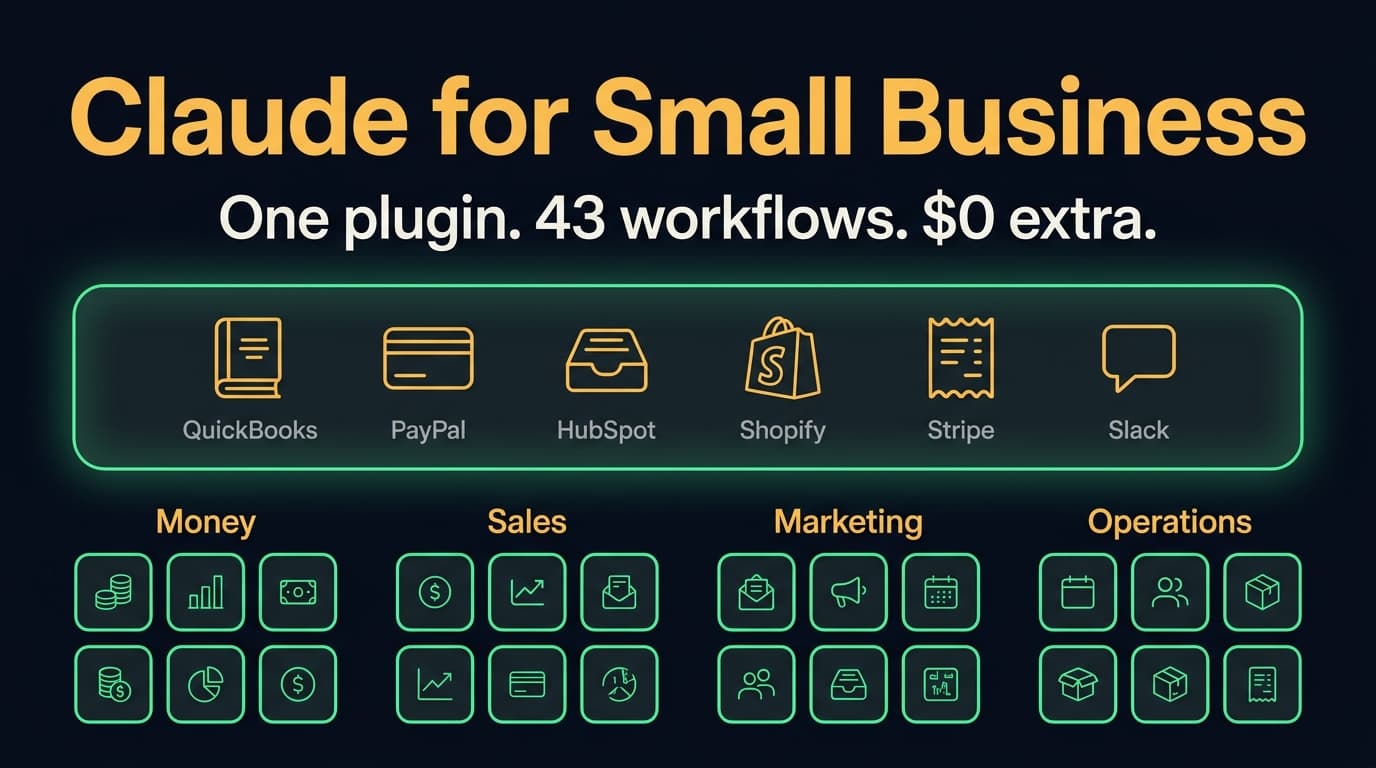
Claude for Small Business (2026): 43 workflows, the real cost, and when to skip it
Claude for Small Business is a free Anthropic plugin with 43 ready-to-run workflows for cash, payroll, bills, taxes, leads, marketing and hiring. What's in it, which Claude plan it needs, where it runs, how it compares to ChatGPT Business, and when to skip it.

Claude Team plan: pricing, seats and how to set it up (2026)
What the Claude Team plan costs in October 2026, when to buy Standard vs Premium seats, how it compares to Pro, Max and Enterprise, how to control connectors and plugins, and a 10-step setup for your first week.
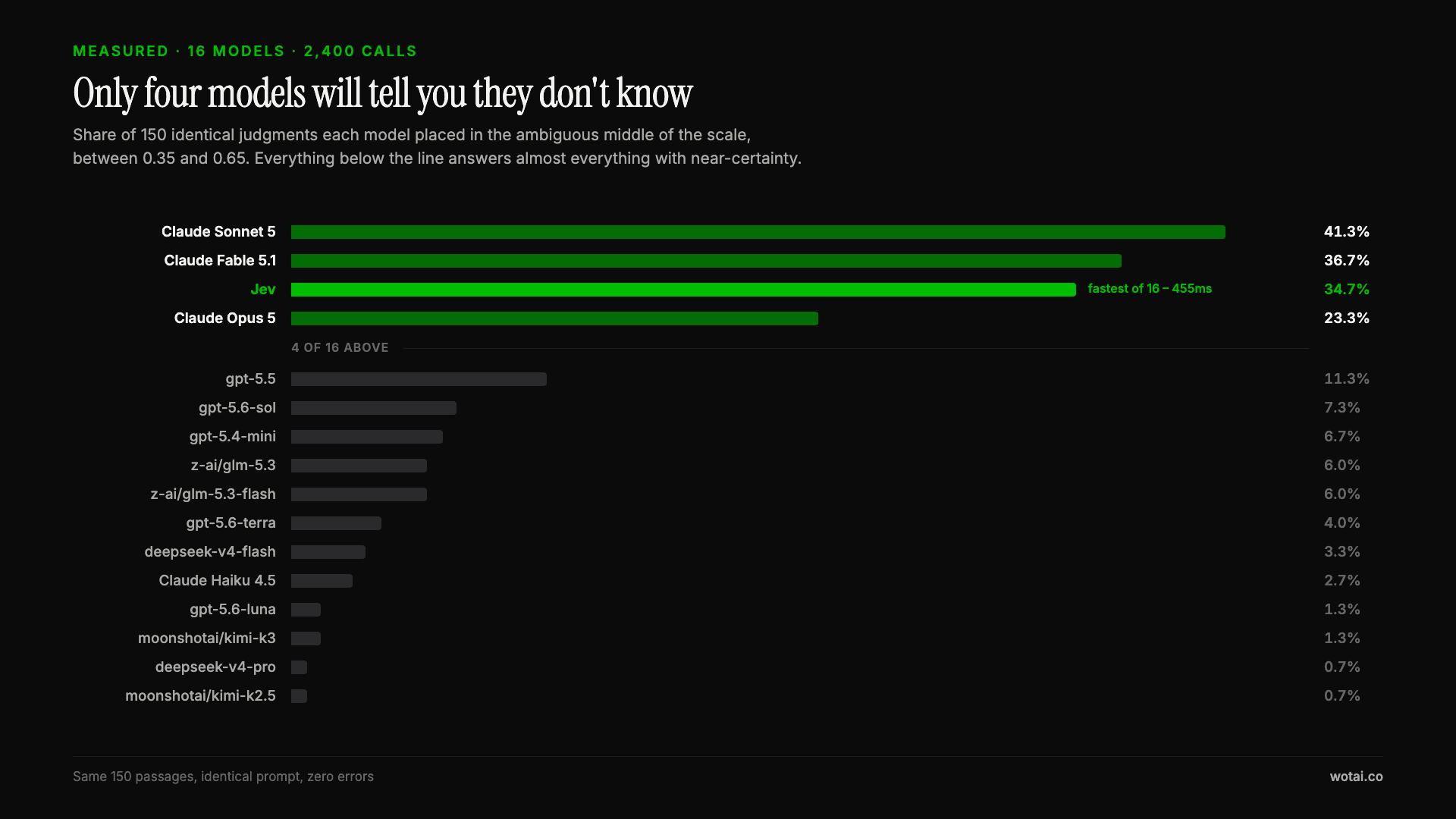
Jev is the only sub-second model that will tell you it doesn't know
Sixteen models on the same 150 passages, plus two more tasks. Only four of the sixteen will say they are unsure, and Jev is the only one of those four that answers in under a second.