Claude SSO and admin settings: how to set up a Claude Team org (2026)

Last updated: October 23, 2026
TL;DR
To set up Claude SSO on a Team plan, verify your email domain with a DNS TXT record, connect your identity provider, test a sign-in, and only then turn on "Require SSO for Claude." Set roles and organization settings before you invite anyone. SCIM, audit logs and custom data retention are Enterprise-only.
- 🔑 SSO. Team includes SSO, domain verification and "Restrict organization creation." An Owner needs DNS access and an identity provider such as Okta, Microsoft Entra ID or Google Workspace.
- 👥 Members. There are four roles: User, Admin, Owner and Primary Owner. New people join by invite unless you switch to JIT, which adds them at first sign-in but never removes them.
- 🎛️ Settings. Data and privacy, Capabilities and one page per product decide what members can share, run and install. On Team, most products start switched on.
- 🚫 Limits. Team has no SCIM, audit logs, Compliance API, custom roles, domain capture or custom retention. Those need Enterprise.
How to set up Claude SSO on a Team plan
Claude SSO on Team runs through WorkOS and takes five steps on the Organization and access page at claude.ai/admin-settings/organization: verify the domain, restrict organization creation, connect your identity provider, assign everyone, then require SSO. You need the Owner or Primary Owner role, DNS access and admin access to your identity provider, per Anthropic's SSO setup guide.
If you haven't bought seats yet, start with our Claude Team plan guide, which covers pricing, seat choice and the first week.
- Verify your domain. Under Domains, click "Add or edit domains," then "Verify." Copy the TXT value, which starts with
anthropic-domain-verification-, and add it as a TXT record at your DNS provider. Save the value somewhere. Once the domain shows Pending, Claude doesn't display it again, and losing it means removing the domain and starting over. Expect about 10 minutes; DNS can take 24 to 48 hours. - Turn on "Restrict organization creation." It appears under Security once the domain is verified. It stops anyone creating a new Claude or Console organization on your domain, personal accounts included.
- Connect your identity provider. Under Authentication, click "Setup SSO" and follow the WorkOS guide for Okta, Entra ID, Google, OneLogin, JumpCloud or Duo. The flow ends with a test sign-in.
- Assign everyone to the Anthropic app in your identity provider, yourself included, before going further.
- Turn on "Require SSO for Claude." Members then sign in only with "Continue with SSO." With it off, they can pick SSO or email.
Verifying the domain changes nothing for existing users. Requiring SSO does, and Anthropic's SSO considerations article documents three ways it locks people out:
- 🚪 People on your domain who aren't assigned in the identity provider lose access to their existing Claude accounts, personal Pro and Max accounts included. Anthropic says those accounts "are not deleted, but will be inaccessible." Ask people to export their chats before you flip the switch.
- 🔐 If the SAML certificate or OIDC client secret expires while SSO is required, nobody can sign in to fix it. Recovery means contacting support from an Owner's or Primary Owner's email. Put the expiry date in a calendar and rotate early.
- 👤 The Primary Owner isn't exempt. If their email is on the enforced domain, they go through SSO like everyone else.
Turning on SSO for the first time also creates a parent organization, which holds the verified domains and SSO settings for any linked Claude or Console organizations. Each parent can use only one identity provider.
Claude Team roles, members and provisioning
Team has four roles, and most people should be a User. Admins can invite and remove members. Owners also see billing, turn on integrations and capabilities, and change roles. The one Primary Owner is the only person who can export the organization's data or transfer primary ownership, per Anthropic's roles and permissions table.
| Permission | User | Admin | Owner | Primary Owner |
|---|---|---|---|---|
| Use chats and Projects | Yes | Yes | Yes | Yes |
| Invite and remove members | No | Yes | Yes | Yes |
| Add or remove Admins and Owners, change roles | No | No | Yes | Yes |
| Invoices, billing methods, new seats | No | No | Yes | Yes |
| Turn on integrations, capabilities and project sharing | No | No | Yes | Yes |
| View usage analytics (Team) | No | No | Yes | Yes |
| Export organization data, transfer primary ownership | No | No | No | Yes |
Make at least two people Owners. If one loses access, Anthropic's fix is for another Owner to restore the role; without a second Owner, the fix is a support ticket. Custom roles are Enterprise-only.
How people get in depends on the provisioning mode, which sits under User provisioning on the Organization and access page. Team has two of the three, per Anthropic's JIT and SCIM guide:
| Invite only (default) | Just-in-time (JIT) | |
|---|---|---|
| How people join | An Admin or Owner invites them, or they use the invite link | Anyone assigned to the Anthropic app in your identity provider joins at first sign-in, as a User |
| Seats | A pending invite takes a seat right away; invites expire after 21 days | Each new member takes an available seat |
| Removal | Manual | Manual. Unassigning someone in the identity provider blocks sign-in, but they keep their seat until an admin removes them |
Three details from the member management article catch people out. The invite link is on by default on Team but isn't available in SSO organizations. Any member can invite a teammate, and the default "Approve one-by-one" setting holds the invite for an admin. And under JIT, removing someone in Claude alone isn't enough: they come back the next time they sign in with SSO, so remove them in both places.
Group mappings, which assign roles from identity provider groups, have one more trap. With JIT and group mappings on, an Owner or Admin who isn't in a group mapped to their role is downgraded or removed at their next sign-in. Only the Primary Owner is exempt. Put yourself in the Owner group before you save.
Claude organization settings, page by page
Claude organization settings are split into pages. On WotAI's own Team console the sidebar runs Billing, Usage, Data and privacy, Capabilities, Git providers and Members, then one page per product, then Plugins & skills, Connectors and Directory. Most products start switched on and most sharing starts open, so the setup is mostly deciding what to turn down.
| Page | What it controls | Team default, per Anthropic's docs |
|---|---|---|
| Organization and access | Domains, SSO, provisioning, and organization instructions: up to 3,000 characters that apply to every conversation and win over members' own instructions | Invite only, no instructions |
| Usage | Usage credits and monthly spend limits for the org and per member | Org limit Unlimited |
| Data and privacy | Organization data export (Primary Owner only, link expires after 24 hours), "Allow members to export their own data," Share projects and Public projects | Both sharing settings on |
| Capabilities | Code execution and file creation and its network egress, memory, web search, maps and image search, "Require trusted devices" for remote sessions | Code execution on; memory off for each member until they turn it on; trusted devices off |
| Git providers | GitHub organizations linked through the Claude GitHub App. Linking one needs a person who owns the GitHub org and is a Claude admin | – |
| Claude Code | Managed settings for permissions, hooks and MCP servers; the Remote Control toggle | Remote Control off |
| Claude in Chrome | On or off, with a site allowlist and blocklist | On |
| Cowork | On or off, "Run Cowork in the cloud," the built-in browser, Allow "Automatically approve" mode, Allow "Always allow" for connector tools | All on except "Always allow," which is off |
| Artifacts and Claude Design | Docs, Slides, Design and Motion, external sharing, design systems | On. Standalone Claude Design closes December 14, 2026 |
| Plugins & skills | Inventory, Marketplaces, Requests and Policy tabs | Publishing varies; see below |
| Connectors | Enabled connectors, member requests, Always allow, Needs approval or Blocked per tool, the Desktop extension allowlist | Requests on, allowlist off |
The product defaults come from Anthropic's admin guides for Cowork, Claude in Chrome and Artifacts. On Team, chat and Cowork stay separate; the unified experience is an Enterprise beta. The Cowork toggle also controls plugins inside Cowork, including the Claude for Small Business workflows, so switching Cowork off removes those too.
Five settings behave in ways the toggle doesn't tell you:
- 🧠 Turning memory off for the organization deletes every member's memory entries immediately.
- 🌐 Anthropic's code execution article gives two different Team defaults for network egress, "disabled" in one place and "package managers only" in another. Open Capabilities and check yours. Connectors can still reach the network whatever the egress setting says.
- 📁 Turning off Public projects makes every existing public project private at once, and people who only had access through it lose it.
- 🧩 A plugin set to Required also installs in Claude Code, where its hooks, sub-agents and MCP servers run on the member's own computer and can't be switched off, per Anthropic's plugin admin guide. Read the hooks first.
- 🖥️ Until you turn on the Desktop extension allowlist, members can install any extension in the registry, per Anthropic's allowlist article.
Publishing deserves its own check. Anthropic's skills admin guide says Team orgs that never chose a Publishing setting would switch to "Requires review" on October 2, 2026. On October 21, our console still showed Publishing as Open, with Cloud code execution and file creation, Skills, User-created skills and Skill sharing all on. We also had 25 connectors enabled, with requests on and the Desktop extension allowlist off. Read your own Policy tab rather than trusting the docs.
Claude Code managed settings load at startup and refresh hourly, and Anthropic calls them "a client-side control, not a security boundary." For the written conventions that sit on top, see our compound engineering setup for Claude Code.
What's Enterprise-only: SCIM, audit logs and more
Claude SCIM and audit logs are Enterprise-only. Team has SSO, domain verification, JIT provisioning, organization instructions and usage analytics, but no automatic deprovisioning, no audit log export and no Compliance API, according to the plan comparison on Claude's pricing page. Most small teams can live without them. Regulated ones usually can't.
| Control | Team | Enterprise |
|---|---|---|
| SSO and domain verification | Yes | Yes |
| Restrict organization creation | Yes | Yes |
| JIT provisioning | Yes | Yes |
| Organization instructions | Yes | Yes |
| SCIM directory sync | No | Yes |
| Domain capture (claim existing personal accounts) | No | Yes |
| Role-based access and custom roles | No | Yes |
| Audit logs | No | Yes |
| Compliance API | No | Yes |
| Custom data retention | No | Yes |
| HIPAA-ready offering | No | Yes |
What each gap means in practice:
- No SCIM. SCIM removes people from Claude when you remove them from your directory. On Team, offboarding is two steps: unassign the person in your identity provider, then remove them under Members. A Console organization joined to a Team parent doesn't get SCIM either.
- No audit logs. Enterprise Owners export 180 days of events, such as sign-ins, SSO changes and invites, per Anthropic's audit log article. Team Owners get usage analytics, which show adoption, not who changed what.
- No domain capture. Team can stop new accounts being created on your domain but can't claim or migrate the personal accounts people already have, per the domain claiming article. Each person moves their own account, and that move is one-way.
If one of those is a requirement, the Claude Team plan guide compares Team and Enterprise pricing. Enterprise starts at 20 seats.
Frequently asked questions
Does the Claude Team plan include SSO?
Yes. Team includes SSO, domain verification and "Restrict organization creation." An Owner or Primary Owner sets it up from the Organization and access page, which needs access to your domain's DNS and to an identity provider such as Okta, Microsoft Entra ID or Google Workspace.
Does Claude have audit logs?
Only on Enterprise. Enterprise Owners can export 180 days of audit events from Organization settings, then Data and privacy, and pull them through the Compliance API. Team plans have usage analytics for Owners but no audit log export.
Does Claude support SCIM?
Yes, on Enterprise plans and on Console organizations that aren't tied to a Team plan. Team plans can use invite-only or just-in-time provisioning, which adds people at their first SSO sign-in but never removes them automatically.
What is the difference between JIT and invite-only on Claude?
Invite-only, the default, means an Admin or Owner adds each person. With JIT, anyone assigned to the Anthropic app in your identity provider joins at first sign-in as a User and takes a seat. Neither removes people automatically.
What happens to people who aren't in my identity provider when I require SSO?
They can't sign in, and their existing Claude accounts on your domain, including personal Pro and Max accounts, become inaccessible. Anthropic says the accounts aren't deleted. Assign everyone in your identity provider first and ask them to export their chats.
How do I create a new organization in Claude?
Sign in at claude.ai with a business email and pick the Team plan during onboarding. Public domains such as Gmail aren't allowed for the account creator. If you already pay for Pro or Max on your work email, upgrade at claude.ai/upgrade instead.
How do I manage a team in Claude?
Go to Organization settings, then Members. Admins and Owners can invite and remove people there, and Owners can change roles and seat types. Identity settings such as SSO and provisioning sit on the Organization and access page.
What does "Restrict organization creation" do?
Once your domain is verified, it stops anyone creating a new Claude or Console organization with an email on that domain, including new personal accounts. It doesn't touch accounts that already exist.
Get Claude Team set up properly
We set up Claude Team for small businesses: the seat plan, the security settings, shared Projects and skills written from your actual processes, and the first scheduled routines. If you'd rather have it done once and done right, see how our Claude Team setup works or book a 30-minute call.
Stop guessing. Score your first workflow.
Score one workflow in about five minutes. Nine questions, a grade, and the specific gap holding it back - no call required.
Related Posts
Claude Team vs Enterprise: who actually needs Enterprise (2026)
Claude Team vs Enterprise for a 2 to 150 person business: what the 20-seat minimum and usage billing cost, the compliance and identity features only Enterprise has, and a decision table for who actually needs it.
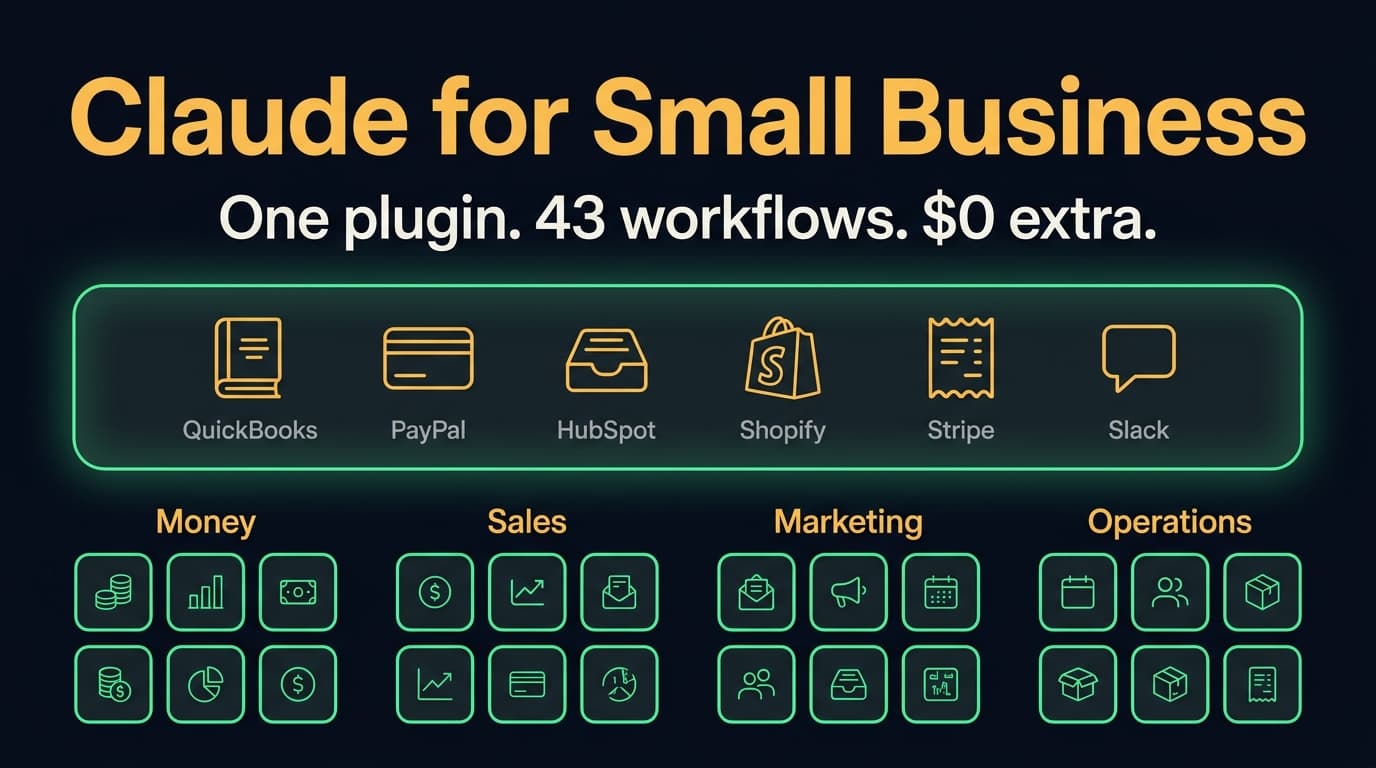
Claude for Small Business (2026): 43 workflows, the real cost, and when to skip it
Claude for Small Business is a free Anthropic plugin with 43 ready-to-run workflows for cash, payroll, bills, taxes, leads, marketing and hiring. What's in it, which Claude plan it needs, where it runs, how it compares to ChatGPT Business, and when to skip it.

Claude Team plan: pricing, seats and how to set it up (2026)
What the Claude Team plan costs in October 2026, when to buy Standard vs Premium seats, how it compares to Pro, Max and Enterprise, how to control connectors and plugins, and a 10-step setup for your first week.