Last updated: May 19, 2026
TL;DR
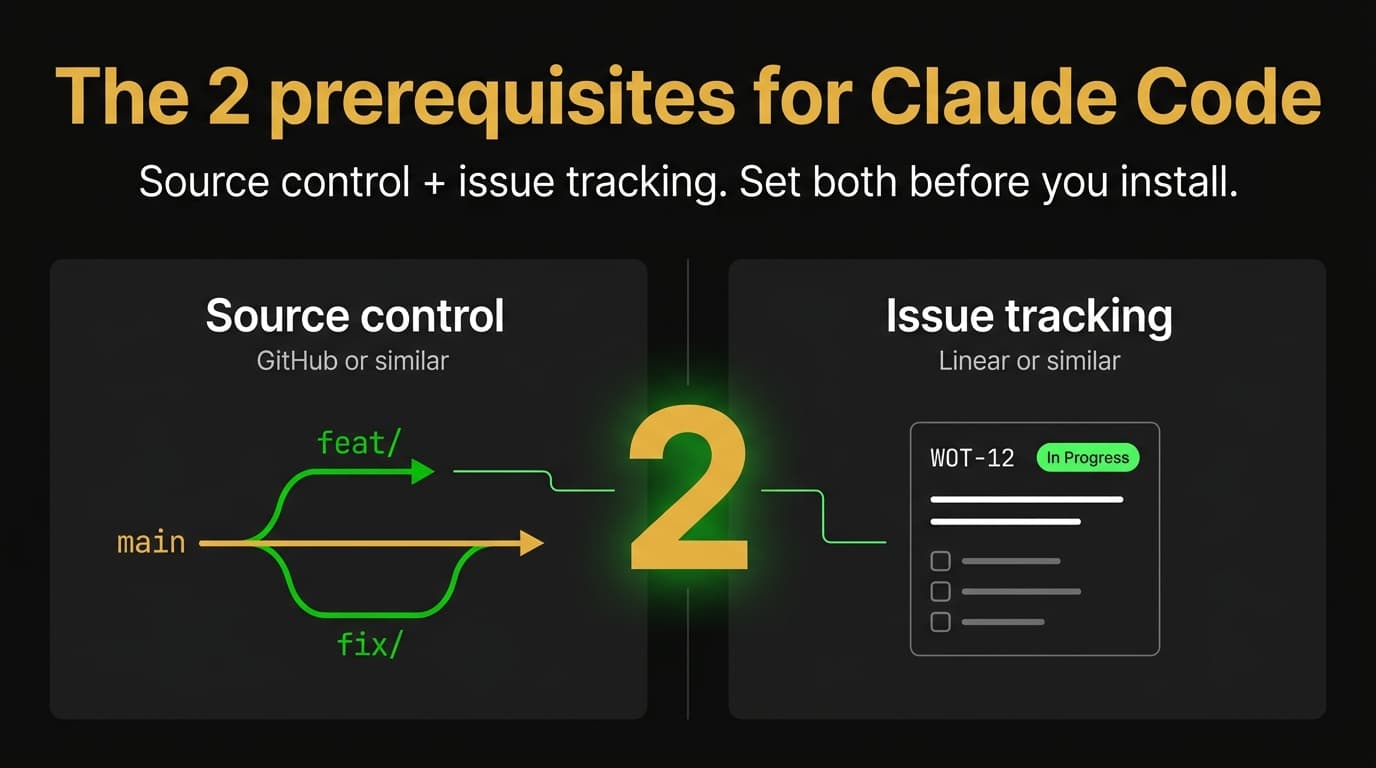
Quick one. Before you install Claude Code, there are exactly two things you need. Source control (GitHub or similar) and issue tracking (Linear or similar). That's it. Source control gives the agent a safety net. Issue tracking gives it a brief. Skip either one and you have an autonomous code-writing system with no audit trail and no scope. Set both up first and you have a working pipeline from day one. Here's what each does, why "or similar" actually means something specific, why these two and not others, and a 10-minute setup before your first session.
Why Claude Code needs prerequisites at all
How my day actually works now: I let Claude Code handle the commits, the pulls, the pushes, and the PRs. I just review the PRs. That entire workflow falls apart without the two prerequisites underneath it. No source control means no PR to review. No issue tracking means no scoped brief for the agent to work from. The prerequisites aren't process theater. They're the thing that makes "let the agent ship while I review" a workable position instead of a reckless one.
Claude Code is an AI coding agent. It writes code, runs tests, opens pull requests, ships changes. It runs in your terminal, reads your codebase, acts on your behalf. The agent can rewrite 50 files in 10 minutes. Fix a bug, ship a feature, refactor a module, or break your app. All at the speed of an LLM, which is much faster than any human can keep up with by hand.
That speed is the value proposition. It's also the risk.
A human developer pauses. We re-read. We notice the bug fix is now touching a file it shouldn't. The agent doesn't, not by default. It does what you asked plus whatever it inferred from context, and it ships the result before you've had a chance to evaluate it.
The two prerequisites are what put the brakes back on:
Source control is the after-the-fact safety net. Every change the agent makes becomes a diff you can review and a branch you can throw away.
Issue tracking is the before-the-fact scoping. Every change the agent makes is anchored to a numbered ticket that defines what "done" looks like.
Together they make the agent work like a junior engineer with a manager. You write the brief (ticket). The agent does the work (commits on a branch). You review the diff (pull request). It merges only after a human, or another AI agent, signs off.
Without these two, you're trusting an autonomous system with no rollback and no scope. With them, even a bad run is bounded and recoverable.
Prerequisite 1: Source control (GitHub or similar)
The protocol underneath is Git. GitHub is the most popular host that runs Git. GitLab works. Bitbucket works. Codeberg, Gitea, self-hosted Forgejo all work the same way under the hood.
What it does for a Claude Code workflow:
Every change is a snapshot. The agent runs git commit after each unit of work. You get a timeline of every file that changed, when, and why (assuming the commit messages are good – more on that in the companion guide).
Every change happens on a branch. The agent doesn't touch main directly. It works on something like feat/WOT-12-password-reset, opens a PR when done, and main stays known-good.
Every merge is a checkpoint. The PR diff is the human review surface. You read what the agent did before it lands. Don't like it? Don't merge.
Mistakes are reversible. A bad merge is fixed with git revert. A bad branch is deleted. A bad session can be wiped with git reset --hard origin/main. Nothing the agent did is permanent until you say it is.
If you're new to source control, the beginner's guide to source control with GitHub covers the five commands that do 90% of the work plus the conventions worth stealing from a real codebase.
Why GitHub specifically
You don't strictly need GitHub. Any Git host works. GitHub is the default because the free tier is unlimited private repos, Claude Code integrates with the GitHub API natively, almost every AI tool defaults to GitHub on day one, and the 100M+ developer accounts mean it doubles as your portfolio.
Two GitHub-specific reasons that matter once Claude Code is in your loop. First, the gh CLI is the cleanest integration surface for an AI agent in a terminal – Claude Code uses gh natively to open PRs, comment on threads, check CI status, and merge, all from the same session with no API-token juggling. Second, Copilot's PR code reviews run automatically on every PR and add a second AI review pass on top of whatever Claude Code just opened. Two AI reviewers checking each other plus a human merge button is a much stronger loop than any one of those parts alone.
Already on GitLab or Bitbucket? Keep using it. The patterns transfer. For new projects, GitHub is the path of least resistance.
Prerequisite 2: Issue tracking (Linear or similar)
Issue tracking gives the agent a scoped, numbered, written brief for every unit of work. You write the ticket. The agent reads it. The branch references the ticket. The commit body references the ticket. The PR body closes the ticket. Everything traces back to the original ask.
Linear is the tracker I run. Fast (load times under 200ms), keyboard-first, opinionated about structure, and it has a first-class MCP server so Claude Code can read and write Linear during a session.
What it does for the workflow:
Every change has a ticket. Even small ones. WOT-12: add password reset email flow. The ticket has acceptance criteria. The agent reads those before it writes a line of code.
Every branch references the ticket. feat/WOT-12-password-reset. Searchable, scannable, links back to the brief.
Every commit references the ticket. Refs WOT-12 in the commit body, Closes WOT-12 on the one that genuinely finishes it. git log becomes a project changelog.
Every PR references the ticket. Closes WOT-12 in the body. Anyone reading PR history can trace back to the original ask.
Status moves are auditable. Ticket starts in Todo. Agent picks it up, moves it to In Progress. PR opens, moves to In Review. PR merges, moves to Done.
The "one ticket per unit of work" rule is the thing. Skip the ticket and you skip the scope. The agent without a scoped brief either does too little (30 follow-up questions) or too much (ships features you didn't ask for). The ticket is the contract.
Why Linear specifically
You don't strictly need Linear either. Any tracker works. Linear is my default because it's fast (the speed alone is a productivity gain), opinionated about structure (forces a clean team-project-issue shape, no 50 fields, no story-points-versus-effort debates), and the Linear MCP server lets Claude Code use the tracker like a teammate would.
Already on Jira, Notion databases, GitHub Issues, Asana, ClickUp, Height, or Shortcut? Those all work. Replace WOT-N with whatever your tracker uses, and the Claude Code patterns transfer.
What "or similar" actually means
The shape that matters across all source-control + issue-tracking systems:
For source control: branches that can be created, named, and merged through pull requests. A code-review surface where diffs can be commented on. An API or webhook integration so Claude Code can open and update PRs.
For issue tracking: stable identifiers (WOT-12, PROJ-455, #123) you can reference from branches and commits. Status transitions (Todo → In Progress → In Review → Done) the agent can move. A body field for acceptance criteria. An API or MCP server so Claude Code can read tickets without you copy-pasting them.
Almost every modern tool has all of that. The prerequisites are about the shape, not the specific products. Pick GitHub plus Linear if you're starting from scratch. Use whatever you already have if you're not.
Why these two and not others
People ask why other tools don't make the list. The short version:
A code editor doesn't qualify because Claude Code already runs in any terminal – you don't need VS Code or Cursor to use it.
A CI/CD service is a layer-2 tool, not a prerequisite. You can run Claude Code without CI. You should add CI eventually. It doesn't gate the first session.
A test framework matters but is project-specific. Claude Code adapts to whatever testing the repo has. The prerequisite is that some testing exists, not a specific framework.
A package manager is implicit to your language. Not Claude Code-specific.
Design tools, documentation sites, analytics platforms – useful but tangential. None gate "can I start working with this agent."
Source control and issue tracking are the two that gate everything else. Have those, run Claude Code productively from day one. Miss either, the agent works in a vacuum and the risk is uncapped.
The minimum viable setup (10 minutes)
Starting from zero:
Create a free GitHub account at github.com. Make a new repo with a README and a .gitignore for your language. Install GitHub Desktop or Git CLI. Authenticate. Clone your repo locally.
Sign up for Linear on the free tier (250 issues, unlimited members). Create a workspace, a team, and a project. The team prefix becomes your issue prefix – WOT → WOT-1, WOT-2. Connect Linear to GitHub in Linear settings → Integrations. That auto-links branches and PRs.
Install Claude Code: npm install -g @anthropic-ai/claude-code, then run claude in your repo. Add the Linear MCP so the agent can read your tracker.
Create your first Linear issue. Something small. Title, body with acceptance criteria. That's it. Then tell Claude Code "pick up WOT-1 and implement it." Watch it create a branch, write code, open a PR, and reference the issue.
That's the full setup. 10–15 minutes from zero. Everything else (tier rules, conventional commits, AGENTS.md, multi-PR coordination) layers on top.
How the two prerequisites fit into a Claude Code workflow
The pipeline I run on every project, start to finish:
[Linear: WOT-N created]
  → branch: feat/WOT-N-<slug>
  → Claude Code commits (each with "Refs WOT-N")
  → PR opened, body includes "Closes WOT-N"
  → human or agent reviews PR diff
  → PR merged → manually move WOT-N to Done
  → optional: write a learnings doc to docs/solutions/
Source control gives the loop its structure. Issue tracking gives it its scope. Without either, the loop doesn't run.
This is the pattern documented in Compound Engineering for Claude Code + AGENTS.md. The plugin itself is optional. The shape – ticket → branch → commits → PR → merge → ticket-closed – is not.
Common objections (and why they don't hold up)
"I work solo. Do I really need issue tracking?"
Yes. Issue tracking isn't for the team – it's for future you and for the agent. A ticket forces you to write down what you actually want before the agent starts coding. The discipline alone is worth it. The audit trail is the bonus.
"GitHub Issues is enough. I don't need Linear."
GitHub Issues works. Path of least friction if you're already on GitHub. Linear is meaningfully faster, more opinionated, and has better AI integration. Pick what fits. Both are "or similar" for the same prerequisite.
"Source control slows me down."
Source control is faster than no source control by the time you've shipped your third feature. The friction is the first day. After that, branches and PRs become muscle memory. The agent handles the actual mechanics. You click "merge."
"I'll add these later, after I see if Claude Code works for me."
The first session is when these prerequisites matter most. That's when you're least likely to catch a runaway agent before damage. Skipping source control on day one is how people end up with app.py having 4,000 uncommitted lines and a vague memory of what the agent did. Set up the prerequisites first. Run Claude Code second.
What this looks like in production
Two posts have the next layer:
A beginner's guide to source control with GitHub – the source-control half, end-to-end, for anyone who skipped it or never used Git properly.
Compound Engineering for Claude Code + AGENTS.md – how to encode the full pipeline (tier rules, branch conventions, PR body templates) in a file Claude reads on every session.
Both build on the two prerequisites. Get GitHub and Linear running first. Layer the conventions on top.
What's next
If you're following the Production Claude Code series, the next post goes deeper on the agent-loop structure – how to scope tickets so the agent does the right amount of work, not too little and not too much.
The WotAI community on Skool has 760+ builders sharing weekly notes on how they actually ship with Claude Code, GitHub, and Linear. Free tier is open.
– Alex
Frequently asked questions
What are the prerequisites for Claude Code?
Claude Code requires two prerequisites: source control (GitHub or any Git host) and issue tracking (Linear or any tracker with stable issue IDs and a status workflow). Source control gives the agent a safety net via branches and pull requests. Issue tracking gives the agent a scoped brief via numbered tickets. Without these two, you have an autonomous code-writing system with no audit trail and no scope.
Do I need GitHub to use Claude Code?
No, but you need source control of some kind. GitHub is the most common host because Claude Code integrates with the GitHub API natively, the free tier is generous, and most AI tooling defaults to GitHub. GitLab, Bitbucket, Codeberg, and self-hosted Gitea or Forgejo all work the same way. The shape that matters is branches, pull requests, and a code-review surface.
Do I need Linear to use Claude Code?
No, but you need issue tracking of some kind. Linear is the recommended default because it's fast, opinionated about structure, and has a first-class MCP server Claude Code can read and write. Jira, Notion databases, GitHub Issues, Asana, ClickUp, Height, and Shortcut all work for the same purpose. Any tracker with stable issue IDs and a status workflow fits the prerequisite.
Can I use Claude Code without source control?
Technically yes, but you shouldn't. Without source control, every change Claude Code makes is permanent the moment it writes to disk. There's no diff to review, no branch to throw away, no rollback. One bad session can corrupt hours of work. Source control is what makes letting an AI agent write code in your repo safe instead of reckless. Set it up before your first session.
What is issue tracking and why does Claude Code need it?
Issue tracking is a system for writing down units of work as numbered tickets with acceptance criteria, status fields, and a body for context. Claude Code uses tickets as scoped briefs: the agent reads the ticket, creates a branch referencing it, commits with a Refs <issue-id> footer, and opens a PR that closes the ticket. Without tickets, the agent either asks too many questions or ships scope you didn't ask for.
Why is Linear better than GitHub Issues for Claude Code?
GitHub Issues works fine if you're already on GitHub. Linear is meaningfully faster (under 200ms load times), more opinionated about structure (forces a clean team → project → issue shape), and has a first-class MCP server Claude Code can read and write directly during a session. Linear's AI integration is more mature. Both are valid for the "issue tracking" prerequisite – pick the one that fits your workflow.
How does Claude Code use Git branches?
Claude Code creates a new branch for every unit of work, typically named <type>/<issue-id>-<slug> (e.g. feat/WOT-12-password-reset). The agent commits on the branch, opens a pull request when the work is done, and references the issue ID in commit bodies and the PR body. main is never touched directly. This protects main as a known-good state and gives every change a human review checkpoint before it merges.
How do I install Claude Code?
Install via npm: npm install -g @anthropic-ai/claude-code, then run claude in any repository. The full install instructions and supported terminals are on the Anthropic docs. Before the first session, set up your two prerequisites: a Git host (GitHub recommended) and an issue tracker (Linear recommended) with the Linear MCP wired in.
What's an AGENTS.md file?
AGENTS.md is a Markdown file at the root of a repository that documents how AI coding agents should work in that codebase. Claude Code reads it before CLAUDE.md. It's the right home for development-process content – issue tracking conventions, branch naming, commit format, PR body structure, and the pipeline of skills or commands to fire in what order. Source control and issue tracking conventions belong in AGENTS.md.
Do solo developers need issue tracking?
Yes. Issue tracking isn't for the team – it's for future you and for the agent. A ticket forces you to write down what you want before the agent starts coding. The discipline alone is worth the setup time. The audit trail (which agent did what, when, scoped against what brief) is the bonus. Solo developers benefit from issue tracking more than teams, because there's no second pair of eyes to catch scope drift.
Can Claude Code work with Jira or Notion instead of Linear?
Yes. Claude Code supports any issue tracker that exposes stable issue IDs, a status workflow, and an API or MCP server it can read. Jira works (PROJ-123 format). Notion databases work. Asana, ClickUp, Height, and Shortcut all work. Replace WOT-N with whatever your tracker uses in branch names, commit footers, and PR bodies. The pattern is the same – the specific tool is "or similar."
What's the absolute minimum to start using Claude Code?
A GitHub account (free tier), a repo with a README and a .gitignore, Git installed locally, a Linear workspace (free tier), one Linear issue with a body describing what you want, the Linear MCP wired into Claude Code, and Claude Code installed. Total setup time is 10–15 minutes from zero. After that, your first session is "tell Claude Code to pick up the issue and ship it." Everything else (conventions, tier rules, AGENTS.md) is layered on top.
Stop guessing. Score your first workflow.
Score one workflow in about five minutes. Nine questions, a grade, and the specific gap holding it back - no call required.
Related Posts
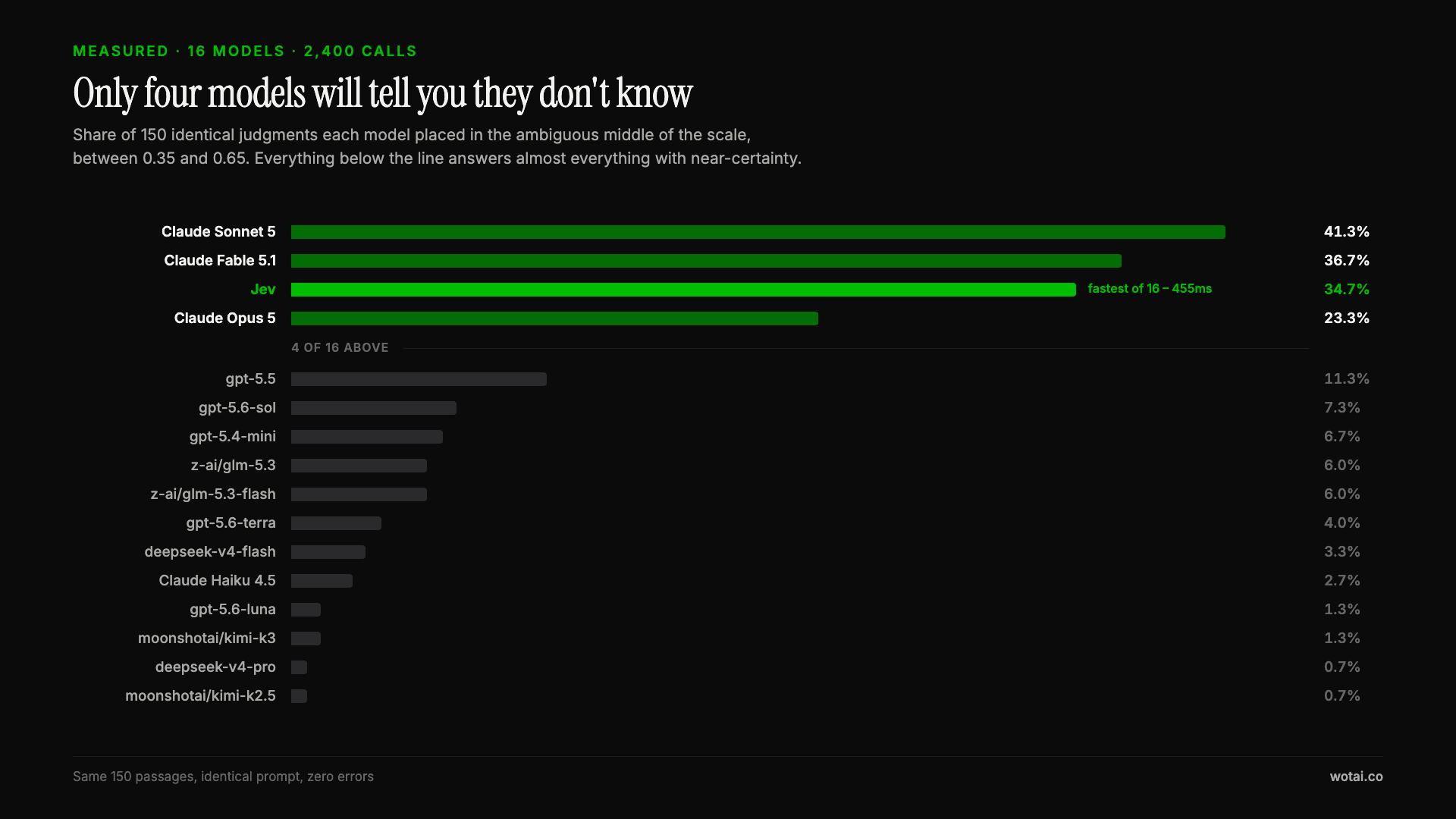
Jev is the only sub-second model that will tell you it doesn't know
Sixteen models on the same 150 passages, plus two more tasks. Only four of the sixteen will say they are unsure, and Jev is the only one of those four that answers in under a second.
AGENTS.md vs CLAUDE.md: which file your agent actually reads
Both files in one repo, measured: load order, token cost, and which one wins when they disagree. Every guide explains the difference; this one runs the test.
Compound engineering vs Superpowers: what each one installs
Both Claude Code plugins installed and measured: 14 skills against 33, one SessionStart hook against none, and the six skills that collide when you run both.