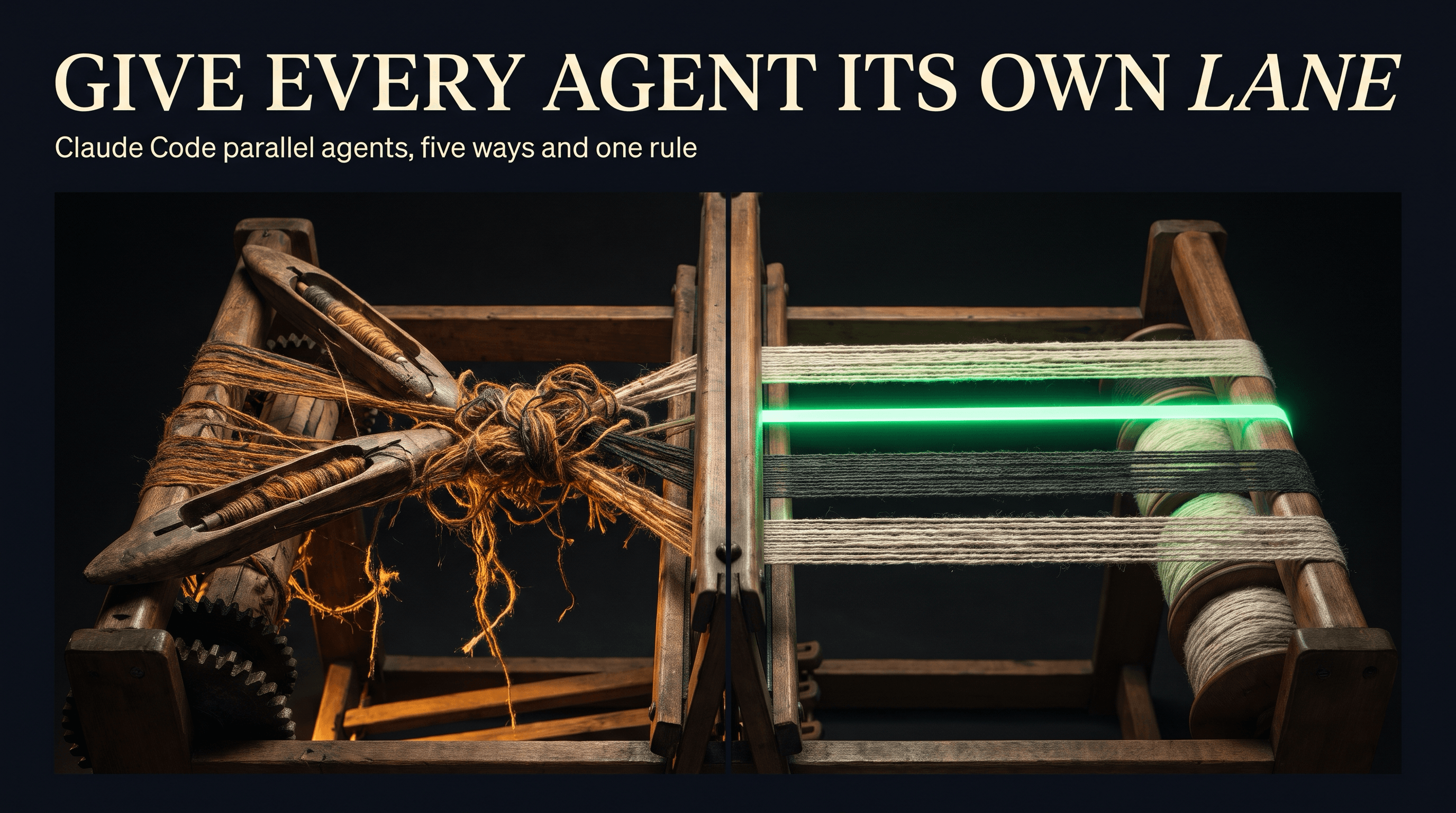
Last updated: November 7, 2026
TL;DR
To run Claude Code agents in parallel, use agent view for independent tasks you hand off and check later, and give every session that edits files its own git worktree so no two agents write to the same checkout. Use subagents when one session needs a side task done without filling its context. Keep agent teams, which are experimental and use the most tokens, for work where the agents have to talk to each other.
- 🧭 Pick by who coordinates. Claude inside one session (subagents), you across many sessions (agent view), a lead agent over a team (agent teams), a script (dynamic workflows), or one cloud conversation (projects).
- 🌳 Isolate the edits.
claude -w <name>starts a session in its own worktree. Agent view moves a session into one before it edits. Agent teams never do, so you split the files by hand. - 💬 Connect agents only when the work needs it. Subagents report to the session that spawned them, agent view sessions report to you, and sessions you run yourself can message each other.
- 💸 Budget the tokens. Ten background sessions use your quota about ten times as fast as one. An agent team in plan mode uses about 7x the tokens of a normal session.
- 👀 Watch from one screen.
claude agentsshows every background session and which ones need you./tasksand/workflowscover the work inside a session.
The 5 ways to run Claude Code agents in parallel
Claude Code has five ways to work on several tasks at once, and they differ in who coordinates the work. Anthropic's Run agents in parallel page lists them: subagents, agent view, agent teams, dynamic workflows and projects. In every one, the workers are Claude sessions, and anything else joins as an MCP server.
| Approach | Who coordinates | Use it when | Status |
|---|---|---|---|
| Subagents | Claude, inside one session | A side task would flood your conversation with search results or logs you won't need again | Available |
Agent view (claude agents) | You, across background sessions | You have several independent tasks to hand off and check back on | Research preview |
| Agent teams | A lead session over teammates | The work splits into pieces that need to stay in sync | Experimental, off by default |
| Dynamic workflows | A script that runs many subagents | A job outgrows a handful of subagents, or findings should be cross-checked | Available |
| Projects | One conversation at claude.ai/code | A stream of tasks over days that should keep running when your machine is off | Public beta on Pro, Max and Ultra |
The quickest way to choose is to start from the job. These pairings come from the examples in Anthropic's docs for each approach:
| The job | Use |
|---|---|
| Search a large codebase without filling the main conversation | A subagent |
| Fix a bug, review a pull request and chase a flaky test at the same time | Agent view, one row per task |
| Test three theories about one bug and have them argue | An agent team |
| Migrate 500 files and verify each result | A dynamic workflow (our post on dynamic workflows covers them) |
| One large mechanical change across the codebase | /batch |
| A week of related tasks, some of them overnight | A project |
/batch is a bundled skill that packages subagents and worktrees together. It splits one large change into 5 to 30 units and gives each unit its own background subagent in an isolated worktree. Each subagent implements its unit, runs the tests, and opens a pull request or reports what happened, after you approve the plan.
Projects aren't on Team or Enterprise plans yet. A project's threads usually run in the cloud, and you can ask for one to run on your own computer through Claude Code remote control. If you ran agents side by side in Conductor, which is joining Meta, our post on what to do before November 20 covers the deadlines.
Give every session that edits files its own worktree
Two agents writing to the same checkout overwrite each other's work, so give every session that edits files its own git worktree. A worktree is a separate working directory on its own branch that shares your repository's history, which lets one session build a feature while another fixes a bug in the same repo.
Start a session in a worktree by passing a name:
claude -w feature-auth
Run it again in a second terminal with a different name for a second isolated session. Claude Code creates each worktree under .claude/worktrees/<name>/ at the repository root, on a new branch called worktree-<name>. Leave the name off and it picks one, such as bright-running-fox. All of this is in Anthropic's worktrees guide.
A new worktree fails in three predictable ways, each with a one-line fix.
- Ignore the folder. Add
.claude/worktrees/to your.gitignore, or every worktree shows up as untracked files in your main checkout. - Bring your secrets. A worktree is a fresh checkout, so
.envand other gitignored files aren't there. List them in a.worktreeincludefile at the repository root, written in.gitignoresyntax, and Claude Code copies them into each new worktree. Dependencies still need installing in each one. - Trust the folder first. If you've never run Claude in that repository, run
claudethere once and accept the trust dialog. Otherwise the worktree command exits with an error.
Only agent view isolates edits without being asked. The rest need a setting or a habit.
| Approach | Edits isolated by default? | What to do |
|---|---|---|
| Agent view | Yes, in a git repository | Nothing. A background session moves into its own worktree before it edits |
| Subagents | No | Ask Claude to "use worktrees for your agents", or add isolation: worktree to a custom subagent's frontmatter |
| Agent teams | No | Give each teammate a different set of files. Anthropic's docs say two teammates editing the same file leads to overwrites |
| Sessions you start yourself | No | Start each one with claude -w <name> |
Agent view has one exception worth knowing. A session you push into the background yourself, with /bg or the left arrow on an empty prompt, keeps editing files where it already was. Only sessions you dispatch from agent view, or start in the background from the shell, get their own worktree.
Inside a worktree, Claude Code blocks edits and commands aimed at your main checkout, including git pointed back at it. The checks read file paths and command text, so a plain cp or a shell redirect into the main checkout isn't caught by them. Your normal permission settings still apply to those.
When you exit, Claude Code removes a clean worktree from an unnamed session on its own and asks before removing one that has changes or new commits. In agent view, deleting a session deletes the worktree Claude created for it, so commit first.
Let agents talk to each other only when the work needs it
Most parallel work needs no conversation between agents, and adding one costs tokens and your attention. Subagents report back to the session that spawned them, agent view sessions report only to you, and teammates in an agent team message each other directly. Sessions you run yourself can pass findings with cross-session messaging.
Cross-session messaging is on by default from Claude Code v2.1.224 on macOS and Linux, and v2.1.234 on native Windows. Claude can list and message your other sessions on the same machine, on another machine or in the cloud. The use Anthropic's messaging docs give is the one that pays: when a change in one session breaks what another is building on, Claude warns that session before you notice.
Agent teams are off until you turn them on. Set CLAUDE_CODE_EXPERIMENTAL_AGENT_TEAMS to 1 in your shell or in the env block of settings.json, then describe the team you want in plain language:
Spawn three teammates to investigate why checkout fails for EU customers.
One reads the payment logs, one reviews the last week of changes to the
tax module, and one tries to reproduce it locally. Have them challenge
each other's theories before reporting back.
One session becomes the lead. It assigns tasks from a shared list and pulls the results together, and you can message any teammate directly. Three things in Anthropic's agent teams docs catch people out:
- Teams can form when you didn't ask. With teams turned on, a subagent that Claude names launches as a teammate.
- Teams need an interactive session. With
-p, including the Agent SDK, Claude runs ordinary subagents instead. - Teams fit some work badly. For sequential tasks, edits to the same file or work with many dependencies, the docs say one session or subagents do better. Teams earn their cost on research and review, separate modules, and debugging with competing theories.
Budget the tokens before you open five sessions
Parallel agents multiply token use, because every worker is a separate Claude session with its own context window. In agent view, ten sessions use your subscription quota roughly ten times as fast as one. Anthropic's costs page puts an agent team in plan mode at about 7x the tokens of a standard session.
Subagents are cheaper because each one hands back a summary rather than its whole context, but their requests count toward the same usage limits as your main conversation. The arithmetic is plain: four sessions at once use quota about four times as fast, so usage that would last four hours for one session lasts about one hour for four.
For agent teams, the costs page gives four ways to keep the bill down:
- Run teammates on Sonnet. It handles coordination work at a lower cost.
- Keep teams small. Token use is roughly proportional to the number of teammates.
- Keep spawn prompts short. Teammates already load your CLAUDE.md, MCP servers and skills, and everything in the spawn prompt adds to their context from the start.
- Shut teammates down when they finish. A teammate keeps using tokens until it exits or the session ends.
Watch running work from one place
Where you check on parallel work depends on how you started it. claude agents opens agent view, one screen with every background session, its state, and which ones are waiting on you. Inside a session, /tasks lists background work, including subagents that have finished, and /workflows lists workflow runs and the phase each one is in.
In agent view, the keys you'll use most:
| Key | Does |
|---|---|
Arrow keys, then Space | Peek at a session's latest output or question, and reply without leaving the list |
Enter or right arrow | Attach to the full conversation |
| Left arrow on an empty prompt | Detach and go back to the list |
/bg in any session | Move that session into agent view |
A regular session's footer counts the background sessions waiting on you, such as ← 2 agents. Agent view sessions run on your machine: they survive sleep but stop if the machine shuts down. Named background subagents show their status in the @ typeahead. /agents is a different command from claude agents. It points to where your custom subagent files live.
Frequently asked questions
Can you run multiple Claude Code agents at once?
Yes. Claude Code has five ways to do it: subagents inside one session, background sessions in agent view, agent teams with a lead, dynamic workflows run by a script, and projects in the cloud. For several independent tasks, open agent view with claude agents and type one prompt per task.
How do I add more agents in Claude Code?
Type another prompt in agent view to start another background session, ask Claude to use subagents for a side task, or ask for a team once agent teams are turned on. For sessions you run yourself, open another terminal and start Claude with claude -w <name> so it gets its own worktree.
How do I create subagents in Claude Code?
Ask Claude to create one, or write a Markdown file in .claude/agents/ for one project or ~/.claude/agents/ for all of them. The file's frontmatter sets the name, the description Claude uses to decide when to delegate, the model and the allowed tools. Add isolation: worktree to give it its own worktree.
What is the difference between Claude Code subagents and agent teams?
Subagents work inside one session and report a summary back to it, which keeps token use low. Agent teams are separate Claude sessions with a lead, a shared task list and direct messages between teammates. Teams are experimental, off by default and use far more tokens.
How do I stop two Claude Code agents from overwriting each other?
Give each one its own git worktree. Start sessions with claude -w <name>, let agent view isolate the sessions it dispatches, and add isolation: worktree to subagents that edit files. Agent teams don't use worktrees, so assign each teammate a different set of files.
Do parallel Claude Code agents use more of my plan?
Yes. Every session and subagent sends its own requests, which count toward the same usage limits. Ten agent view sessions use quota about ten times as fast as one, and an agent team in plan mode uses about 7x the tokens of a standard session.
Are Claude Code agent teams turned on by default?
No. Agent teams are experimental and off by default. Turn them on by setting CLAUDE_CODE_EXPERIMENTAL_AGENT_TEAMS to 1 in your shell or in the env block of settings.json. They also need an interactive session, so -p runs and the Agent SDK use ordinary subagents instead.
What does /batch do in Claude Code?
/batch is a bundled skill for one large change. It researches the codebase, splits the work into 5 to 30 units and shows you a plan. Once you approve, each unit gets a background subagent in its own worktree that implements it, runs the tests, and opens a pull request or reports back.
Can I run Claude Code agents in parallel from my phone?
Yes, two ways. Projects at claude.ai/code start parallel cloud sessions from one conversation on Pro, Max and Ultra. Or start sessions on your computer with remote control and steer them from the Claude app, where one remote control server holds up to 32 sessions.
Give every agent the same rules
Parallel agents repeat whatever your repository doesn't tell them. Five sessions that each guess your test command or branch naming make five different guesses, and you find out at merge time. Every session and teammate loads your CLAUDE.md when it starts, so the rule that stops one agent breaking something stops all of them. Our guide to compound engineering for Claude Code shows how to build that file up one fix at a time.
Stop guessing. Score your first workflow.
Score one workflow in about five minutes. Nine questions, a grade, and the specific gap holding it back - no call required.
Related Posts
Claude Code remote control: drive a local session from your phone
How to use Claude Code remote control: start a session with claude remote-control or /rc, connect from your phone or browser, run several sessions from one server, keep them alive, turn it on for every session, and fix the errors it prints.
Claude data privacy on Team: training, retention and access (2026)
What Anthropic does with your business's data on Claude Team: training and the feedback exception, every published retention period, who in your company can see what, the certifications Anthropic lists, and what needs Enterprise or zero data retention.
Conductor joins Meta: what Claude Code users do before November 20
Conductor is joining Meta. Conductor Cloud goes read-only on November 13 and shuts down on November 20, while the local Mac app keeps working until early 2027. What to move, what keeps working, and what replaces it in Claude Code.