Claude Code routines: automate your dev workflow without leaving your laptop open
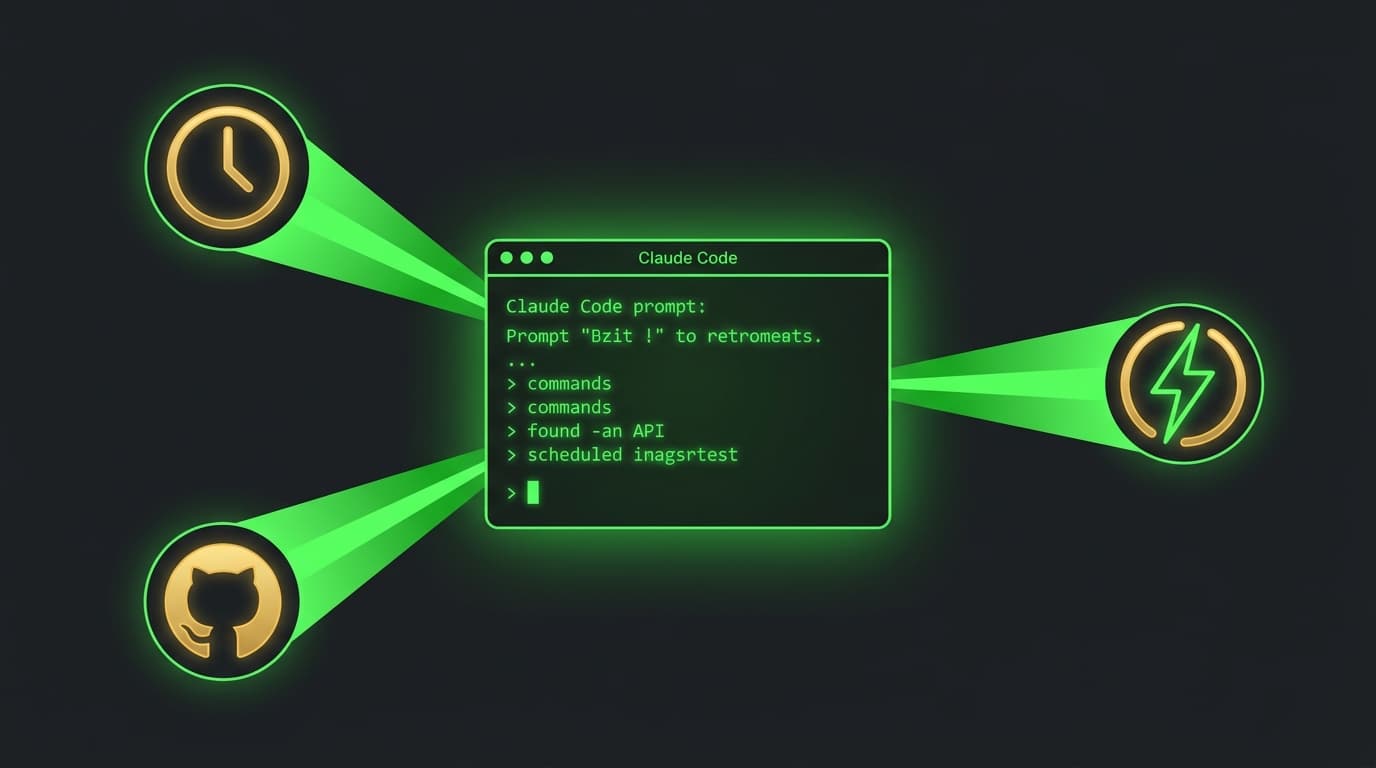
Every developer has a version of this ritual.
You set up a GitHub Action that shells out to claude -p with a carefully crafted prompt. You wire up secrets, debug YAML indentation, and pray the token budget holds. It works – kind of. But it's duct tape. You're forcing a scripting tool to do an agent's job.
Anthropic just shipped something better.
What are Claude Code routines?
Claude Code routines – announced April 14, 2026 as a research preview – are saved configurations that run autonomously on Anthropic's cloud infrastructure. You define a prompt, connect your repos and MCP tools, pick a trigger, and Claude handles the rest. No laptop required. No GitHub Actions YAML. No local machine that needs to stay awake.
Think of it this way: a GitHub Action runs commands you wrote. A routine receives a prompt and decides how to reach the outcome. It's the difference between a script and an agent.
Three ways to trigger a routine
Routines support three trigger types, and you can combine them on a single routine.
Scheduled triggers
Run on a recurring cadence – hourly, daily, weekdays, weekly, or custom cron. Times are set in your local timezone.
Good for: Nightly backlog triage, weekly docs-drift detection, daily dependency scans.
API triggers
Each routine gets a dedicated HTTP endpoint with a bearer token. POST to the /fire endpoint to kick off a run. You can pass context in the request body – like an alert payload from your monitoring tool.
curl -X POST https://api.anthropic.com/v1/claude_code/routines/trig_01ABC.../fire \
  -H "Authorization: Bearer sk-ant-oat01-xxxxx" \
  -H "anthropic-beta: experimental-cc-routine-2026-04-01" \
  -H "anthropic-version: 2023-06-01" \
  -H "Content-Type: application/json" \
  -d '{"text": "Sentry alert SEN-4521 fired in prod."}'
Good for: Alert triage (Sentry/PagerDuty fires, Claude investigates), post-deploy smoke tests, CI/CD integration.
GitHub triggers
React to repository events. Currently supports pull request events (opened, closed, labeled, synchronized) and release events (created, published).
PR filters let you narrow the scope: filter by author, branch, labels, draft status, or whether it came from a fork.
Good for: Automated code review on PR open, security checks on external contributions, auto-porting changes across repos.
How to create a routine
You have three options:
Web UI – Head to claude.ai/code/routines. Click "New routine." Fill in your prompt, select repos, configure environment variables, pick your trigger, and attach MCP connectors.
CLI – Use the /schedule command:
/schedule daily PR review at 9am
/schedule list
/schedule update
/schedule run
Desktop app – Open the Schedule page, click "New task," then "New remote task."
Each routine gets its own environment configuration: network access level, environment variables for secrets, and a setup script that runs before each execution (useful for installing dependencies).
How routines compare to what you're already using
If you've been automating Claude Code tasks, you've probably used one of these:
| Feature | Runs where | Survives laptop close? | Best for |
|---|---|---|---|
| Routines | Anthropic cloud | Yes | Set-and-forget automation |
| Desktop scheduled tasks | Your local machine | Only if the machine stays on | Tasks that need local files |
/loop | Open CLI session | No (max 7 days) | "Keep checking this" |
| Hooks | Inside a Claude Code session | No | Reacting to tool calls within a session |
GitHub Actions + claude -p | GitHub CI | Yes | The DIY approach routines replace |
The key distinction: hooks and /loop are session-internal. They react to what Claude does during a conversation. Routines react to events in the outside world – a cron tick, an HTTP request, a PR being opened – and spin up a fresh cloud session to handle it.
Six practical use cases
1. Nightly backlog maintenance
Trigger: Scheduled, daily at 9am
Prompt: "Read all new issues from the last 24 hours. Apply labels based on content. Assign to the right team member. Post a summary to the #engineering Slack channel."
Connect your Linear or GitHub Issues MCP, plus Slack. Claude handles triage while you're still on your first coffee.
2. Alert triage
Trigger: API (called by your monitoring tool)
Prompt: "An alert fired. Pull the stack trace, correlate with commits from the last 48 hours, and open a draft PR with a fix if the root cause is clear. If not, post your analysis to #incidents."
Your PagerDuty or Sentry webhook hits the routine's endpoint. Claude does the initial investigation before a human even looks at it.
3. Bespoke code review
Trigger: GitHub, on pull_request.opened
Prompt: "Review this PR against our team checklist. Check for security issues, performance concerns, and style violations. Leave inline comments and post a summary."
This replaces the generic "AI review" bots with one that knows your codebase and your standards – because you can point it at your CLAUDE.md and repo context.
4. Post-deploy verification
Trigger: API (called by your CD pipeline)
Prompt: "A deploy just landed in production. Run smoke tests against the staging URL. Check error logs for the last 10 minutes. Post a go/no-go to #deploys."
Your deployment pipeline calls the routine after each release. Claude confirms things are healthy – or flags what broke.
5. Docs drift detection
Trigger: Scheduled, weekly on Monday
Prompt: "Scan all PRs merged in the last week. For any that changed public API surface, check if the corresponding docs are updated. If not, open a PR with the documentation updates."
Documentation that stays in sync with code, automatically.
6. Cross-repo library porting
Trigger: GitHub, on PR merged to main
Prompt: "A change was merged to the Python SDK. Port the equivalent change to the Go SDK. Open a PR with the ported code."
For teams maintaining libraries across multiple languages – Claude handles the tedious translation work.
What you should know before diving in
Availability
Routines are in research preview. They're available on Pro, Max, Team, and Enterprise plans. Behavior and limits may change.
Daily run caps
- Pro: 5 runs/day
- Max: 15 runs/day
- Team/Enterprise: 25 runs/day
Runs consume your standard subscription token budget on top of daily caps. If your org has "extra usage" enabled, you'll continue on metered overage.
Current limitations
- GitHub triggers only support pull request and release events for now (no push, issue, or workflow_run)
- API trigger creation and token management are web UI only – the CLI can only create scheduled routines
- Each GitHub event spins up a fresh session – no session reuse across events
- The API endpoint still requires a beta header (
experimental-cc-routine-2026-04-01) - Routines belong to individual accounts, not shared with teammates (yet)
What shipped alongside routines
The same day (April 14), Anthropic redesigned the entire Claude Code desktop app – parallel sessions in a sidebar, integrated terminal, file editor, HTML/PDF preview, and drag-and-drop layout. If you haven't opened the app recently, it's worth a look.
The bigger picture
Routines are Anthropic's answer to a pattern the community was already building. Teams were stringing together GitHub Actions, cron jobs, and claude -p to get autonomous Claude Code sessions running in the cloud. Routines replace that glue code with a managed service.
The bet is straightforward: if developers are already using Claude Code as their daily tool, the next step is letting it work when they're not watching. Routines make that official.
Whether you're managing a small team's PR reviews or orchestrating a complex multi-repo release process, the ability to hand Claude a prompt and a trigger – then walk away – changes what's practical to automate.
The daily caps are low during the preview, and some triggers are still limited. But the foundation is solid. If you've been duct-taping Claude into your CI/CD pipeline, routines are the upgrade you've been building toward.
FAQ
What are Claude Code routines?
Routines are saved Claude Code configurations – a prompt, repos, and MCP connectors – that run autonomously on Anthropic's cloud. You set a trigger (schedule, API call, or GitHub event) and Claude executes the task without your laptop being open.
How much do Claude Code routines cost?
Routines are included in Pro ($20/month), Max ($100-200/month), Team ($30/user/month), and Enterprise plans. Runs consume your standard token budget. Daily caps range from 5 runs (Pro) to 25 runs (Team/Enterprise).
What's the difference between routines and GitHub Actions?
GitHub Actions runs scripts you wrote. Routines give Claude a prompt and let it decide how to accomplish the goal. Actions are deterministic; routines are agentic. Routines also include built-in access to MCP connectors (Slack, Linear, etc.) without extra configuration.
Can I trigger a routine from an external tool like PagerDuty or Sentry?
Yes. Each routine with an API trigger gets a dedicated HTTP endpoint. Configure your monitoring tool to POST to that endpoint when an alert fires. You can include alert context in the request body.
What GitHub events can trigger a routine?
Currently, pull request events (opened, closed, assigned, labeled, synchronized) and release events (created, published, edited, deleted). More event types are expected as the feature moves out of research preview.
Can I use routines with MCP servers like Slack or Linear?
Yes. When creating a routine, all your connected MCP connectors are included by default. You can remove ones that aren't needed for that specific routine.
Are routines available on the free plan?
No. Routines require a Pro, Max, Team, or Enterprise subscription with Claude Code on the web enabled.
How do routines handle repository access?
Repos are cloned fresh from the default branch at the start of each run. Claude pushes changes to claude/-prefixed branches by default. You can toggle "allow unrestricted branch pushes" per repo if needed.
What happens if a routine fails?
Each run gets a session ID and URL for real-time monitoring. You can watch the session live or review it after completion. Failed runs still count toward your daily cap.
Can I share routines with my team?
Not yet. During the research preview, routines belong to individual accounts. Team-level sharing is likely coming as the feature matures.
Stop guessing. Score your first workflow.
Score one workflow in about five minutes. Nine questions, a grade, and the specific gap holding it back - no call required.
Related Posts
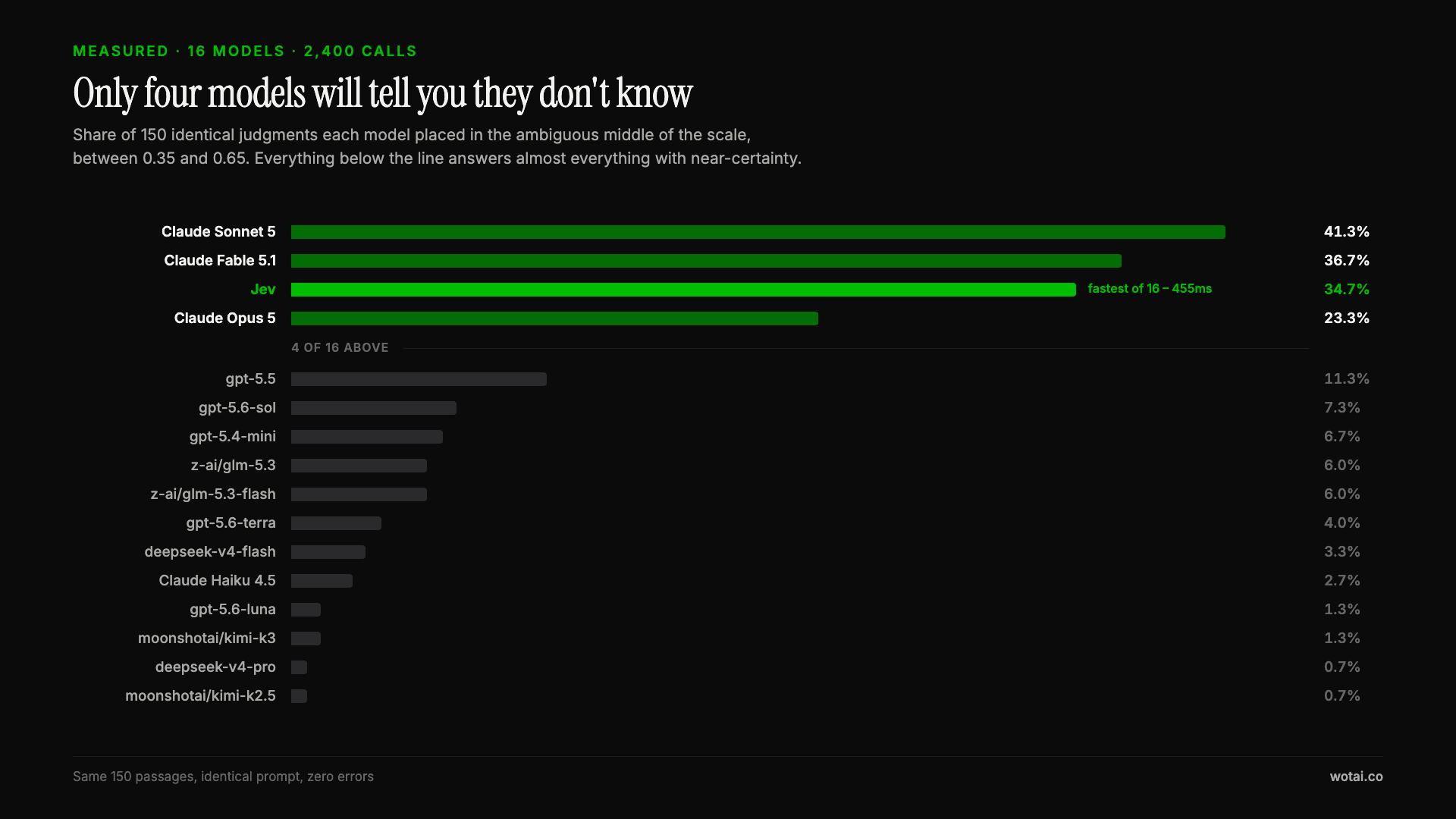
Jev is the only sub-second model that will tell you it doesn't know
Sixteen models on the same 150 passages, plus two more tasks. Only four of the sixteen will say they are unsure, and Jev is the only one of those four that answers in under a second.

AGENTS.md vs CLAUDE.md: which file your agent actually reads
Both files in one repo, measured: load order, token cost, and which one wins when they disagree. Every guide explains the difference; this one runs the test.

Compound engineering vs Superpowers: what each one installs
Both Claude Code plugins installed and measured: 14 skills against 33, one SessionStart hook against none, and the six skills that collide when you run both.