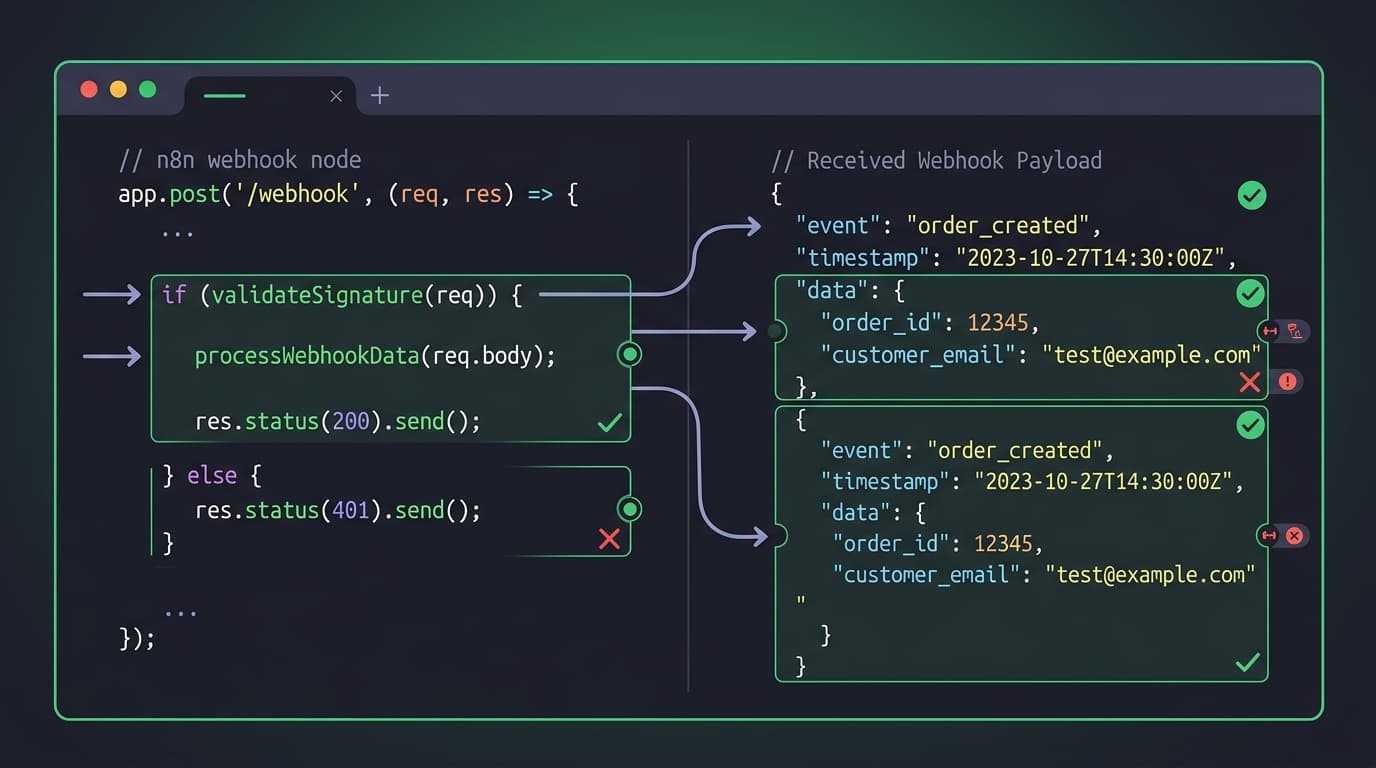
Your n8n webhook isn't firing. The workflow worked yesterday. The test payload looks fine. But production? Nothing.
You've been here before. So have I - after building 300+ n8n workflows, I can tell you that webhook issues account for about 40% of all debugging time. The problem is that the answers are scattered across forum threads, Discord messages, and half-remembered Stack Overflow posts.
This is the cheat sheet I wish I had three years ago. Bookmark it. You'll be back.
Quick diagnostic: is it the webhook or the workflow?
Before you debug anything, figure out where the problem actually lives. This saves hours.
Webhook issue?                    Workflow issue?
-----------------                 ------------------
- URL returns 404/500             - Webhook receives data fine
- No execution appears            - Execution starts but fails
- Request times out               - Wrong output from nodes
- Authentication rejected         - Data mapping errors
- Test works, production doesn't  - Conditional logic wrong
Quick test: Send a request to your webhook URL using curl. If you get a response (even an error), the webhook is receiving - the problem is downstream.
curl -X POST https://your-n8n.com/webhook/your-path \
  -H "Content-Type: application/json" \
  -d '{"test": true, "timestamp": "'$(date -u +%Y-%m-%dT%H:%M:%SZ)'"}'
If you get connection refused, 404, or timeout - it's a webhook problem. Keep reading.
If you get a 200 response - skip to the workflow debugging section.
The n8n webhook URL structure
Understanding the URL structure prevents half of all webhook problems.
Test vs production URLs
n8n has two separate webhook URLs for every Webhook node. This trips up everyone at least once.
| Mode | URL pattern | When it works |
|---|---|---|
| Test | https://your-n8n.com/webhook-test/your-path | Only while workflow editor is open AND "Listen for test event" is active |
| Production | https://your-n8n.com/webhook/your-path | Only when workflow is active (toggled on) |
The most common mistake: You set up a third-party service with the test URL (webhook-test/), close the editor, and wonder why nothing arrives. Switch to the production URL and activate the workflow.
# Test URL (temporary - editor must be open)
https://n8n.example.com/webhook-test/stripe-events

# Production URL (persistent - workflow must be active)
https://n8n.example.com/webhook/stripe-events
Custom webhook paths
By default, n8n generates a UUID path. You can replace it with a readable path:
Default:    /webhook/a1b2c3d4-e5f6-7890-abcd-ef1234567890
Custom:     /webhook/stripe-events
Set this in the Webhook node under Path. Keep it lowercase, use hyphens, no trailing slash.
Watch out: If two active workflows use the same webhook path, only one will receive the request. n8n doesn't warn you about this - it just silently routes to whichever workflow registered first.
Webhook not working: the checklist
Run through this in order. Most issues fall in the first three items.
1. Is the workflow active?
Production webhooks only work when the workflow toggle is ON (green). This is the number one cause of "webhook not working."
Workflow active = production webhook registered
Workflow inactive = production webhook does NOT exist (returns 404)
2. Is the URL correct?
Check for:
webhookvswebhook-test(see above)- Trailing slashes (some services add them, n8n doesn't expect them by default)
- HTTP vs HTTPS (n8n requires HTTPS in production if you're behind a reverse proxy with SSL)
- Typos in the custom path
3. Is the HTTP method correct?
The Webhook node defaults to POST, but some services send GET, PUT, or DELETE. Check what your sender uses and match it in the Webhook node settings.
Common gotchas:
- Stripe sends POST
- GitHub sends POST
- Slack sends POST for events, but GET for URL verification
- Custom integrations - check their docs
4. Is your n8n instance reachable?
If you're self-hosting, your n8n instance needs to be publicly accessible for external webhooks to reach it.
# Test from outside your network
curl -I https://your-n8n.com/webhook/health-check

# Expected: HTTP 404 (means n8n is reachable, path just doesn't exist)
# Problem: Connection refused, timeout, or SSL error
Common self-hosting issues:
- Firewall blocking port 5678 (or your custom port)
- Reverse proxy (Nginx/Caddy/Traefik) not forwarding to n8n
- SSL certificate expired or misconfigured
- Docker container not exposing the port
N8N_HOSTorWEBHOOK_URLenvironment variable not set correctly
5. Check the WEBHOOK_URL environment variable
If you're behind a reverse proxy, n8n needs to know its public URL:
# In your .env or docker-compose.yml
WEBHOOK_URL=https://n8n.yourdomain.com/

# Without this, n8n generates webhook URLs using localhost
# which external services obviously can't reach
6. Inspect the incoming request
Use webhook.site or RequestBin as a temporary proxy to see exactly what the sender is sending:
- Get a temporary URL from webhook.site
- Point your sender to that URL instead of n8n
- Inspect the headers, body, and method
- Compare with what your Webhook node expects
This isolates whether the problem is the sender or n8n.
Authentication problems
Webhook node authentication options
| Auth type | Use when | Configuration |
|---|---|---|
| None | Internal/trusted services | Default. No setup needed |
| Basic Auth | Simple username/password | Set in Webhook node > Authentication |
| Header Auth | API key in header | Set header name + expected value |
| JWT | Token-based auth | Configure JWT settings in Webhook node |
Common auth failures
"Unauthorized" response (401):
- Credentials in the Webhook node don't match what the sender is sending
- For Header Auth: the header name is case-sensitive in some setups
- For Basic Auth: make sure the sender is Base64-encoding
username:password
"Forbidden" response (403):
- n8n's built-in IP allowlisting is blocking the sender
- Reverse proxy has its own auth layer intercepting the request
Stripe webhook signature verification:
Stripe sends a Stripe-Signature header. If you're verifying signatures (you should), the raw body must not be modified by middleware:
// In a Code node after the Webhook node
const stripe = require('stripe');
const sig = $input.first().headers['stripe-signature'];
const endpointSecret = 'whsec_...';

// Verify the signature
const event = stripe.webhooks.constructEvent(
  $input.first().body,  // raw body
  sig,
  endpointSecret
);
Test mode vs production mode
This section alone will save you the most debugging time.
How test mode works
- Open the workflow editor
- Click "Listen for test event" on the Webhook node
- n8n registers a temporary
webhook-test/endpoint - Send your test request
- Data appears in the editor
- The test endpoint deregisters when you stop listening or close the editor
How production mode works
- Toggle the workflow to Active
- n8n registers a persistent
webhook/endpoint - Requests are processed in the background
- Results appear in the Executions tab, not the editor
- The endpoint stays registered until you deactivate the workflow
The "it works in test but not production" problem
This is the most frustrating issue. Here's the debugging checklist:
- Different URLs - Did you update the sender to use
webhook/instead ofwebhook-test/? - Workflow not active - Is the toggle actually green?
- Different data shape - Test data might differ from real production data. Check the Executions tab for the actual payload.
- Credentials expired - OAuth tokens or API keys might have expired between testing and production.
- Timeout differences - Test mode waits longer. Production mode has stricter timeouts.
- Environment variables - Did you set production environment variables in n8n?
Response handling with Respond to Webhook
By default, n8n sends a response immediately when the webhook is received. But sometimes you need to process data and then respond.
Default behavior
Request → Webhook Node → Immediate "Workflow was started" response
                       → Workflow continues processing in background
Using Respond to Webhook node
Request → Webhook Node → Processing nodes → Respond to Webhook → Custom response
Setup:
- In the Webhook node, set Response to "Using 'Respond to Webhook' Node"
- Add a "Respond to Webhook" node at the point where you want to send the response
- Configure the response body, status code, and headers
Common issues:
- Forgetting to change the Webhook node's response setting (it defaults to "Immediately")
- Having multiple Respond to Webhook nodes in the same path (only the first one fires)
- Workflow errors before reaching the Respond to Webhook node (sender gets a timeout)
// Respond to Webhook node configuration
{
  "respondWith": "json",
  "responseBody": "={{ { \"status\": \"ok\", \"processed\": $json.id } }}",
  "responseCode": 200,
  "responseHeaders": {
    "X-Processed-By": "n8n"
  }
}
Workflow runs but produces wrong output
The webhook fired, the execution started, but the data is wrong. Here's the systematic approach.
1. Check the execution data
Go to Executions in n8n. Click on the failed or incorrect execution. Walk through each node's input and output.
What to look for:
- Is the incoming data in
body,query, orheaders? (Depends on the request) - Is the data structure what you expected? (Nested objects vs flat)
- Are field names exactly right? (Case-sensitive)
2. Common data access patterns
// Webhook data comes in different shapes depending on the request

// POST with JSON body
{{ $json.body.fieldName }}

// GET with query parameters
{{ $json.query.paramName }}

// Headers
{{ $json.headers['x-custom-header'] }}

// Full URL path
{{ $json.path }}

// Raw body (for signature verification)
{{ $json.rawBody }}
3. Debug with pin data
n8n lets you "pin" data on any node. This means you can freeze a node's output and test downstream nodes without re-triggering the webhook:
- Run the webhook once with test data
- Click the output of the Webhook node
- Click "Pin data"
- Now you can edit and re-run downstream nodes without waiting for a new webhook
This is a massive time saver when debugging complex workflows.
Self-hosting webhook issues
If you're running n8n on your own infrastructure, these are the issues that bite hardest.
Reverse proxy configuration
Nginx:
location / {
    proxy_pass http://localhost:5678;
    proxy_http_version 1.1;
    proxy_set_header Upgrade $http_upgrade;
    proxy_set_header Connection "upgrade";
    proxy_set_header Host $host;
    proxy_set_header X-Real-IP $remote_addr;
    proxy_set_header X-Forwarded-For $proxy_add_x_forwarded_for;
    proxy_set_header X-Forwarded-Proto $scheme;

    # Important for large payloads
    client_max_body_size 50m;

    # Important for long-running webhooks
    proxy_read_timeout 300s;
}
Caddy:
n8n.yourdomain.com {
    reverse_proxy localhost:5678
}
Caddy handles SSL automatically. If you're tired of debugging Nginx SSL issues, consider switching.
Docker environment variables
# docker-compose.yml
services:
  n8n:
    image: n8nio/n8n
    environment:
      - N8N_HOST=n8n.yourdomain.com
      - N8N_PORT=5678
      - N8N_PROTOCOL=https
      - WEBHOOK_URL=https://n8n.yourdomain.com/
      - N8N_SECURE_COOKIE=true
      - GENERIC_TIMEZONE=America/Los_Angeles
    ports:
      - "5678:5678"
    volumes:
      - n8n_data:/home/node/.n8n
Cloudflare-specific issues
If you're using Cloudflare:
- Make sure the DNS record is proxied (orange cloud) for SSL
- Cloudflare has a 100-second timeout for free plans - long-running webhooks will get cut off
- The "Under Attack" mode blocks webhook requests. Add an exception for your webhook paths
- Cloudflare's bot protection can block legitimate webhook senders. Check the firewall logs
Quick fixes: copy-paste solutions
Webhook returns 404
# 1. Check if workflow is active
# Go to n8n > Workflows > Verify toggle is ON

# 2. Verify the URL
curl -v https://your-n8n.com/webhook/your-path

# 3. Check WEBHOOK_URL env var
echo $WEBHOOK_URL
# Should output: https://your-n8n.com/
Webhook returns 500
# Check n8n logs
docker logs n8n-container --tail 100

# Look for errors like:
# - "Workflow could not be started"
# - "Credential not found"
# - "Node type not found"
Webhook hangs (no response)
# Test with a timeout
curl --max-time 10 -X POST https://your-n8n.com/webhook/your-path \
  -H "Content-Type: application/json" \
  -d '{"test": true}'

# If timeout: check if Respond to Webhook node is configured
# but an error occurs before reaching it
Duplicate webhook executions
Common causes:
1. Sender retries on timeout (reduce your processing time)
2. Multiple active workflows with same webhook path
3. Sender configured with both test AND production URL
4. Load balancer sending to multiple n8n instances

Fix: Add idempotency checks in your workflow using $json.headers
or a unique request ID
Debugging tools
| Tool | What it does | When to use |
|---|---|---|
| webhook.site | Captures and inspects incoming requests | Isolate sender vs n8n issues |
| RequestBin | Same as webhook.site, alternative | When webhook.site is down |
curl | Send test requests from terminal | Quick production webhook testing |
| Postman | Full API testing suite | Complex request debugging |
| n8n Execution log | View all webhook executions | Check what data actually arrived |
| Docker logs | n8n server-level logs | 500 errors, startup issues |
| Browser DevTools | Inspect outgoing requests | Frontend webhook triggers |
Flow makes webhook setup automatic
Here's the thing about webhook debugging - most of it comes from manual setup mistakes. Wrong URLs, missing environment variables, forgotten authentication.
WotAI Flow generates n8n workflows with webhook nodes pre-configured. The wizard asks what triggers your workflow, validates the webhook configuration, and outputs JSON you can import directly. No more guessing at URL structures or forgetting to set the response mode.
It won't eliminate every webhook issue (network problems are still network problems), but it removes the category of errors that come from building webhooks from scratch.
Try Flow free - 3 generations, no credit card
FAQ
What's the difference between the Webhook node and the Webhook Trigger node in n8n? In current n8n versions, the Webhook Trigger node was merged into the Webhook node. If you see references to "Webhook Trigger" in older tutorials, it's now just the Webhook node with the same functionality.
Why does my n8n webhook return "Workflow could not be started"? This usually means the workflow has an error that prevents execution - like a missing credential, a deleted node type, or invalid expressions. Open the workflow in the editor, fix any highlighted errors, and reactivate it.
Can I use the same webhook path for multiple workflows?
No. Each webhook path must be unique across all active workflows. If two workflows share a path, only one receives the request. Use distinct paths like /webhook/stripe-events and /webhook/github-events.
How do I test n8n webhooks locally without a public URL?
Use a tunneling service like ngrok or Cloudflare Tunnel. Run ngrok http 5678 to get a temporary public URL that forwards to your local n8n. Set this as your WEBHOOK_URL environment variable.
Why do webhooks work in the editor but not in production?
The editor uses webhook-test/ URLs that only work while you're actively listening. Production uses webhook/ URLs that require the workflow to be active. Make sure you switch the URL in your sender and activate the workflow.
How do I handle webhook timeouts in n8n? If your workflow takes too long, the sender may time out waiting for a response. Use the "Respond to Webhook" node to send an immediate acknowledgment, then continue processing. This pattern is standard for Stripe, GitHub, and Slack webhooks.
What's the maximum payload size for n8n webhooks?
The default varies by setup. If you're using Nginx, check client_max_body_size. For Docker, n8n itself doesn't have a hard limit, but your reverse proxy likely does. Set it to at least 10 MB for most use cases.
How do I secure my n8n webhook endpoints? Use the Webhook node's built-in authentication (Basic Auth, Header Auth, or JWT). For extra security, add IP allowlisting at the reverse proxy level. Always use HTTPS in production. For services like Stripe, verify the webhook signature in your workflow.
Can I replay failed webhook executions in n8n? Yes. Go to Executions, find the failed execution, and use the "Debug" feature to load that execution's data into the editor. You can also copy the original payload and resend it manually via curl or Postman.
Why am I getting duplicate webhook executions? Most often, the sender is retrying because your workflow takes too long to respond. Send an immediate response using the Respond to Webhook node, then process in the background. Also check that you don't have multiple active workflows with the same webhook path.
Stop guessing. Score your first workflow.
Score one workflow in about five minutes. Nine questions, a grade, and the specific gap holding it back - no call required.
Related Posts
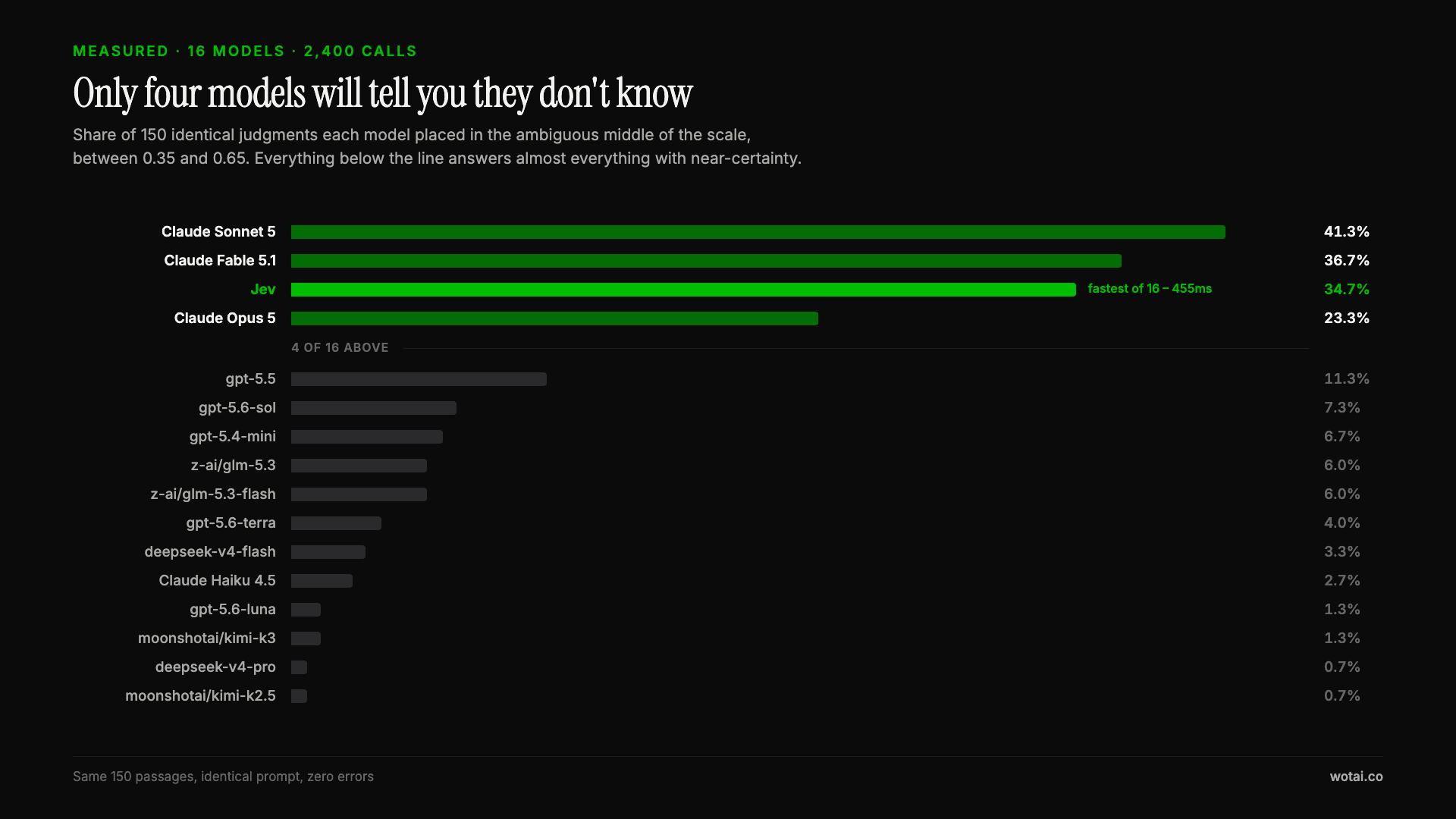
Jev is the only sub-second model that will tell you it doesn't know
Sixteen models on the same 150 passages, plus two more tasks. Only four of the sixteen will say they are unsure, and Jev is the only one of those four that answers in under a second.
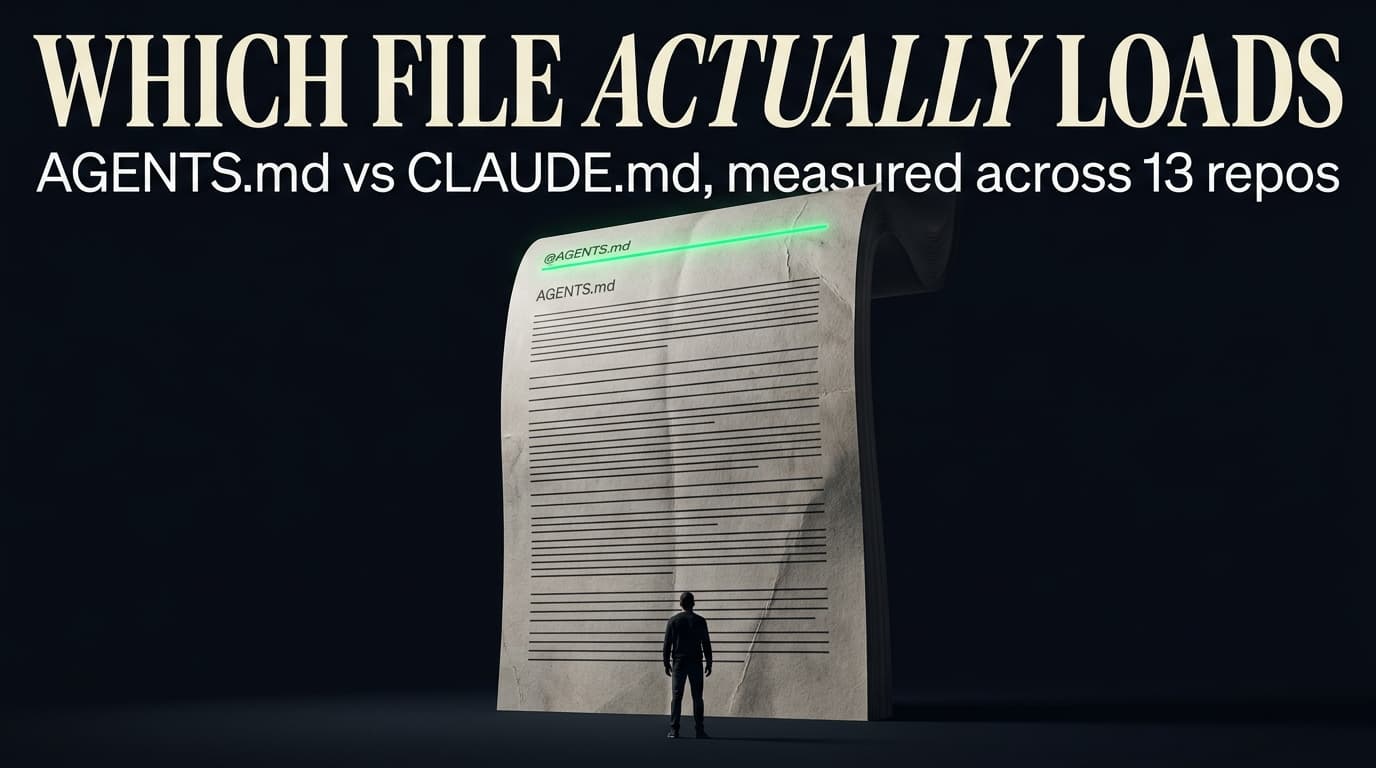
AGENTS.md vs CLAUDE.md: which file your agent actually reads
Both files in one repo, measured: load order, token cost, and which one wins when they disagree. Every guide explains the difference; this one runs the test.

Compound engineering vs Superpowers: what each one installs
Both Claude Code plugins installed and measured: 14 skills against 33, one SessionStart hook against none, and the six skills that collide when you run both.