From Sign-Up to Store in Minutes: How We Automated 9,000+ Print-on-Demand Products
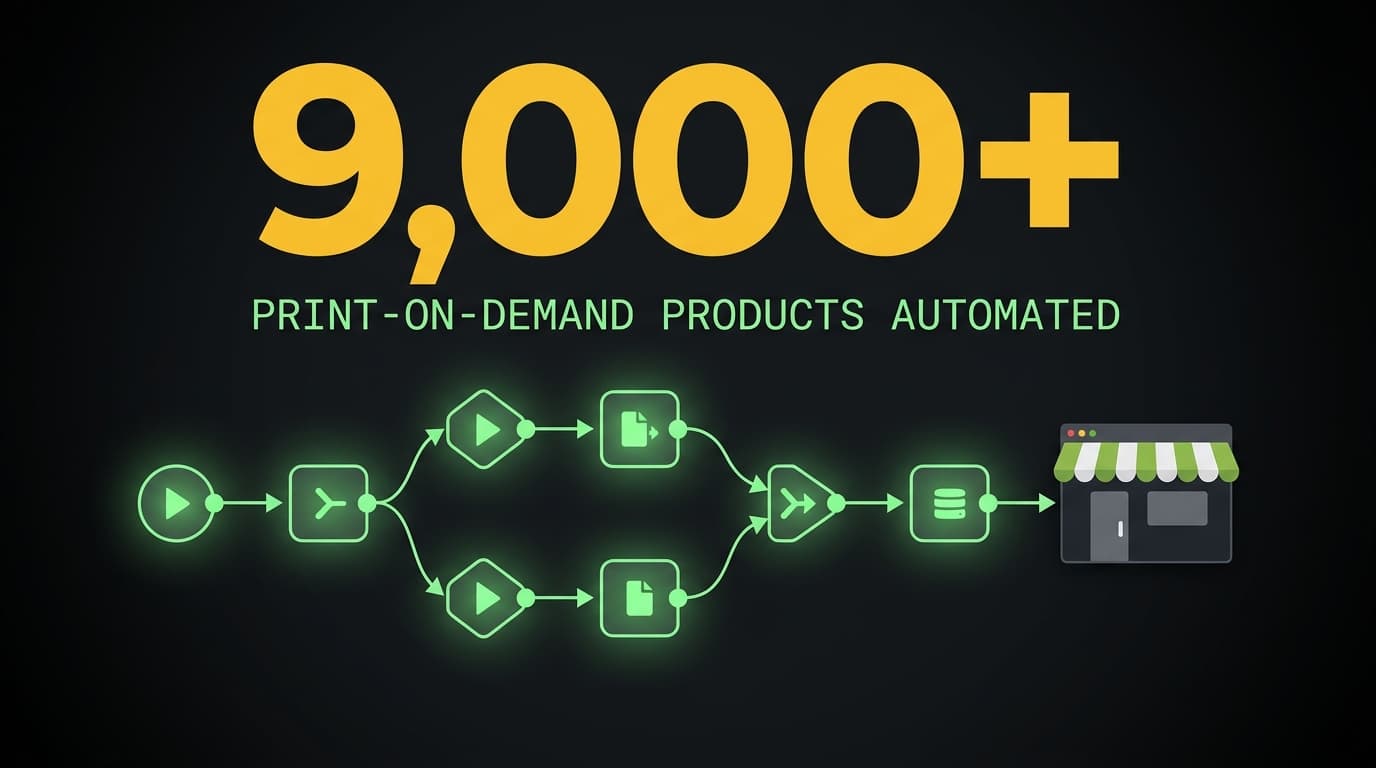
From Sign-Up to Store in Minutes: How We Automated 9,000+ Print-on-Demand Products
This is a case study about print on demand automation at scale: how we used n8n, Printify, Shopify, and AI to turn a manual product creation bottleneck into a push-button pipeline. A custom merchandise company was drowning in copy-paste work. We built 9 interconnected workflows that process over 9,000 creators with near-zero errors.
The situation
A custom merchandise company had a straightforward business model: creators sign up through an online form, and the company creates personalized products (hoodies, tees, tumblers, phone cases, stickers) sold through a Shopify storefront via Printify's print-on-demand network.
If you've ever tried to manage a Shopify Printify integration at scale, you know the pain. One product listing is simple. Ten thousand product listings, each with unique images, descriptions, and color variants, is a different problem entirely.
The numbers sound manageable until you do the math. Over 9,000 creators, each getting 15 to 19 unique products. Every product needs images sized for specific print areas, a unique description that follows strict brand and legal guidelines, correct pricing by size, and brand colors matched to available garment colors.
That's tens of thousands of individual product listings, each with its own combination of images, descriptions, variants, and pricing.
The challenge
Before automation, the workflow looked like this: a creator submits a sign-up form. Staff manually cross-references a spreadsheet, downloads graphic files from cloud storage, removes backgrounds, uploads images to Printify, writes product descriptions (carefully following compliance rules), selects garment colors that match the creator's brand, sets pricing for each size variant, and publishes to Shopify.
Per creator. Fifteen to nineteen times.
The errors were predictable. Wrong images on wrong products. Descriptions that broke compliance rules. Pricing inconsistencies between size variants. Colors that didn't match the brand palette. Each mistake meant pulling a listing, fixing it, and re-publishing, eating even more time.
The company couldn't scale. Every new creator signing up meant hours of manual work before a single product went live. The team was spending its time on data entry instead of growth. They needed ecommerce workflow automation. Not a minor optimization, but a fundamentally different approach to product creation.
What we built
We designed a 6-stage pipeline using n8n as the orchestration layer: 9 workflows, 247 nodes total. The system takes a creator from form submission to a live Shopify store without manual intervention (until the final human approval step).
The platforms involved: n8n for orchestration, NocoDB as the automation database, Cloudflare R2 for image storage, Printify for print-on-demand fulfillment, Shopify for the storefront, Claude AI for image analysis and description generation, and Slack for human-in-the-loop approvals.
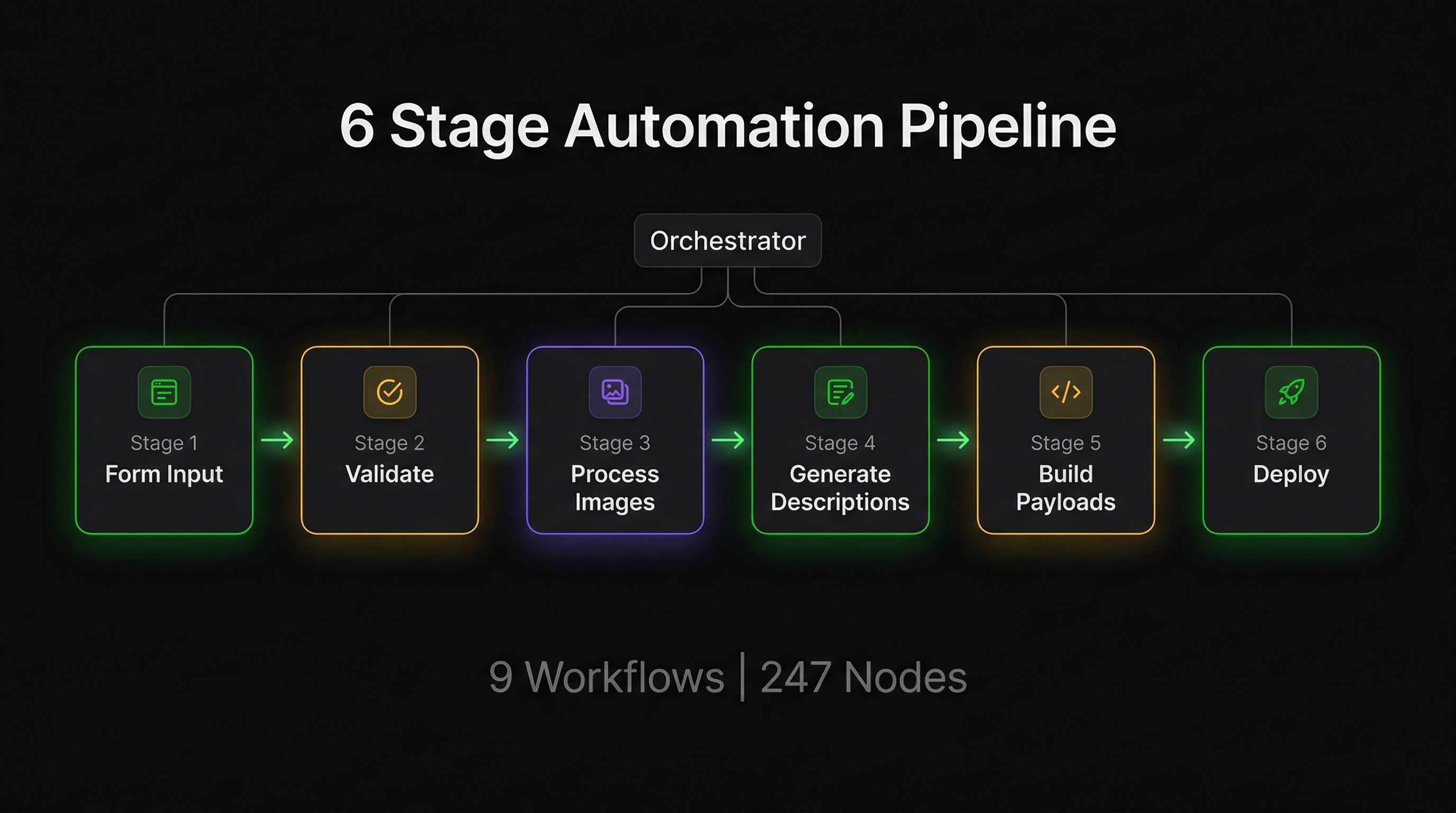 The orchestrator workflow dispatches six sub-workflows sequentially, managing a production run record through each stage.
Smart image processing
Creator graphics arrive in cloud storage via an upstream sync workflow. The image processing stage uploads each to Printify's image hosting and runs AI-powered color analysis on every graphic.
The analysis determines whether a graphic works on dark garments, light garments, or both, and identifies the dominant colors and orientation. These answers drive downstream decisions automatically. A graphic that only works on light backgrounds won't get placed on a black hoodie. A horizontal image gets different print area positioning than a vertical one.
Every result is cached. If the pipeline reruns for the same creator (common during iterative drops), previously processed images are skipped entirely. Only new or changed images trigger API calls.
AI-generated product descriptions
Product descriptions are generated by AI with a structured output pipeline. The system provides creator context and product type information, then enforces hard compliance constraints directly in the prompt.
This isn't a suggestion. It's a validated constraint. Every AI response is checked against a schema before it reaches the database. The output includes titles, descriptions, technical specs, care instructions, and SEO keywords, all generated per product type.
Descriptions are cached intelligently. When context changes, descriptions regenerate automatically. Otherwise, cached descriptions are reused across pipeline runs.
The Printify payload engine
This is the most complex part of the pipeline. It matches brand colors to available Printify garment colors, builds print areas with precise image positioning, and assembles complete API-ready product payloads.
Color matching was harder than expected. Brand names don't arrive in a consistent format, so exact string matching fails immediately. We built a fuzzy matching system that handles the real-world messiness of naming conventions, then resolves brand colors to the closest available garment variant.
Each product type has its own rules for color selection, image placement, and pricing. These rules are configuration-driven, so adding a new product type doesn't require code changes.
Human-in-the-loop quality gate
After products are built and deployed to Printify, the pipeline doesn't auto-publish. Instead, it sends a Slack message to a dedicated review channel with product preview links and approve/decline buttons.
The workflow blocks until a human clicks one of those buttons. On approval, products are published to Shopify. On decline, the production run is marked as rejected and can be rerun after corrections.
This is a deliberate design choice. AI handles 95% of the work (image analysis, descriptions, color matching, payload assembly), but a human makes the final call on brand quality. Full automation sounds impressive, but a single bad product listing damages brand trust more than the time saved by skipping review.
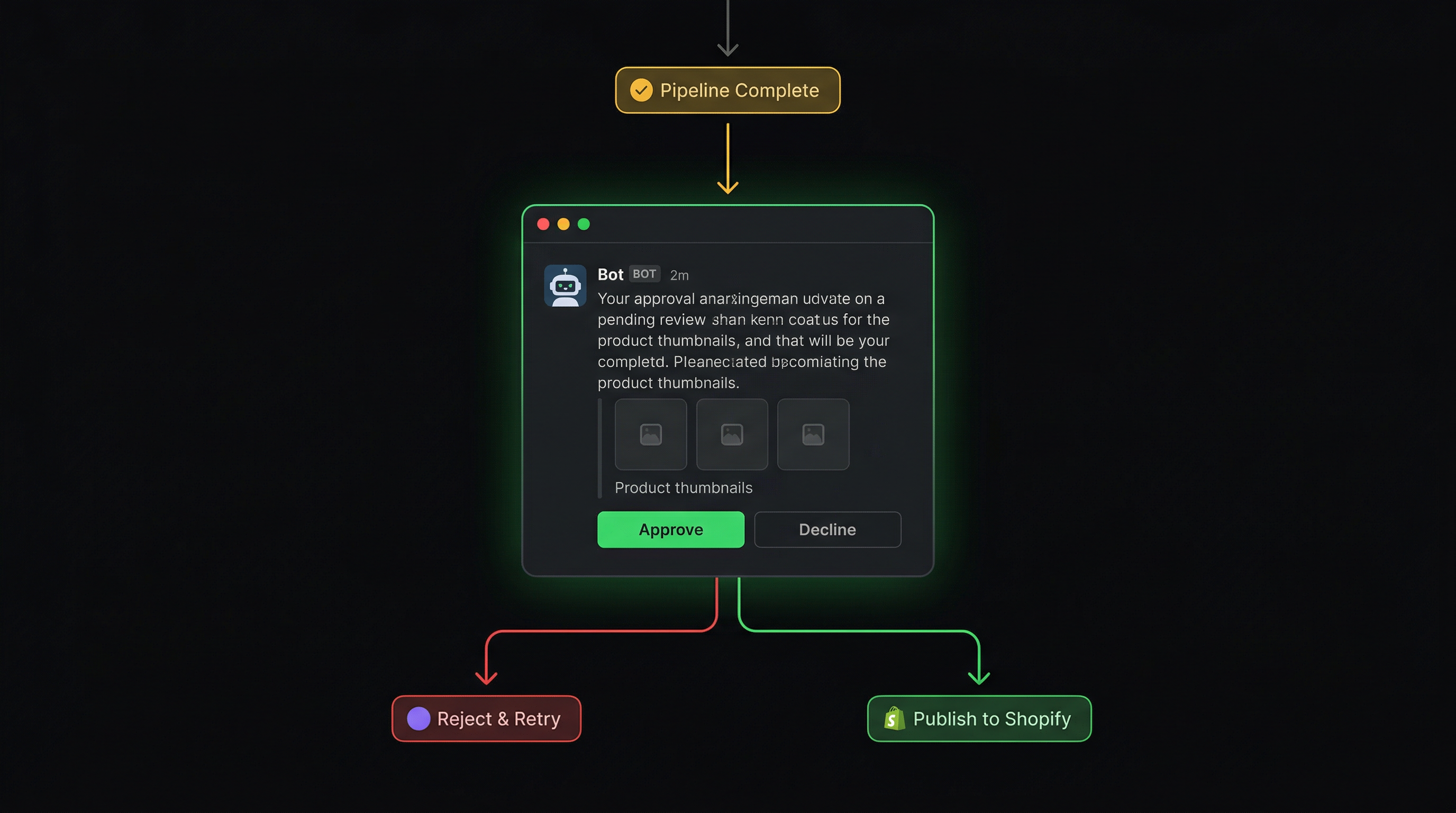 The HITL gate sends product previews to Slack and blocks until a human approves or declines the batch.
The results
The numbers tell the story:
- 9,000+ creators processed through the pipeline
- 9 workflows, 247 nodes working together as a single pipeline
- 10x faster time-to-market per creator (minutes instead of hours)
- 3-5x capacity increase without adding headcount
- $50-70K estimated annual savings in manual labor costs
- Near-zero error rate vs. the manual process (no wrong images, no compliance violations, no pricing mistakes)
What used to require a team member spending hours per creator now runs in 5-15 minutes with a single click. The company redirected that time toward creator acquisition and marketing, the work that actually grows revenue.
The Printify API integration handles 19 different product types automatically, each with different print area dimensions, variant limits, and pricing structures. The automation handles all of it without a human touching a spreadsheet.
The caching layer means reruns (common when iterating on a batch) cost almost nothing. Previously processed images and descriptions are reused automatically. This matters when you're processing hundreds of creators per drop cycle.
Key takeaways
Start with the orchestrator pattern. For complex multi-step automation, don't build one giant workflow. Build an orchestrator that dispatches sub-workflows sequentially, tracking status at each stage. When something fails, you know exactly which stage broke and can rerun from there.
AI is great for 95% of the work. Build HITL for the last 5%. Full automation is a trap when brand quality matters. A Slack approval button takes 10 seconds to implement and prevents the kind of mistakes that cost real money to fix.
Color matching is harder than you think. Exact string matching fails immediately in the real world. You need fuzzy matching that handles the messiness of real data, not just the clean version you tested with.
Build configuration, not code. Every product type in this pipeline has unique rules: print area dimensions, color limits, image positioning, pricing tiers. Making these configuration-driven (instead of hard-coded) means adding a new product type doesn't require a developer.
Cache everything that's expensive. API calls to Printify, AI analysis, description generation. All of these cost time and money. A cache-first architecture with partial cache recovery means reruns are nearly free, and individual failures don't force re-processing of already-completed work.
Ready to automate your print-on-demand workflow?
WotAI specializes in production-grade n8n automation. We've built 300+ workflows across e-commerce, data pipelines, and AI integrations as an n8n Certified Expert Partner.
If you're running a print-on-demand operation and spending more time on product creation than product marketing, let's talk.
Join our community to see more n8n workflow examples, automation patterns, and case studies from real production systems.
Stop guessing. Score your first workflow.
Score one workflow in about five minutes. Nine questions, a grade, and the specific gap holding it back - no call required.
Related Posts
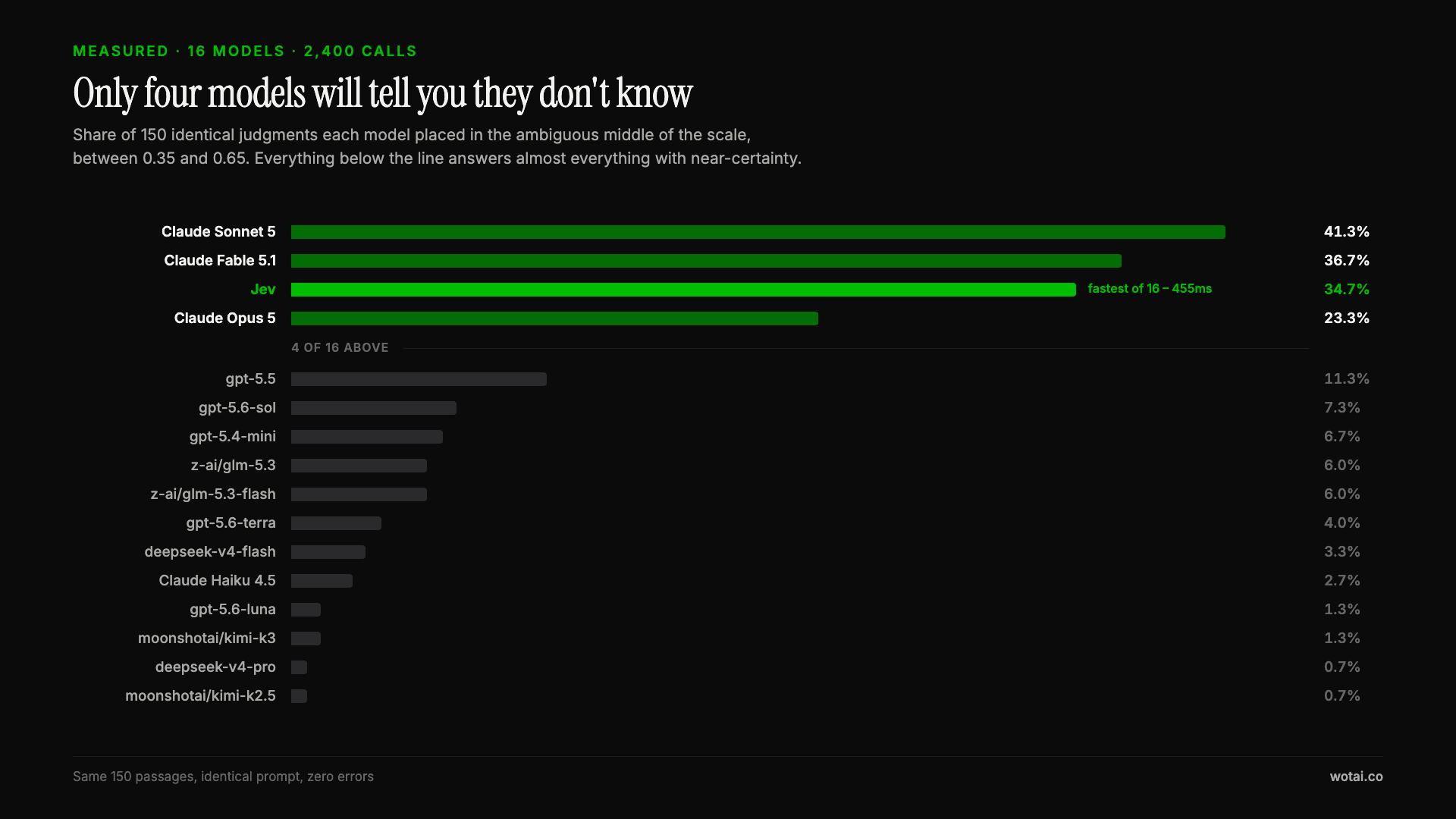
Jev is the only sub-second model that will tell you it doesn't know
Sixteen models on the same 150 passages, plus two more tasks. Only four of the sixteen will say they are unsure, and Jev is the only one of those four that answers in under a second.
AGENTS.md vs CLAUDE.md: which file your agent actually reads
Both files in one repo, measured: load order, token cost, and which one wins when they disagree. Every guide explains the difference; this one runs the test.
Compound engineering vs Superpowers: what each one installs
Both Claude Code plugins installed and measured: 14 skills against 33, one SessionStart hook against none, and the six skills that collide when you run both.