n8n autosave is here: never lose your workflow progress again
Lost 30 minutes of workflow work to a browser crash? That pain is now gone. n8n shipped autosave in version 2.4.0, and it changes how you build workflows.
Here's what you need to know.
The problem autosave solves
Before this update, n8n only saved when you clicked the save button. Miss that step before your browser crashes? Gone. Close the tab by accident? Gone.
Worse: saving a workflow meant deploying it. Every save pushed changes to production. Not great when you're mid-debugging on a live workflow.
What changed
n8n 2.4.0 introduces three connected features:
1. Autosave
Your changes save automatically every two seconds. No button clicks. No thinking about it. Just build.
2. Versioned publishing
This is the big one: saving is now separate from deploying.
When you make changes, they save to a draft. A yellow status indicator shows your draft differs from the published (live) version. When you're ready, you explicitly publish. Only then do your changes go live.
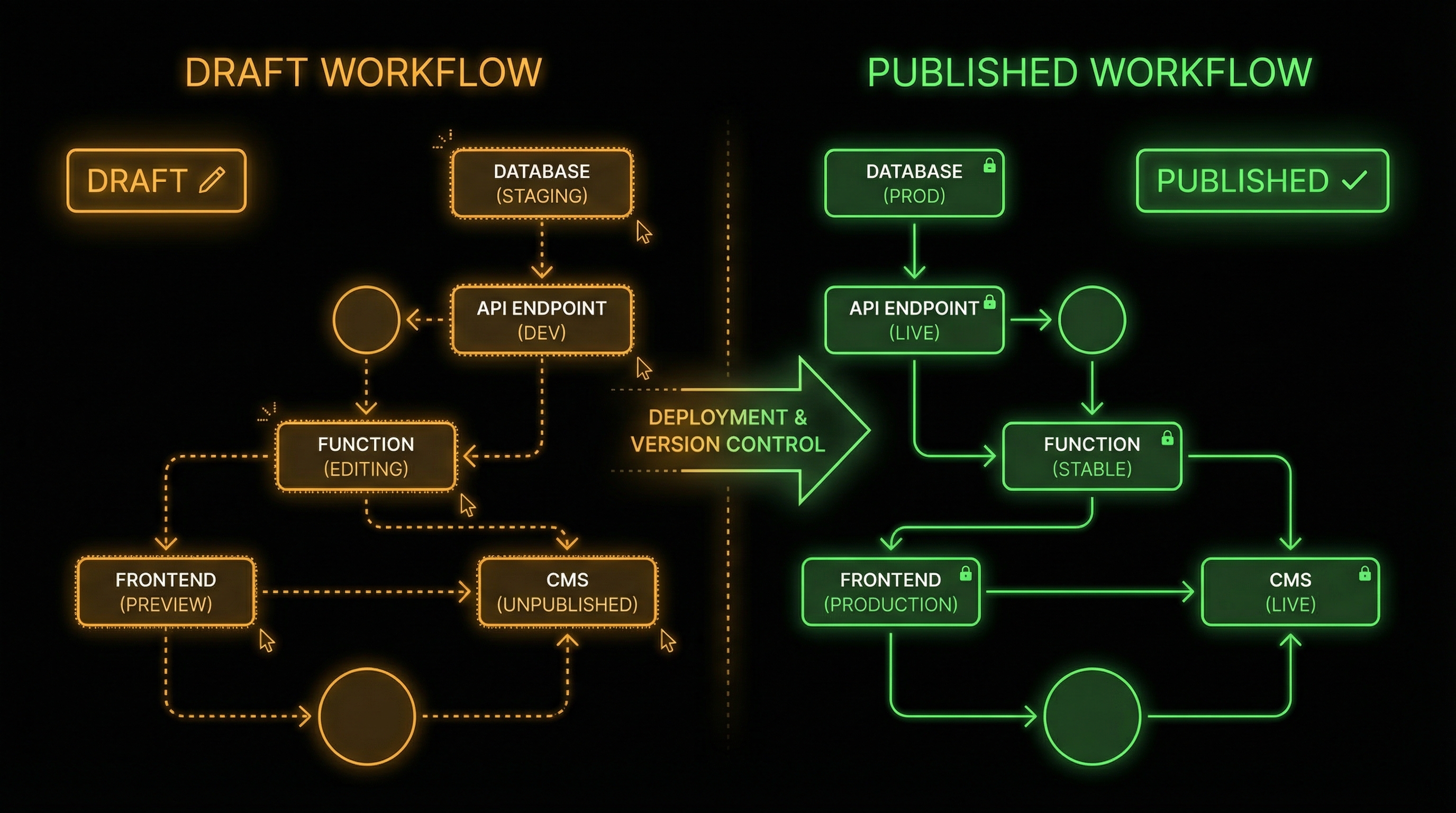
This means you can:
- Iterate freely without affecting production
- Test changes in the editor before deploying
- Roll back to any previous version instantly
3. Concurrency protection
Working with a team? n8n detects when someone else is editing the same workflow and switches you to read-only mode. No more accidental overwrites.
What this means for you
If you're building workflows for clients or your own business, this changes your development workflow:
Before: Build carefully, save sparingly, pray nothing crashes.
After: Build freely, iterate quickly, publish when ready.
The versioned publishing model matters most for production workflows. You can now:
- Debug a broken workflow without taking it offline
- Test different approaches in drafts
- Hand off workflows to teammates without stepping on each other's work
Best practices
Use version history actively. Before making major changes, note what version you're on. If something breaks, you can roll back in seconds.
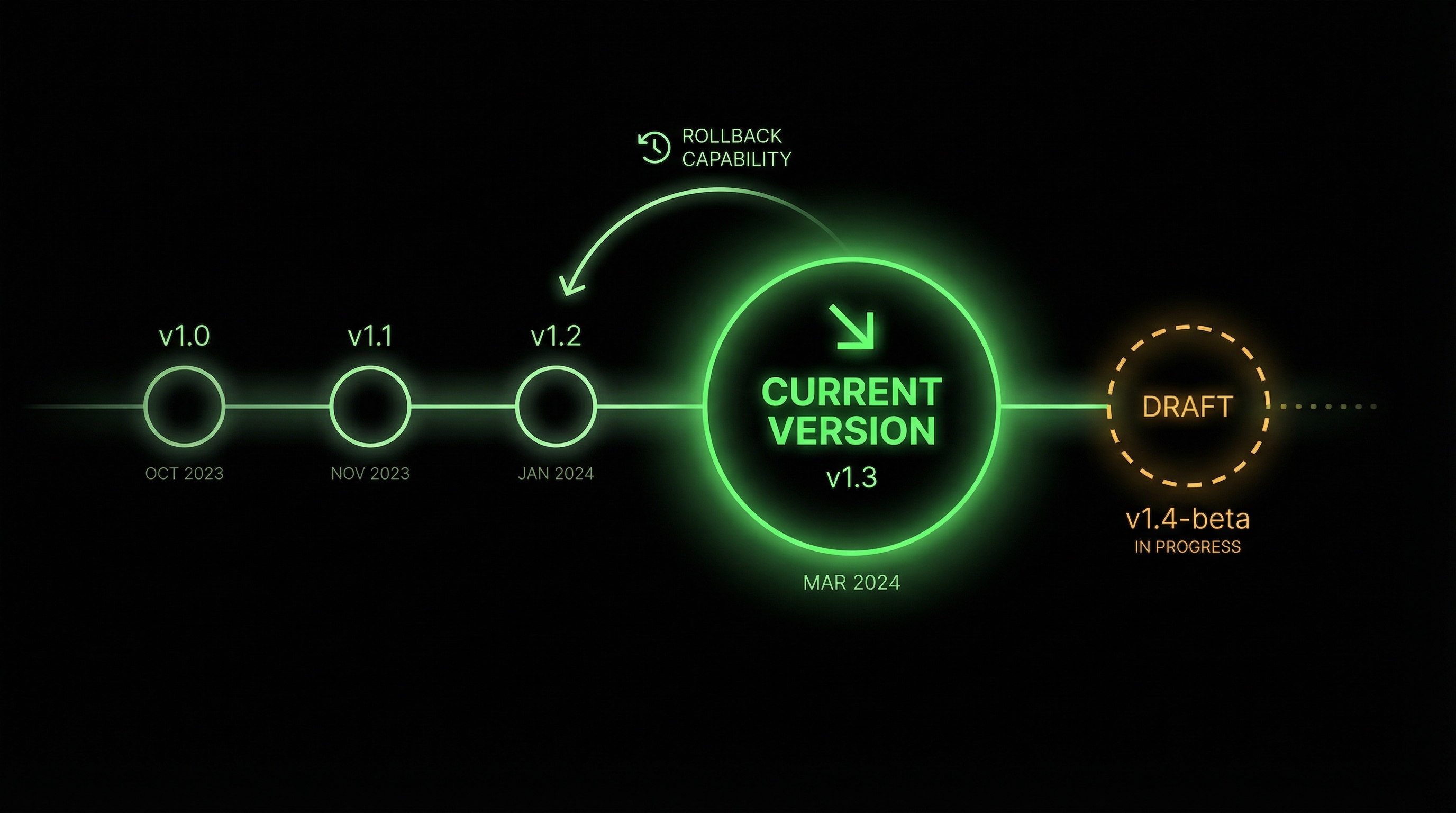
Publish deliberately. Just because changes are saved doesn't mean they're live. Get in the habit of the draft → test → publish cycle.
Don't fight concurrency protection. If n8n puts you in read-only mode, coordinate with your teammate. The feature exists because merge conflicts in workflows are painful.
Coming soon
n8n has more version control features on the roadmap:
- Custom version naming
- Better version history visualization
- Version renaming
Our take
This is infrastructure that makes n8n feel more like a real development environment. Separating save from publish mirrors how code deployment works. That's exactly right for workflows running in production.
For teams building client workflows, this removes a whole category of "oops" moments.
Want help building production-ready n8n workflows? Book a discovery call or join the WotAI community.
Stop guessing. Score your first workflow.
Score one workflow in about five minutes. Nine questions, a grade, and the specific gap holding it back - no call required.
Related Posts
AGENTS.md vs CLAUDE.md: which file your agent actually reads
Both files in one repo, measured: load order, token cost, and which one wins when they disagree. Every guide explains the difference; this one runs the test.
Compound engineering vs Superpowers: what each one installs
Both Claude Code plugins installed and measured: 14 skills against 33, one SessionStart hook against none, and the six skills that collide when you run both.
Claude Code Video Editing: How I Stopped Touching the Timeline
Claude Code can drive a real video timeline over MCP – reading project state, placing clips, styling captions – on a project file you can open and inspect. Here's the setup that turns an agent into an editing team, the four-layer specification that makes it work, and the decisions that stay human.